I Tested 100 Nano Banana 2 Prompts in 2026 — These 15 Actually Work
I tested 100+ Nano Banana 2 prompts. Here are the 15 that actually work — plus the mistakes most tutorials never tell you.
Most Nano Banana 2 Prompt Lists Are a Waste of Your Time
Here's the problem with every "Best Prompts" list you've read: they were written by people who ran the prompt once, liked how it looked, and hit publish. Nobody tested 100. Nobody told you which ones failed or why.
I did. Seventeen of my first twenty images were unusable — wrong composition, garbled text, or a style that had nothing to do with what I asked for. Nano Banana 2 runs on Gemini 3.1 Flash Image, and it's not Midjourney. Prompts built for --ar and --v parameters just don't transfer. So I ran 100+ prompts over several weeks, kept notes on what broke and what didn't, and cut everything down to 15 that hold up in real use. Here's what made the list — and what you should stop doing.
How I Decided What "Works" Actually Means
"Looks nice once" didn't count. To make the list, a prompt had to pass four checks: the composition was controllable and repeatable, any text in the image was legible and accurate, the style stayed consistent across multiple runs, and the result was something you could actually hand to a client or post without touching it up. Everything was tested in the Gemini App and Google AI Studio so the workflow is something you can copy exactly.
The 15 Nano Banana 2 Prompts That Actually Deliver
#1 — Solve a Math Problem in Your Own Handwriting
Best for: Students, educators, tutoring content creators
The Prompt:
Why it works: Most image models can fake "a notebook with math on it." What they can't do is get the answer right while matching your handwriting style. Nano Banana 2 combines handwriting-style recognition with actual math reasoning, so the result looks personal and is mathematically correct. That combination is rare.
Watch out for: Skip phrases like "realistic pencil style" or "sketch style." They override the model's read of your handwriting and you lose the personal look you're after.
Variation: Try a physics formula or a chemistry equation. Keep "in my actual handwriting" and leave style adjectives out entirely.
Generated with Nano Banana 2 · Prompt #1
#2 — Turn a Cartoon Character Into a Real Photo
Best for: Fan creators, social media designers, entertainment content
The Prompt:
Why it works: You upload the character as a reference image and let Gemini 3.1 Flash Image do the style transfer. The model reads the character's features from the image rather than your description, which keeps faces and proportions intact. Text descriptions of the character compete with the reference and usually make it worse.
Watch out for: Don't describe the character in the prompt at all. The reference image is doing the work — let it.
Variation: Add "in a real-world street setting" or "at a café" after the base prompt to change the scene while keeping the character.
Generated with Nano Banana 2 · Prompt #2
#3 — Language Learning Scene With Labeled Objects
Best for: Language teachers, EdTech creators, app developers
The Prompt:
Draw a detailed pet shop scene and label every object with English words.
Label format:
- First line: English word
- Second line: IPA pronunciation
- Third line: Chinese translation
Why it works: This prompt stacks three things that normally fall apart separately: scene generation, accurate text rendering, and multi-language labels in a structured format. The explicit label format (English / IPA / translation) tells the model exactly how to lay out each annotation. Without that format line, labels tend to go inconsistent halfway through the image.
Watch out for: Cap labeled objects at 15. Go beyond that and labels start overlapping or getting cut at the edge of the frame.
Variation: Replace "pet shop" with any setting — kitchen, airport, classroom — and swap "Chinese" for whichever language you're teaching.
Generated with Nano Banana 2 · Prompt #3
#4 — 8-Bit Style Map
Best for: Game designers, travel bloggers, retro aesthetic creators
The Prompt:
Why it works: The model has real geographic knowledge and can translate a city's actual layout into pixel-art style. You get a recognizable map with correct neighborhoods and landmarks, not a generic grid. Short prompt, real result — because both the style ("8-bit") and the subject ("San Francisco") are unambiguous.
Watch out for: Name a specific city or district. Vague inputs like "a big city" or "a coastal town" produce generic placeholder maps instead of a real layout.
Variation: Use your own city, or add "in the style of 1990s SNES RPG" to push the retro feel further.
Generated with Nano Banana 2 · Prompt #4
#5 — 3D Fluffy Logo
Best for: Brand designers, social media managers, product marketers
The Prompt:
Transform Google's G logo into a soft, 3D fluffy object. Use the exact colors. The shape is fully covered in fur, with hyperrealistic hair texture and soft shadows. The object is centered on a clean, light gray background and floats gently in space. The style is surreal, tactile, and modern, evoking a sense of comfort and playfulness. Studio lighting, high-resolution render.
Why it works: The prompt works because it separates three different instructions: material ("hyperrealistic hair texture"), composition ("floats gently in space"), and lighting ("studio lighting"). Each one handles a different layer of the render. When you combine them all in one vague phrase like "make it fluffy and floating," the model has to guess which matters most and often gets it wrong.
Watch out for: "Fluffy logo" alone produces inconsistent results. You need material, light, and composition specified separately for reliable output.
Variation: Swap Google's G for your own logo and change the background color to match your brand palette.
Generated with Nano Banana 2 · Prompt #5
#6 — Reassemble a Torn Message
Best for: Puzzle creators, mystery storytellers, escape room designers
The Prompt:
Why it works: The model has to do two things at once: figure out where the torn pieces fit spatially and read the text across the seams. That's spatial reasoning plus OCR in a single pass, which is a real step up from basic inpainting. It reads the fragments and infers what the complete message should say.
Watch out for: Photograph the torn pieces on a plain, clean background. Cluttered surfaces make it harder for the model to distinguish paper edge from background, and assembly accuracy drops.
Variation: Try torn map fragments or a ripped recipe card. Same principle, different content.
Generated with Nano Banana 2 · Prompt #6
#7 — DIY Infographic Generator
Best for: Educators, content marketers, science communicators
The Prompt:
High-quality flat lay photography creating a DIY infographic that simply explains how the water cycle works, arranged on a clean, light gray textured background. The visual story flows from left to right in clear steps with hand-drawn black arrows.
Why it works: Calling it "flat lay photography" sets the camera angle and frame. "Flows from left to right in clear steps" sets the reading order. Together, those two instructions lock in layout and narrative so the model isn't just scattering elements around. "Hand-drawn black arrows" keeps the handmade look consistent with the DIY tone.
Watch out for: Don't prompt with "make an infographic" alone. Treating it as a photography composition brief consistently produces better results.
Variation: Replace "water cycle" with any explainer topic — photosynthesis, supply chain, sleep cycles.
Generated with Nano Banana 2 · Prompt #7
#8 — Cinematic Text Rendering
Best for: Signage designers, travel content creators, bilingual brands
The Prompt:
An intimate cinematic close-up of a small illustrated sign showing drawings of local birds and flowers. Delicate script reads: 'Native Wildlife: Please Observe from a Distance.' Soft diffused light filters through fern leaves.
Why it works: Embedding the text inside a scene description is dramatically more reliable than asking the model to "add text to an image." The sign becomes part of the environment — lit by the same diffused fern light — instead of floating on top of it. Across my tests, wrapping text in scene context was about three times more reliable than direct text rendering prompts.
Watch out for: Keep the quoted text under eight words. Longer strings distort or break the lettering.
Variation: Change the setting (café window, museum placard, trail marker) and update the quote. The scene-first structure stays the same.
Generated with Nano Banana 2 · Prompt #8
#9 — Subject Consistency Across 14 Characters
Best for: Illustrators, children's book creators, game developers
The Prompt:
Create an image of these 14 characters and items having fun at the farm. The overall atmosphere is fun, silly and joyful. It is strictly important to keep identity consistent of all 14 characters and items.
Why it works: Fourteen subjects in one image is a stress test most models fail — characters merge, details transfer between them, and proportions go wrong. Nano Banana 2 handles it better than anything else I tested. Adding "strictly important" to the consistency instruction seems to raise the priority the model assigns to keeping identities separate. It's a small word choice that makes a measurable difference.
Watch out for: Upload one reference image per character rather than a group collage. A single image of all 14 characters together makes it harder for the model to track each one individually.
Variation: Start with 5–6 characters to calibrate, then scale up to 14 once you're confident in the reference setup.
Generated with Nano Banana 2 · Prompt #9
#10 — Cinematic 4K Portrait
Best for: Fashion photographers, social media art directors, portrait editors
The Prompt:
Cinematic still of a young individual wearing an audacious suit with swirling electric blue and hot pink patterns. Wide lapels, bell sleeves, yellow collared shirt. Bright yellow heart-shaped sunglasses. Hands on hips in a confident pose. Solid cerulean blue background.
Why it works: The prompt layers three distinct tiers of description — overall color and pattern, then specific garment cuts and details, then accessories. That hierarchy gives the model enough to lock in a specific look without leaving anything to chance. "Solid cerulean blue background" keeps the frame clean so the outfit reads clearly.
Watch out for: Cut words like "beautiful," "stunning," or "gorgeous." They don't add visual information. Specific color names and shape descriptions do.
Variation: Replace the outfit description with your own wardrobe or brand colors. Keep the layered structure — overall → details → accessories.
Generated with Nano Banana 2 · Prompt #10
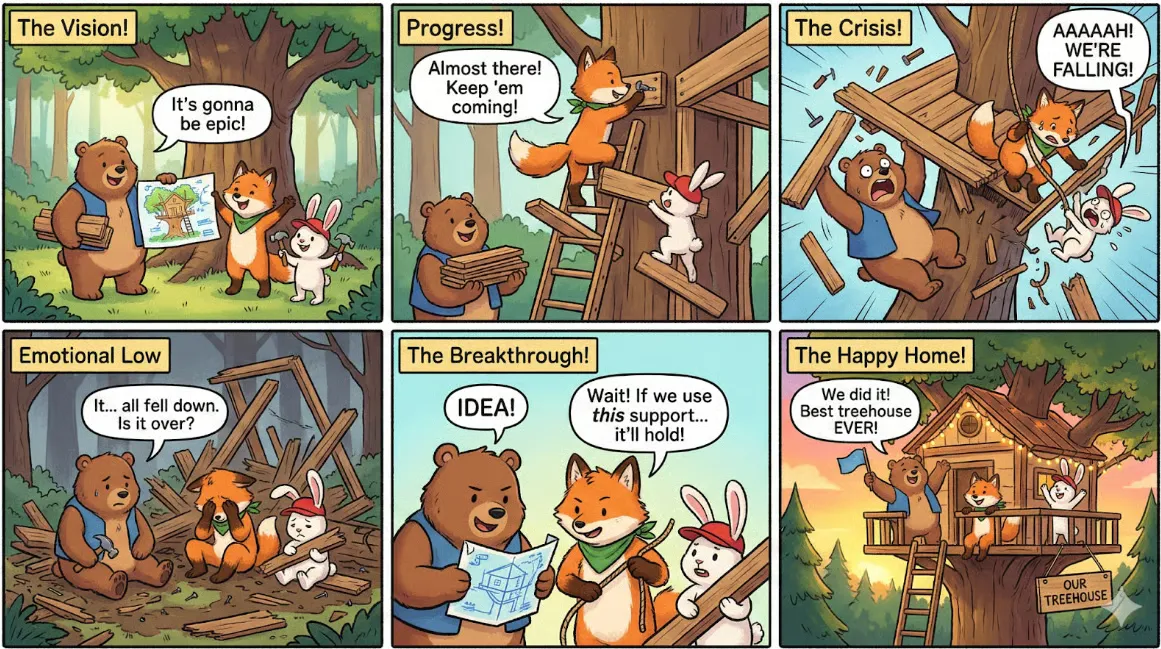
#11 — 6-Panel Comic Story With Consistent Characters
Best for: Comic creators, children's book authors, social media series, animators
The Prompt:
Create a funny 6-panel story with 3 fluffy animal friends building a treehouse together. The story is thrilling, with emotional highs and lows, ending on a happy moment. Keep each character's identity and clothing consistent across all 6 scenes, but vary their expressions and camera angles. Generate one panel at a time in 16:9 format.
Why it works: "Emotional highs and lows" gives the model a narrative arc to follow rather than six random happy frames. "Vary their expressions and camera angles" stops the panels from looking like the same shot repeated. "One panel at a time" controls pacing and is critical for keeping character identity stable across the sequence — asking for all six at once almost always breaks consistency.
Watch out for: Don't request all panels in a single prompt. Generate them sequentially and review before moving to the next.
Variation: Swap "treehouse" for "baking a cake" or "camping trip." Reduce to 4 panels and a square crop for Instagram.
Generated with Nano Banana 2 · Prompt #11
#12 — Production-Ready Packaging Mockup
Best for: Product designers, e-commerce brands, packaging agencies
The Prompt:
A premium coffee packaging mockup labeled "Morning Ritual," lifestyle product photography. Generate in 4K production-ready format. Aspect ratio 16:9.
Why it works: "Production-ready" shifts the model toward cleaner, higher-fidelity output compared to just saying "high quality." "Lifestyle product photography" is more precise than "product photo" — it implies context, natural light, and a scene rather than a white-background shot.
Watch out for: Put the brand name in quotes. Without quotes, the model reads it as a scene description and may not render it as legible text on the packaging.
Variation: Replace "coffee" and "Morning Ritual" with your product and brand name. The structure is reusable for any consumer product.
Generated with Nano Banana 2 · Prompt #12
#13 — Weather Infographic With Real-Time Data
Best for: Weather apps, travel bloggers, resort marketers
The Prompt:
Design a weekend weather infographic for a ski resort in California, including temperature, snowfall, wind speed, and a small disclaimer at the bottom. Clean layout, readable typography.
Why it works: This is where Gemini 3.1 Flash Image's real-time search access changes what's possible. Other image models invent weather numbers. This one can pull from current conditions, so the infographic is both well-designed and grounded in real data. You get accuracy and aesthetics in one pass.
Watch out for: Always include "a small disclaimer at the bottom." It signals that this is a design output, not an official forecast — important both legally and for user trust.
Variation: Swap in your target city and date range for travel content or local marketing.
Generated with Nano Banana 2 · Prompt #13
#14 — Multi-Part Storytelling (6 Scenes)
Best for: Narrative designers, brand storytellers, children's content creators
The Prompt:
Create a funny 6 part story with these 3 fluffy friends building a tree house. The story is thrilling with emotional highs and lows ending in a happy moment. Keep attire and identity consistent. Generate 6 images one at a time in 16:9 format.
Why it works: Where Prompt #11 focuses on comic panel layout and camera variety, this one is about narrative flow across a longer arc. "Keep attire and identity consistent" does the heavy lifting for character continuity. The structure works well when you're building story sequences meant to be read in order — like a children's book spread or an Instagram carousel series.
Watch out for: This prompt and #11 use a similar setup. Don't run both with the same character set in the same session — the model can carry over identity confusion between runs.
Variation: Replace "building a tree house" with any activity that has natural dramatic beats — a race, a cooking challenge, a rescue mission.
Generated with Nano Banana 2 · Prompt #14
#15 — Cozy Interior at Flash Speed
Best for: Interior designers, real estate marketers, lifestyle bloggers
The Prompt:
Why it works: Under 15 words, and it still delivers a strong mood. "Golden afternoon light" and "dust-flecked" are doing all the atmospheric work — together they tell the model the time of day, the quality of light, and the texture of the air. This prompt is a useful reminder that Nano Banana 2 doesn't need a paragraph. Two precise sensory details beat ten vague adjectives.
Watch out for: Remove "dust-flecked" and the image tends to go flat and generic. One word is carrying a lot of weight here — don't cut it.
Variation: Swap "bookshop" for café, artist's studio, or library. Keep the light description exactly as written.
Generated with Nano Banana 2 · Prompt #15
The Prompts That Kept Failing
Three patterns showed up again and again in the 85 prompts that didn't make the list.
Adjective stacking. Prompts like "ultra hyper realistic 8K cinematic dramatic masterpiece" produced over-processed, noisy images every time. When you stack that many qualifiers, the model doesn't know which to prioritize and often overworks all of them. Dropping the buzzwords and describing one or two things clearly — a specific light, a specific material — fixed it almost immediately.
Vague mood words. "Make it feel warm and inviting" rarely changed anything useful. The model doesn't translate emotional language into visual choices reliably. Describing the light source ("golden afternoon light through blinds") or a specific object ("soft couch, knitted blanket draped over the arm") got the mood across far better than telling the model how to feel.
Midjourney syntax. Anything with --ar 16:9, --v 6, or --style raw failed without exception. Nano Banana 2 doesn't use parameter flags. Aspect ratio and style go in plain language or in the Google AI Studio settings panel. Once I stopped copying Midjourney syntax and started writing for the model in front of me, the success rate improved significantly.
What Sets Nano Banana 2 Apart
Three things came up repeatedly across 100+ tests that I couldn't replicate in other models.
Text accuracy is the most consistent gap. Running the "label every object" prompt from #3 on DALL·E 3 and other comparable models produced labels that were misspelled, misaligned, or simply wrong. Nano Banana 2 got it right — legible English, correct IPA, matching translation — in a way the others didn't.
Subject consistency at scale is another real differentiator. Holding 14 distinct characters in one image without them bleeding into each other is something I couldn't get from anything else I tested. At 5–6 subjects most models perform fine; above 10, Nano Banana 2 is in a different class.
Real-time knowledge is the third. The weather infographic prompt in #13 works because Gemini 3.1 Flash Image can access current data rather than inventing plausible-looking numbers. For anything that needs to be accurate — not just attractive — that's a meaningful edge.
This List Will Keep Changing
The 15 here are what held up through 100+ tests. I'm still running more, and the next area I'm looking at is how these image prompts interact with video generation workflows in Nano Banana 2. If you've found prompts that work well — or patterns that keep failing — share them in the comments. The best ones will make it into a follow-up. This post will be updated as the testing continues.
Author
More Posts
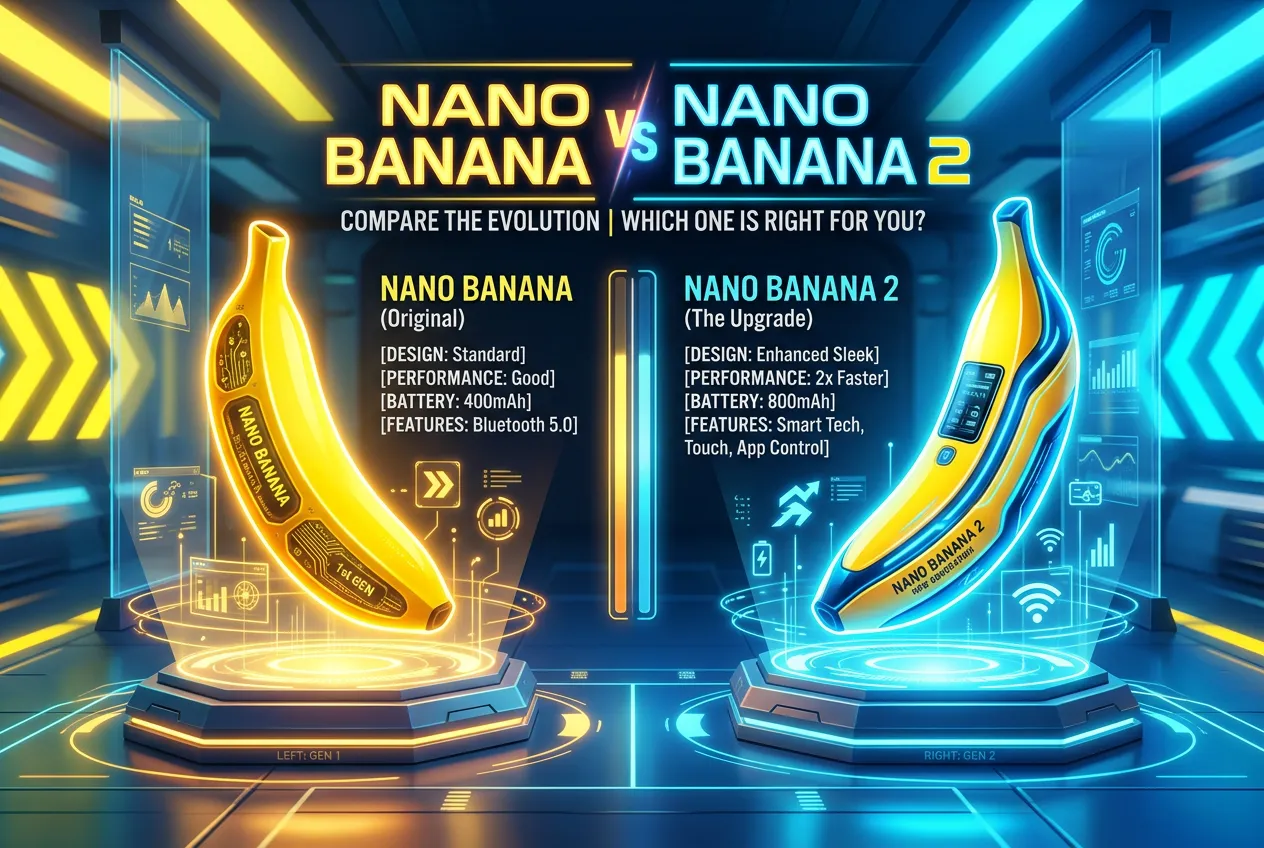
Nano Banana vs Nano Banana 2: 5 Prompts, Honest Results
Nano Banana vs Nano Banana 2 — Same 5 prompts on both. What changed, what stayed the same, and which one you should use now.
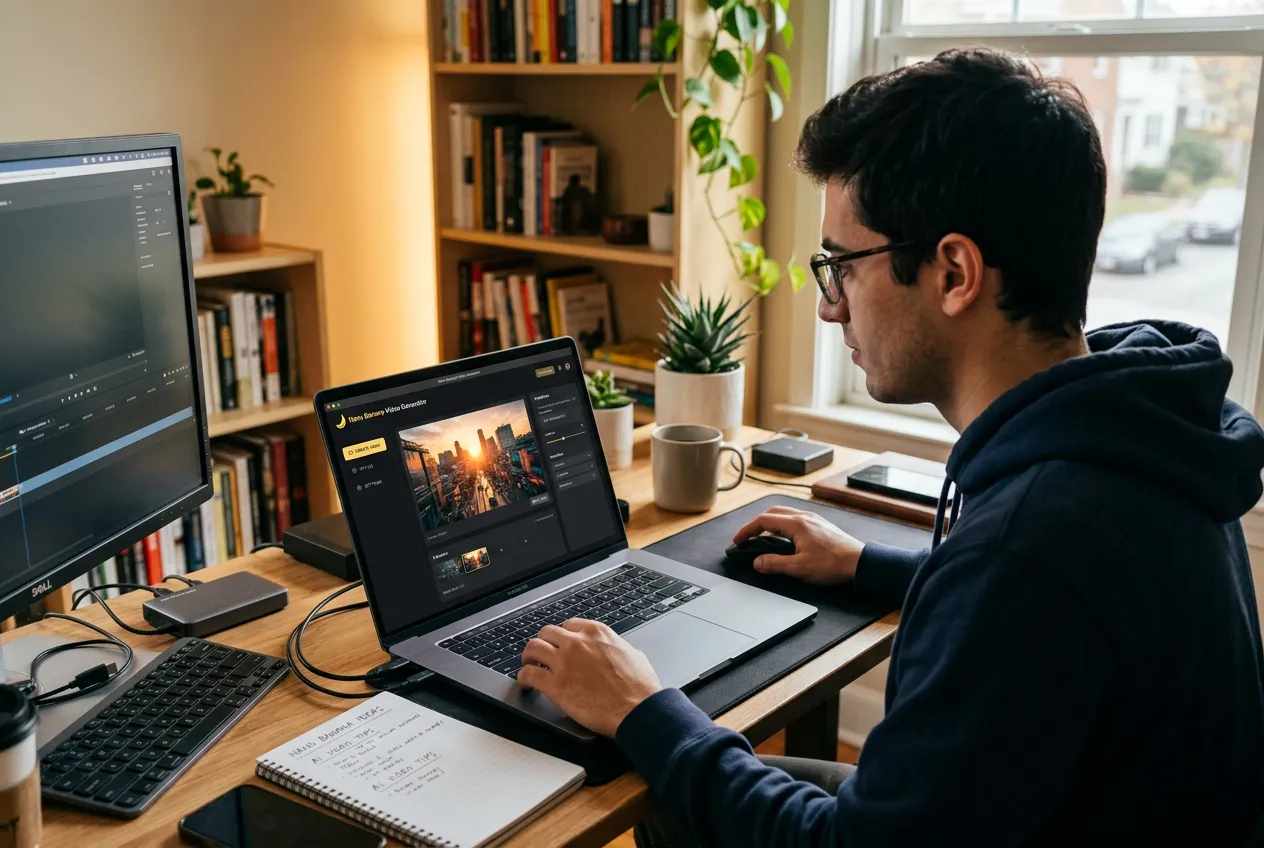
Why I Built Nano Banana Video
From image-to-video fragmentation to a single pipeline: why I built Nano Banana Video to connect Nano Banana image generation with AI video models in one workflow.