AI Photo Booth
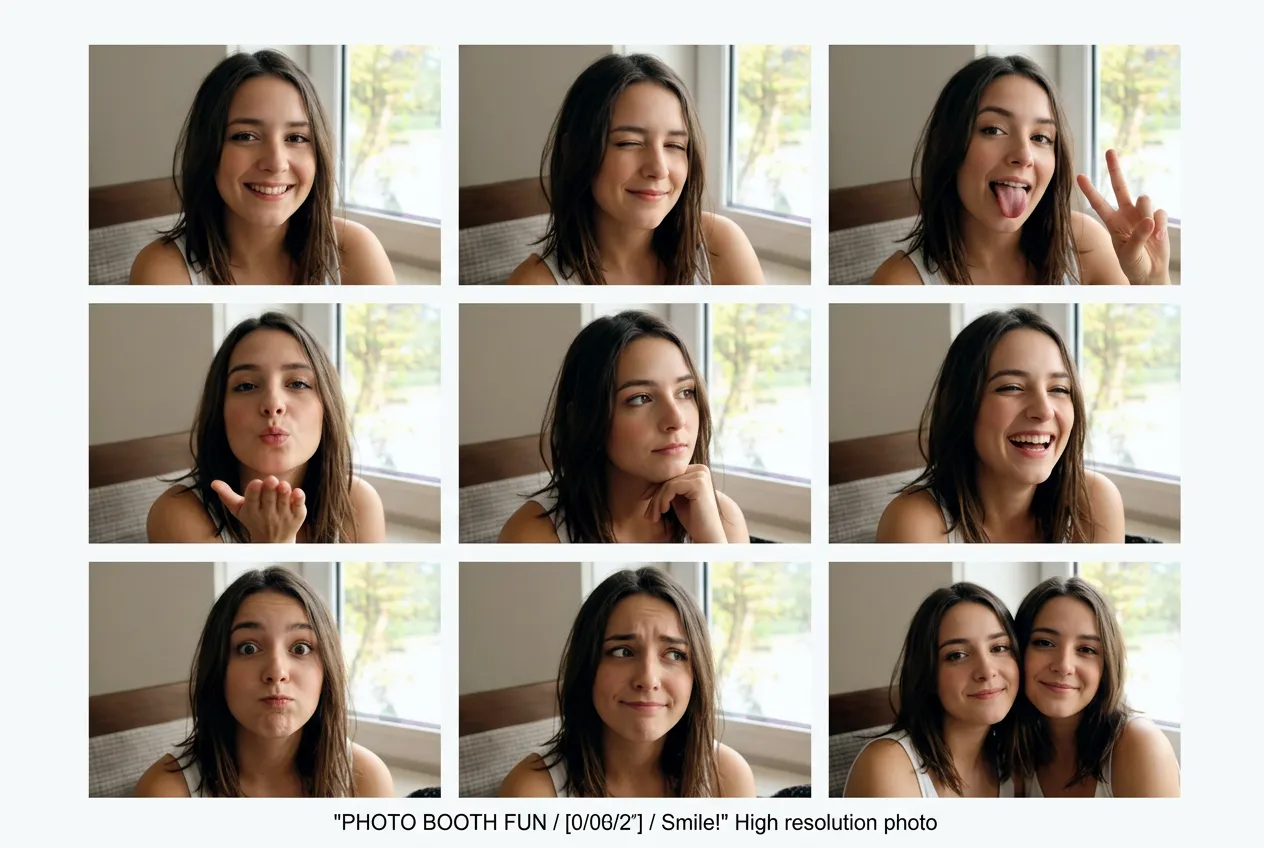
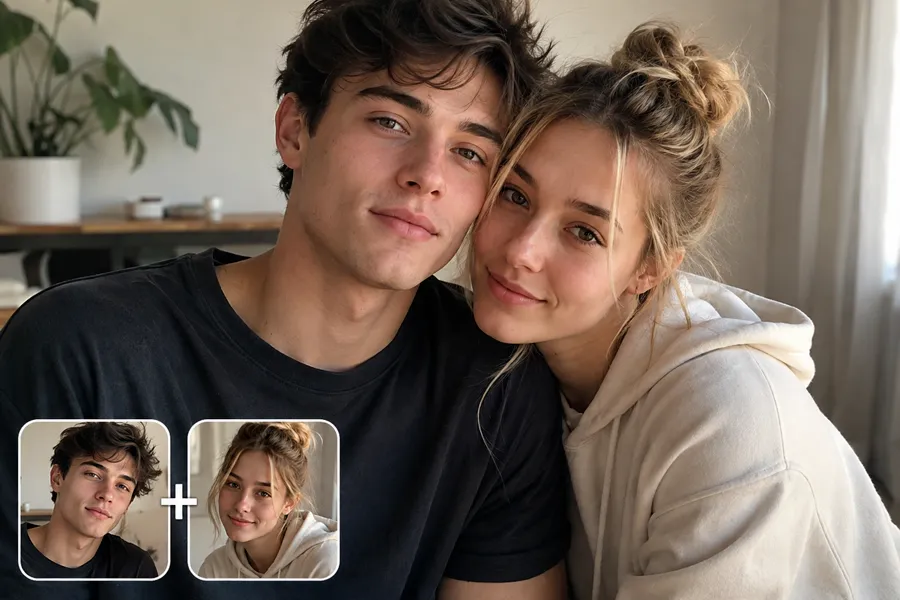
One photo becomes nine. Upload a portrait and get a complete photo booth grid in seconds.
More AI tools like Photo Booth
Explore our collection of specialized AI image generators designed for different creative needs and styles
How to Use Our AI Photo Booth Tool
From one photo to a full photo booth grid in under a minute.
Upload Your Photo
Add a clear portrait or full-body shot with good lighting and a visible face.
AI Grid Generation
The AI creates nine variations with different expressions, angles, and poses automatically.
Preview and Download
Get your 9-grid photo booth layout ready to print, share, or use in any project.
Key Features of the AI Photo Booth
Turn one portrait into a complete photo booth grid with varied expressions and natural poses.
One Photo, Nine Variations
Upload a single portrait and get nine different images arranged in a 3x3 grid. Each cell shows a unique expression, angle, or pose while keeping the same person and setting.
Natural Expression Range
The AI photo booth generates smiling, laughing, thoughtful, playful, and neutral expressions. Each variation looks genuine and natural, not forced or distorted.
Consistent Lighting and Background
All nine images share the same lighting, color tone, and background style. The result looks like it came from a real photo booth session.
Ready-to-Use Grid Format
Download the complete 3x3 layout in one file. No assembly required. Perfect for printing, social media, or portfolio use.
Advanced NanoMaker AI Photo Booth Technology
Professional 9-grid layouts from a single photo. Varied expressions, natural poses, and instant results.
Advanced Facial Detection with AI
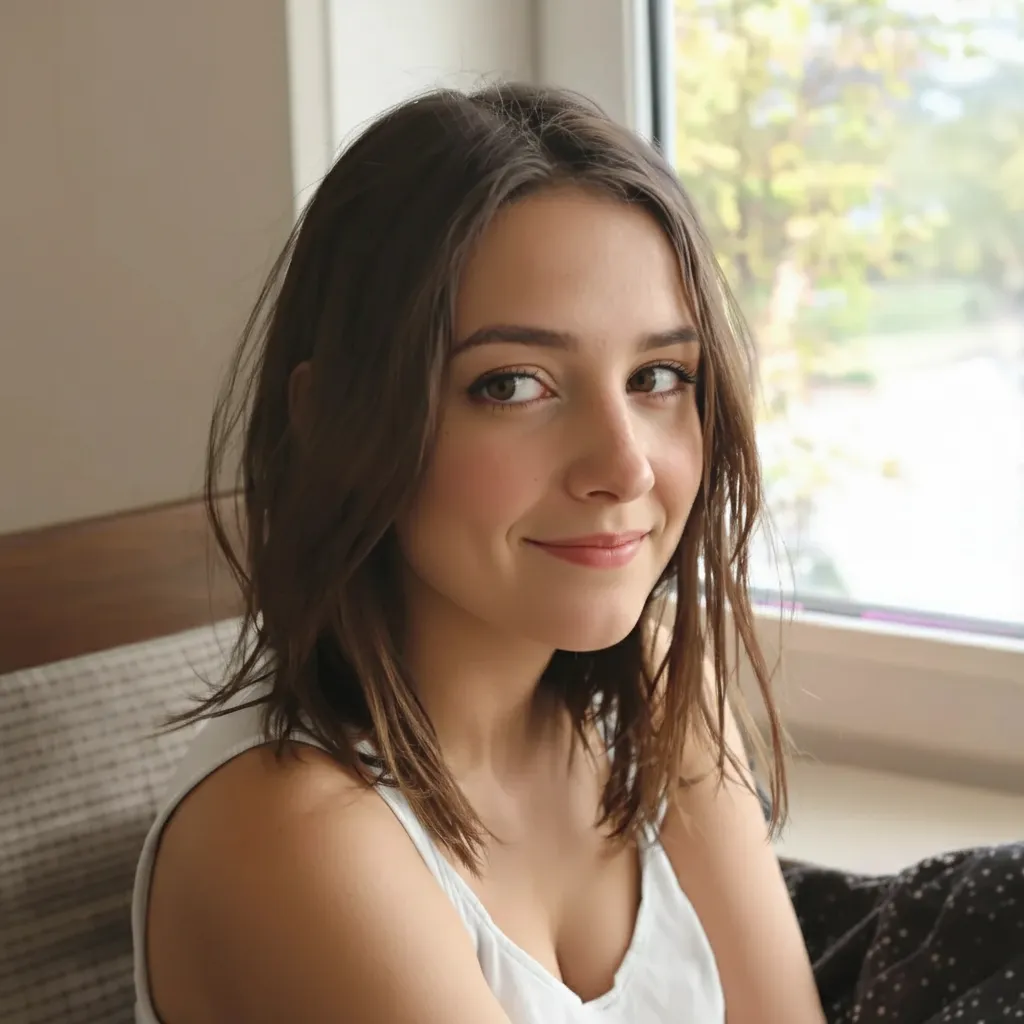
Upload one portrait and the AI analyzes facial features, expression patterns, and lighting conditions. It then generates eight additional variations, each with a distinct expression or angle. This AI photo booth tool keeps face shape, skin tone, hair, and clothing consistent across all nine frames while creating natural expression shifts.
Realistic Expression Variation
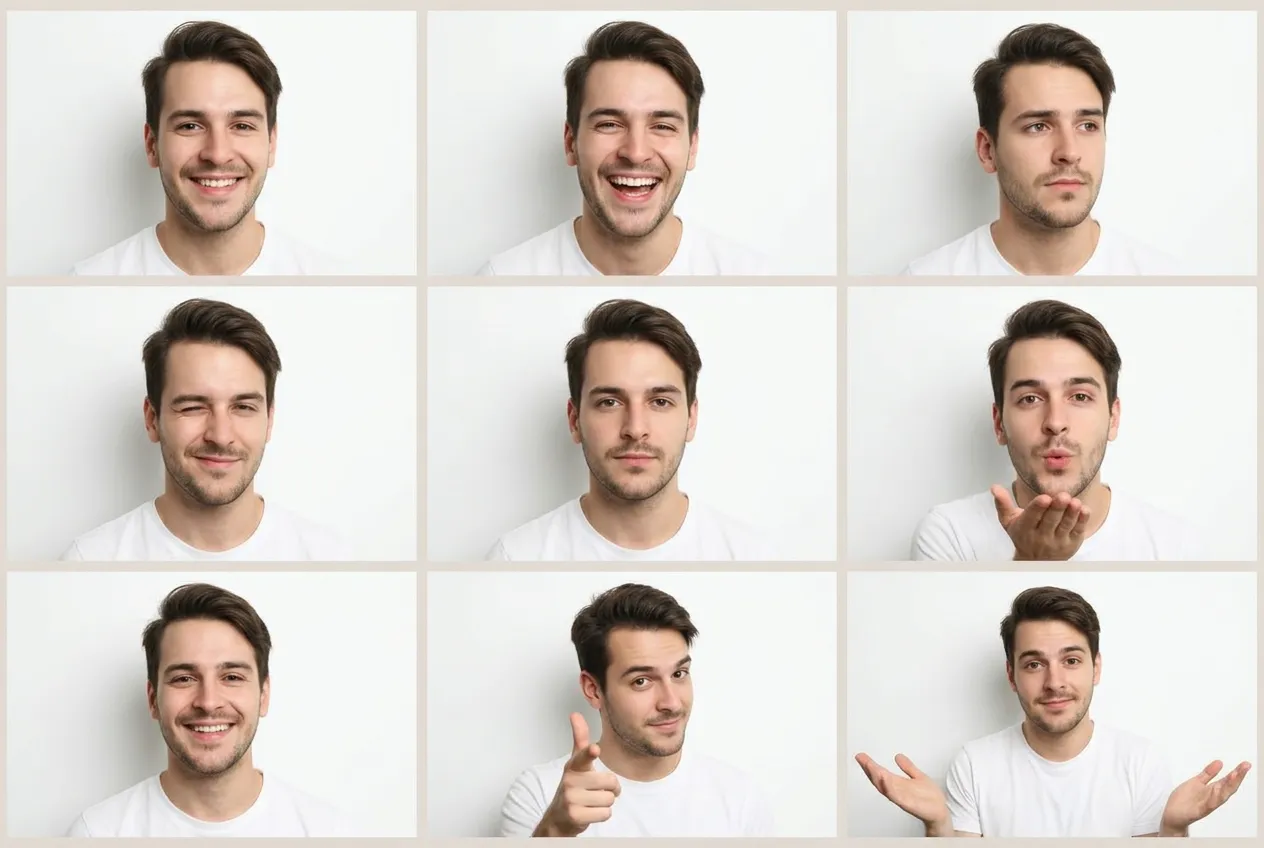
The photo booth AI creates a range of emotions that look natural. Smiling, laughing, thoughtful, playful, and neutral expressions appear in the grid without looking forced. Lighting and shadows adjust subtly with each expression, matching how a real face moves.
Professional Layout and Grid Accuracy
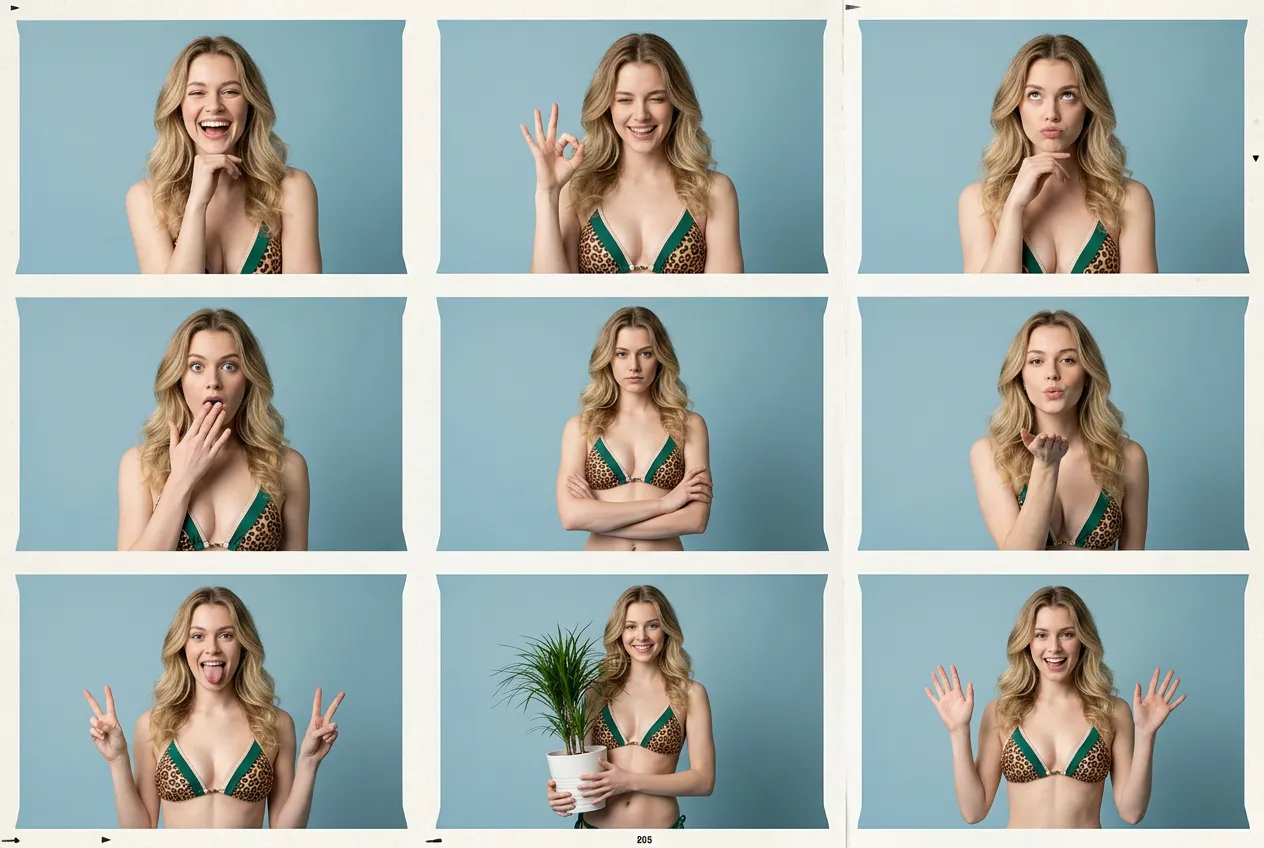
Every element aligns in the 3x3 format. Cell sizes stay equal, borders are clean, and spacing is uniform. The layout works for printing, digital display, or social media without additional editing. Background and lighting remain consistent so the grid looks cohesive.
Who Benefits from the AI Photo Booth
The AI photo booth makes professional grid layouts accessible for any project or platform.
Social Media and Profile Photos
Create engaging grid posts for Instagram, LinkedIn, or any platform. One portrait becomes nine variations with different expressions and angles.
Headshots and Portfolios
Build a professional portfolio set from one session. Photographers and actors can showcase expression range without booking multiple shoots. All images share consistent lighting and background.
Events and Parties
Generate photo booth style grids for weddings, birthdays, or corporate events. Guests upload one photo and get a nine-panel takeaway that looks like it came from a real booth session.
Marketing and Campaigns
Create diverse visual content for ads, websites, or presentations. One team photo becomes multiple angles and expressions. Maintain brand consistency with uniform lighting and background.
What Users Say About the AI Photo Booth
From social creators to professional photographers, people use it for grids, portfolios, and campaigns.
"We used the AI photo booth for a campaign launch and engagement jumped 70%. One team photo turned into a nine-panel grid that people actually stopped to look at. Way more effective than single shots."
"I upload one selfie and get a full photo booth grid in seconds. The expressions look natural, not fake. I use it for carousel posts and people ask where I got the photo booth."
"Guests at our wedding loved it. They uploaded one photo and got a nine-panel takeaway that looked like it came from a real booth. Saved us from renting an actual photo booth."
"I use it for actor headshots. One portrait becomes nine expressions without scheduling extra sessions. The lighting stays consistent so it looks like one shoot."
"The photo booth tool gives us diverse content for ads without multiple shoots. One executive photo becomes a grid with different expressions and angles. Brand style stays uniform."
"I needed a photo booth grid for a client presentation. Uploaded their photo, got a clean 3x3 layout in under a minute. The grid accuracy is perfect for print and digital."
Pricing plans for AI Photo Booth
Choose your plan and get instant access to all premium AI models
Cancel anytime — Unused credits roll over — Usage varies by model and generation type.
Lite
$84 per year billed yearly
4,500 Credits per year

Premium
$100 per year billed yearly
9,600 Credits per year
Max
$240 per year billed yearly
36,000 Credits per year
Free
Pay safely and securely with








Frequently Asked Questions
Common questions about the AI photo booth and how it works.