AI Face Morph
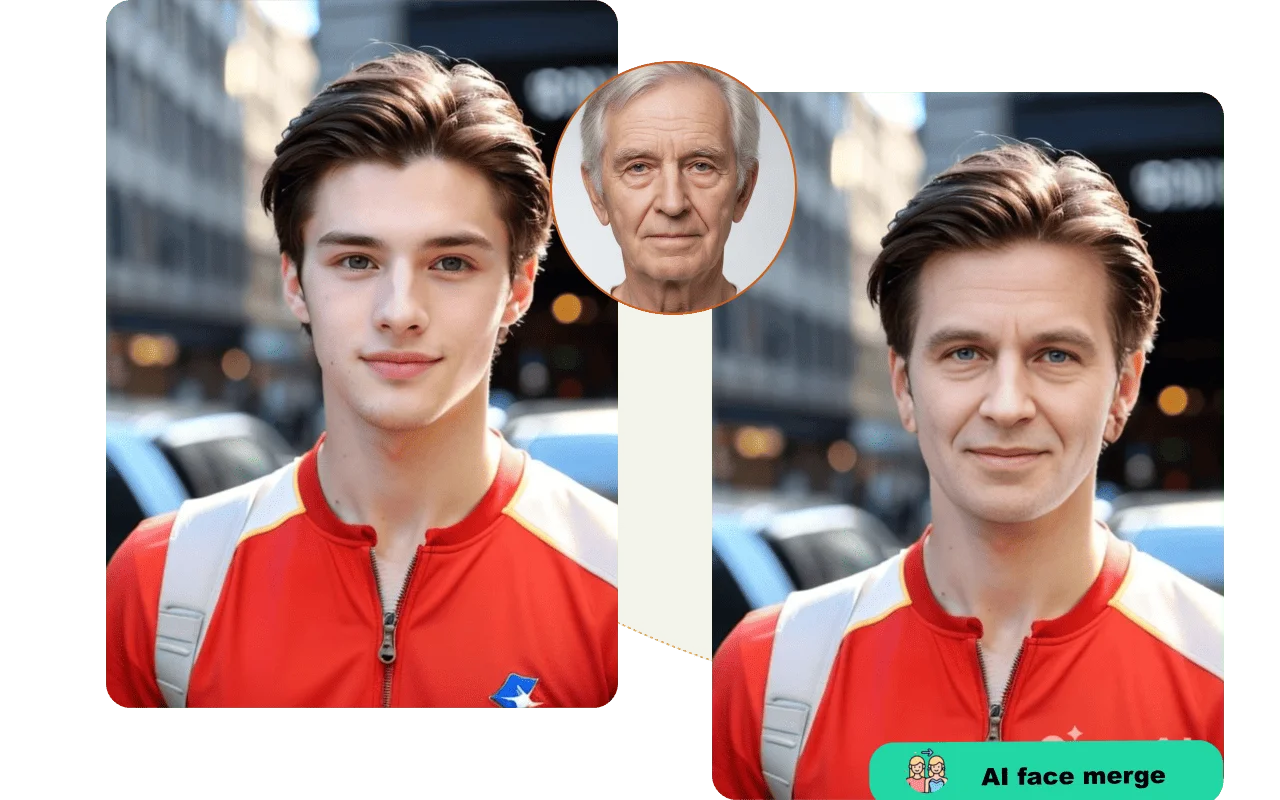
Upload two photos and watch the AI blend them into a single, photorealistic portrait. From predicting family resemblance to creating artistic composites, the face morph tool delivers a clean result in seconds.
Base Photo
Face to keep
Target Face
Face to blend in
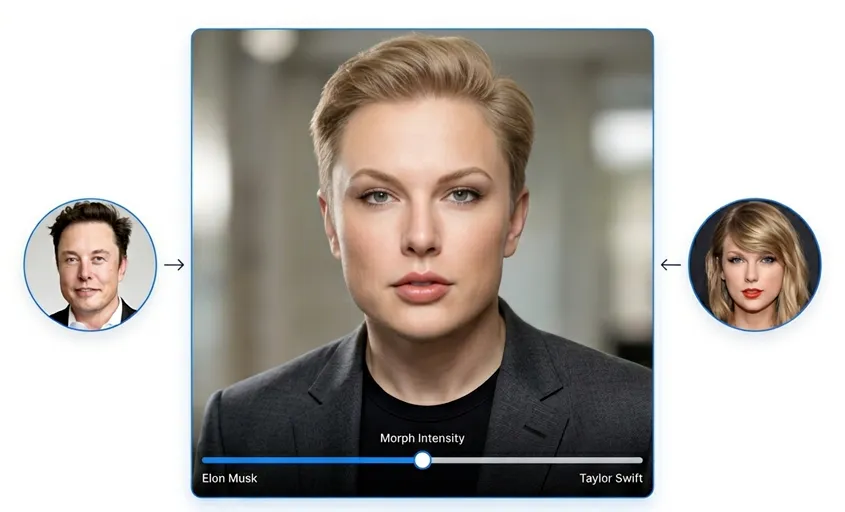
How to Use the AI Face Morph Tool
Three steps from upload to finished result. No Photoshop, no manual selections, no experience required.
Upload Your Base Photo
Choose the photo that provides the body, background, pose, and setting. This is your foundation image and the face morph will keep everything in this photo intact except for the face itself.
Add the Target Face
Upload the second photo with the face you want to blend into the base. This could be a celebrity, a family member, a partner, or yourself from a different photo.
Generate and Download Your Face Morph
Hit Generate and the AI processes both inputs to produce a seamless, photorealistic face blend. Review the result at full resolution. If it looks right, download it directly.
Key Features of NanoMaker's Face Morph Tool
Built to handle realistic face blending that goes beyond simple overlays.
Photorealistic Face Blending
The face morph AI doesn't just transplant pixels. It matches skin tone, adjusts lighting direction, and blends edge contours so the swapped face looks like it genuinely belongs in the base photo rather than being pasted on top.
Preserves Expression and Pose
The AI keeps the original facial expression and head angle from the base photo, so the output looks natural within the scene. Whether the base is a straight-on headshot or a candid at an angle, the blended face fits without distortion.
Keeps Body, Background, and Lighting
Everything outside the face stays exactly as it was in the base photo. Hair, clothing, background, and lighting all remain unchanged. The face morph is precise and only the face itself gets replaced or blended.
Fast Processing, High-Quality Output
Most face morph results are ready in under a minute. Output resolution scales up to 4K depending on the model and resolution setting you select, making the result usable for print, display, or digital sharing.
Why Use NanoMaker's AI Face Morph
From entertainment to creative work, here's how people actually use the face morph tool.
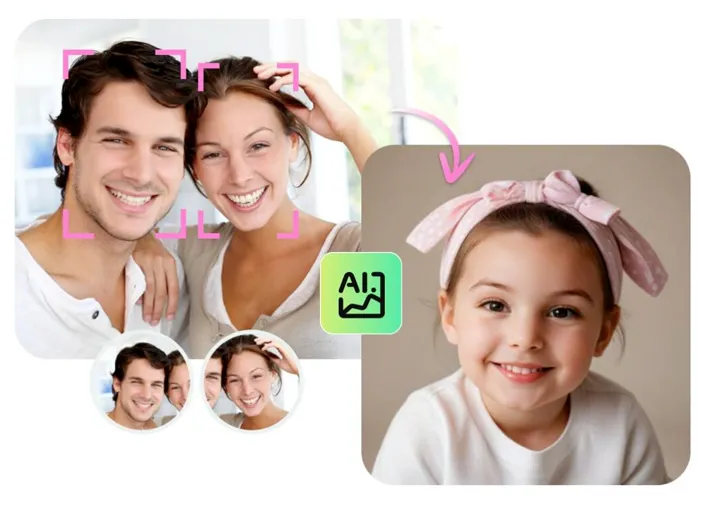
See What Your Future Baby Might Look Like
One of the most popular uses of the face morph tool is blending two parents' faces to get a rough visual of what their child might look like. Upload a clear photo of each parent and the AI blends the facial structures, skin tones, and features into a single result. It's not a medical prediction, but it's a genuinely fun way to visualize the combination and the results are often surprisingly convincing.
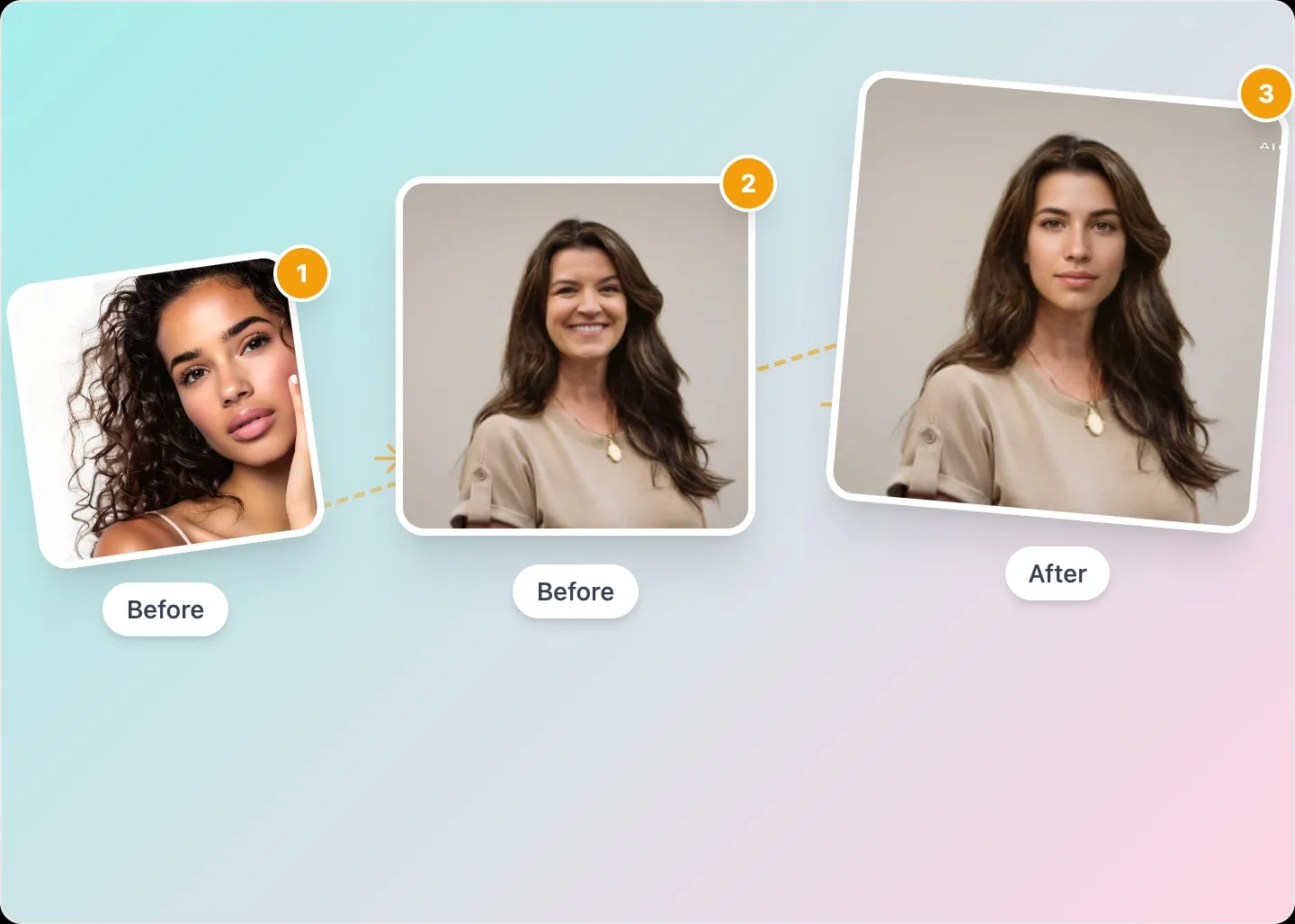
Blend Your Face with a Celebrity or Character
Want to see what you'd look like with a celebrity's features blended into your photo? The face morph tool handles that too. Upload your own portrait as the base and a celebrity photo as the target face, and the AI produces a realistic blend that puts their bone structure and features into your image. People use this for entertainment, profile picture experiments, and creative social media content.
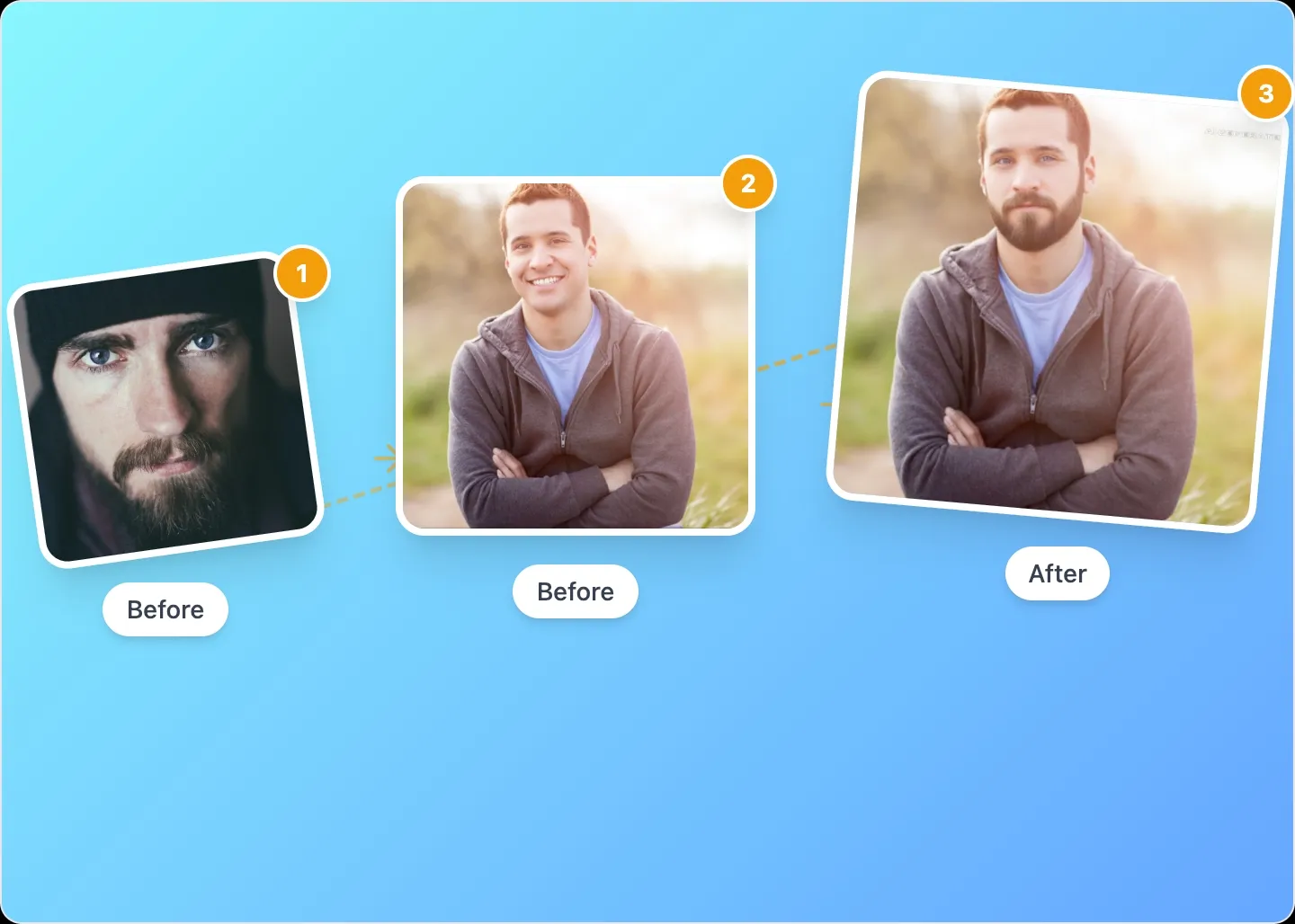
Creative Portraits and Artistic Face Blends
The face morph tool is also a legitimate creative instrument. Photographers and digital artists use it to produce composite portraits, character design references, and conceptual images that would take hours to build manually in Photoshop. Upload two subjects you want to combine and let the AI handle the blending. You get a clean starting point for further refinement or a finished piece on its own.
Engaging Social Media and Content Creation
Before-and-after face morphs, family resemblance reveals, and twin-look challenges all perform well on social platforms because people are naturally drawn to faces and the surprise of seeing two people combined. The face morph tool gives content creators a fast way to produce this type of visual without any design skills. Generate a result, download it, and post. The whole workflow takes a few minutes.
Who Needs a Face Morph Tool
More people have a reason to blend faces than you'd expect.
Couples and Expecting Parents
Blending the faces of two partners to visualize what their child might look like is one of the most searched face morph use cases. The result won't match reality exactly, but it's a creative and emotionally engaging way to imagine the future. These outputs are popular at baby showers, easy to share on social media, and worth keeping as a keepsake.
Content Creators and Social Media Accounts
Face morphs consistently generate high engagement on social platforms. Creators use the face morph tool to produce celebrity comparison content, family resemblance posts, and interactive challenge formats where their audience votes on who someone looks more like. Fast to produce, visually compelling, and reliably shareable.
Portrait Photographers and Retouchers
Photographers and retouchers use face morphing as a compositing shortcut for merging elements from multiple shots taken in the same session, combining a subject's best expression from one frame with their best angle from another, or creating client concept previews without a full post-production workflow.
Digital Artists and Character Designers
Building a believable original character from scratch is a long process. Many artists use the face morph tool to produce a reference composite by blending two real people whose features match the character concept, as a starting point for illustration, 3D modeling, or animation work.
Marketing Teams and Campaign Creators
Some campaign formats benefit from face morphing, including brand spokesperson variations, before and after narrative visuals, and product transformation stories told through faces. The face morph tool produces these assets quickly without a dedicated photo shoot or retouching workflow.
Curious People Who Just Want to Experiment
Not every use case needs a professional justification. A lot of people use the face morph tool simply because they're curious about what they'd look like with different features, what they have in common with a sibling or parent, or whether their face morphs into a convincing blend with a celebrity they're often told they resemble. These everyday explorations are completely valid.
More AI Image Generators
Explore our collection of specialized AI image generators designed for different creative needs and styles




What Users Are Saying About NanoMaker's Face Morph Tool
Real feedback from people who've used it in actual projects and for personal fun.
"I did a face morph of myself and my sister for a reel and the engagement was insane. Everybody wanted to know how I made it look that realistic. The blend is super clean and I've tried other face morph tools before where they always look obviously fake. This one actually holds up."
"I use it when a client needs two shots combined from the same session, maybe the expression is better in one and the pose in another. The face morph handles it cleanly enough that I can hand the result to the client without a ton of extra cleanup in Lightroom."
"My husband and I uploaded our photos to see what our baby might look like. I know it's just for fun but the result was honestly adorable and it kind of looked like an actual person we could imagine. We ended up sharing it with family at the shower and everyone loved it."
"I was working on a character reference sheet and needed a visual blend of two real people as a starting point. The face morph gave me a clean composite that I could trace over and develop further. Saved me probably two hours of manual work in Photoshop."
"We ran a campaign where we morphed the brand founder's face with customer portraits. The face morph tool made it fast enough to actually scale and we produced about 20 variations in one afternoon. The quality held up well enough for Instagram Stories and email headers."
"Honestly just used it to see if I actually look like the actor I keep getting compared to. Ran the face morph and yeah, there's definitely something there. Pretty unsettling but also kind of cool. Quality of the output was way better than the free tools I'd tried before."
Frequently Asked Questions
Common questions about the AI face morph tool.