Green Screen Remover
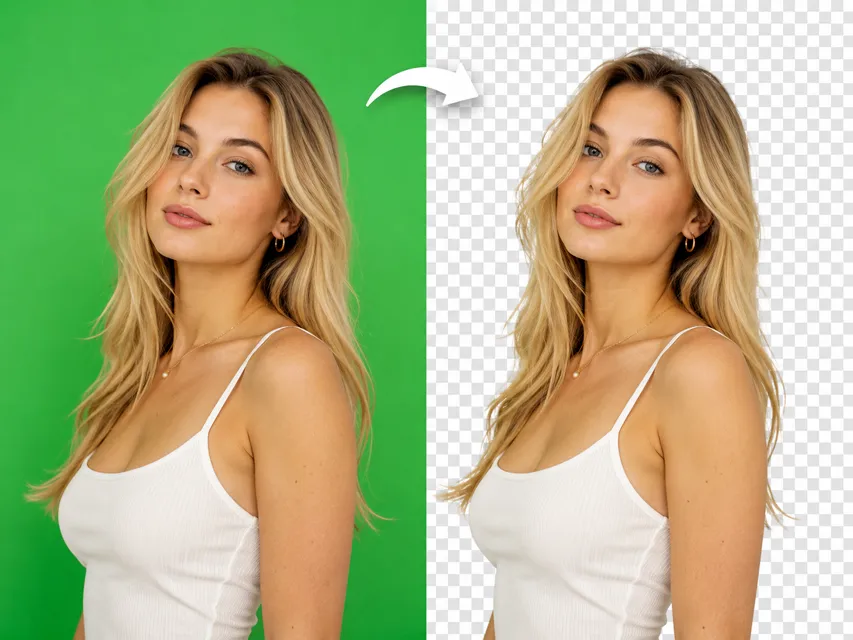
Drop in any image shot on a green or blue screen and get a clean transparent cutout in seconds. The green screen remover handles detection and removal automatically, with no manual selection required.
More AI tools like Green Screen Remover
Explore our collection of specialized AI image generators designed for different creative needs and styles


How to Use the Green Screen Remover
Three steps. No design software, no account needed to get started. Upload your image and you're done.
Upload Your Image
Drag in or select any photo taken against a green or blue chroma key background. JPG, PNG, and WebP formats all work. The green screen remover accepts both studio-grade shots and casual phone photos.
Let the Green Screen Remover Do the Work
The AI scans the image, identifies the chroma key region, and cuts it away cleanly. You can fine-tune the default prompt to specify edge handling or a particular color range, or just leave it and let the tool decide.
Preview and Download Your Transparent PNG
Once processing finishes, you get back a transparent-background PNG at your chosen resolution. Place it on any new background, drop it into a design, or use it directly in your project.
Why Use NanoMaker's Green Screen Remover
From social content to e-commerce to broadcast, here's where it actually gets applied.
Making Social Posts That Actually Stop the Scroll
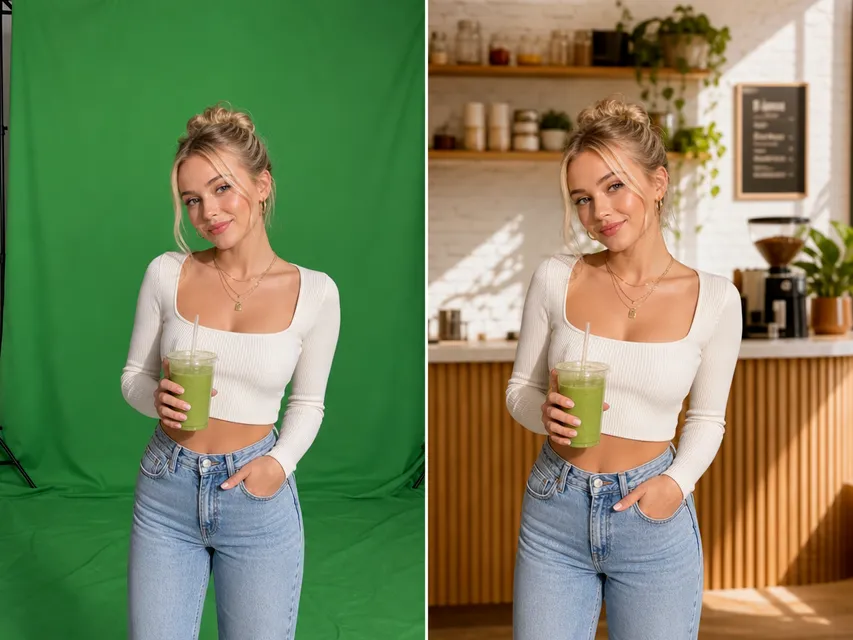
Posting consistently across platforms means you need content that looks polished without a full production budget. Shooting yourself or your product against a green screen, then swapping the background with the green screen remover, is one of the fastest ways to put yourself into a trending scene or match a platform aesthetic. The cutout looks clean enough that nobody stops to wonder how you got into that location.
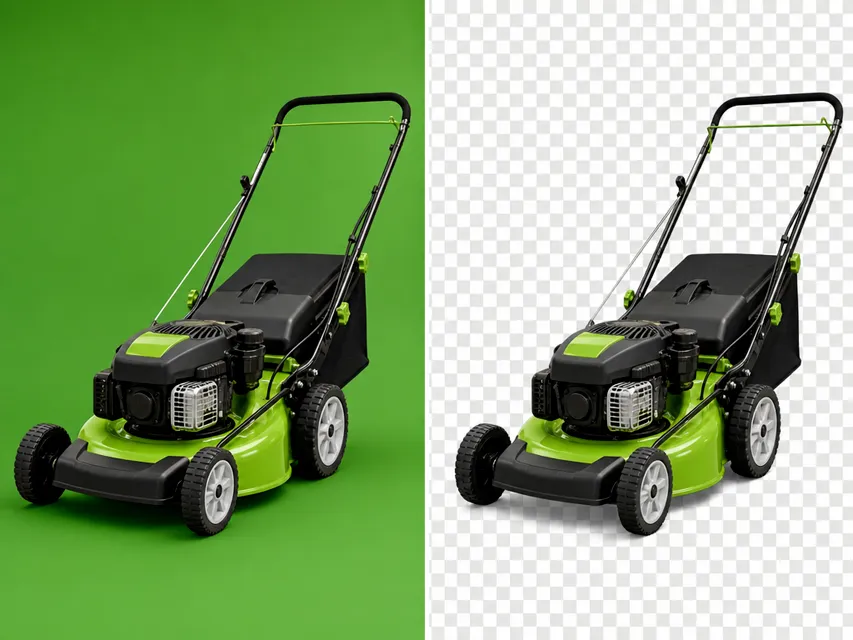
Clean Product Images for Your Store
E-commerce listings need backgrounds that are either pure white, transparent, or consistently styled. Shooting on green screen and processing with a green screen remover gives you that flexibility without re-shooting every time the platform requirements change. You get a transparent PNG that drops onto any catalog background and stays consistent across your entire product line.
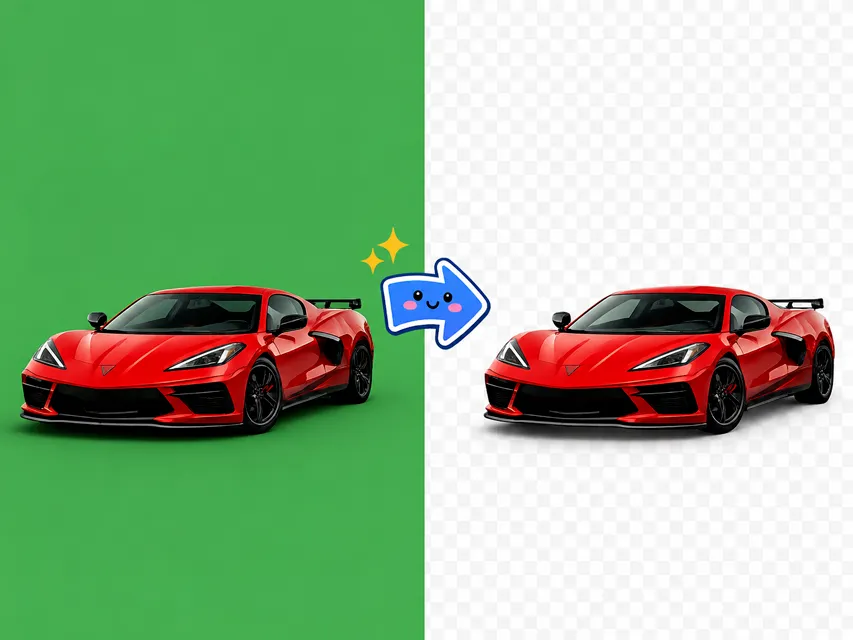
Faster Ad Creative Without the Design Bottleneck
Campaign deadlines don't move. When a creative team is waiting on clean cutouts before they can build the ad, every hour of manual masking is a delay. Running images through the green screen remover gives you production-ready transparent assets quickly, so the design work can start without waiting on a retoucher to finish.
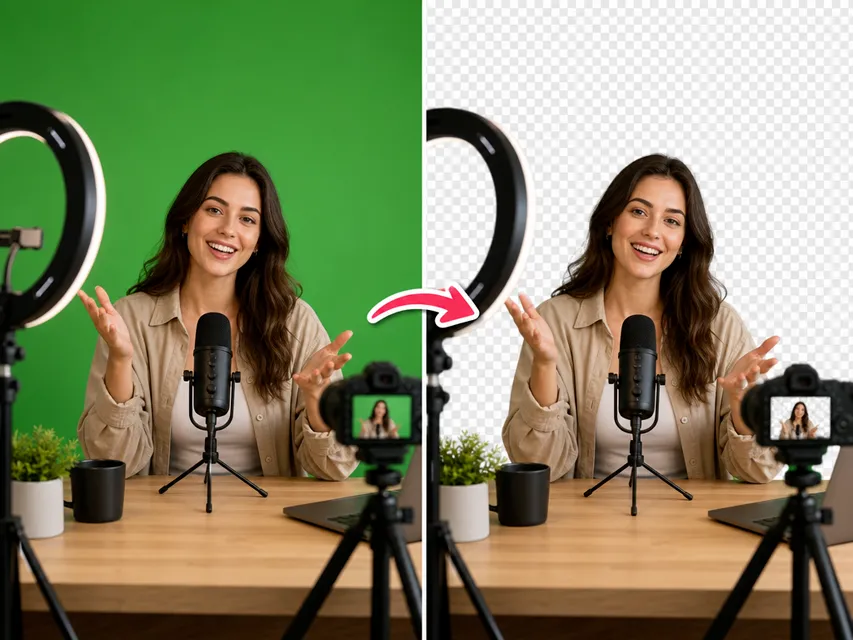
Professional Visuals Without Complex Editing Software
Not everyone setting up a virtual background for Zoom, Teams, or a live stream wants to wrestle with OBS layers or Photoshop masking. Upload your portrait against a green screen, run it through the green screen remover, and you have a clean PNG you can use in whatever setup works for you without any compositing software.
Key Features of NanoMaker's Green Screen Remover
More than a simple color picker. Clean edge detection and transparent output that actually holds up in production.
Precise Edge Detection
The green screen remover doesn't just flood-fill based on color. It traces the outline of your subject, handling hair, fabric, and semi-transparent elements without leaving a fringe of green around the edges.
Transparent PNG Output
Every result comes back as a PNG with a true alpha channel. You can composite the cutout onto any background in any tool, whether that's Photoshop, Canva, Figma, or a video timeline.
1K, 2K, and 4K Output
Choose the output resolution that fits your project. 1K is fine for web use, 2K covers most print needs, and 4K gives you a clean result for broadcast, large-format output, or high-DPI displays.
Consistent Results Across Multiple Shots
Shooting a whole session against a green screen? This tool produces consistent cutouts across a set of images with the same background treatment and edge quality, so your outputs look uniform without manual adjustments.
Who Needs a Green Screen Remover
More people than you'd expect deal with chroma key images regularly.
Content Creators and YouTubers
Green screens are a staple for anyone who shoots videos or photos for content. The green screen remover turns raw chroma key footage stills and headshots into transparent assets you can drop onto any background, with no editing suite needed between the shoot and the publish.
E-commerce Sellers and Product Photographers
Getting consistent, clean product images at scale means shooting against a controlled background. Green screen is often the easiest option. A green screen remover converts those shots into transparent PNGs you can place on any catalog or marketplace background without individual retouching.
Marketing Teams and Creative Agencies
Campaign assets often involve people or products that need to be placed in different contexts. When the subject is shot on green screen, the green screen remover gives the design team clean cutouts to work with immediately, without waiting on a retoucher to manually mask every shot.
Streamers and Online Presenters
Whether you're setting up a Zoom background, building a streaming overlay, or producing thumbnails for your channel, having a clean cutout of yourself without the green background is essential. The green screen remover produces that transparent PNG in seconds.
Photographers and Studio Operators
Portrait sessions and headshots shot against green screen can be quickly processed with the green screen remover to deliver transparent files to clients. Faster turnaround, consistent edge quality across a session, and no manual selection work.
Educators and Online Course Creators
Presentation videos and instructional content often look sharper when the presenter is composited onto a clean or branded background. The green screen remover makes that step quick enough to fit into a normal content production workflow.
What Users Are Saying about NanoMaker's Green Screen Remover
Real feedback from people who've actually used it in their work.
"I shoot all my thumbnails on a green screen at home and used to spend ages masking in Premiere. Switched to this green screen remover and the whole thing takes maybe two minutes now. The edges on my hair are way cleaner than what I was getting manually."
"We shoot a lot of product-on-green for catalog work. This tool handles the bulk of it without me having to touch each image. Consistent results across a session, which is exactly what you need when you're doing forty shots in a day."
"My clients always send me green screen photos expecting instant cutouts. This is exactly what I needed. Clean transparent PNG, no fringing, works on phone shots too not just studio stuff."
"We run a lot of product ads and the green screen remover has become part of how we prep assets. Turnaround time is so much faster now. No waiting on the retoucher for basic background removal."
"Been using the AI Green Screen Remover for my stream overlays. The PNG output is clean enough to drop straight into OBS. Honestly not what I expected from a free online tool, it's way better than I thought it would be."
"I record a lot of explainer videos and the presenter cutouts always need a clean background. The green screen remover gets me a usable PNG in under a minute. Saves me from firing up Premiere every single time."
Pricing plans for Green Screen Remover
Choose your plan and get instant access to all premium AI models
Cancel anytime — Unused credits roll over — Usage varies by model and generation type.
Lite
$84 per year billed yearly
4,500 Credits per year

Premium
$100 per year billed yearly
9,600 Credits per year
Max
$240 per year billed yearly
36,000 Credits per year
Free
Pay safely and securely with








Frequently Asked Questions
Common questions about the AI green screen remover.