Buzz Cut Filter
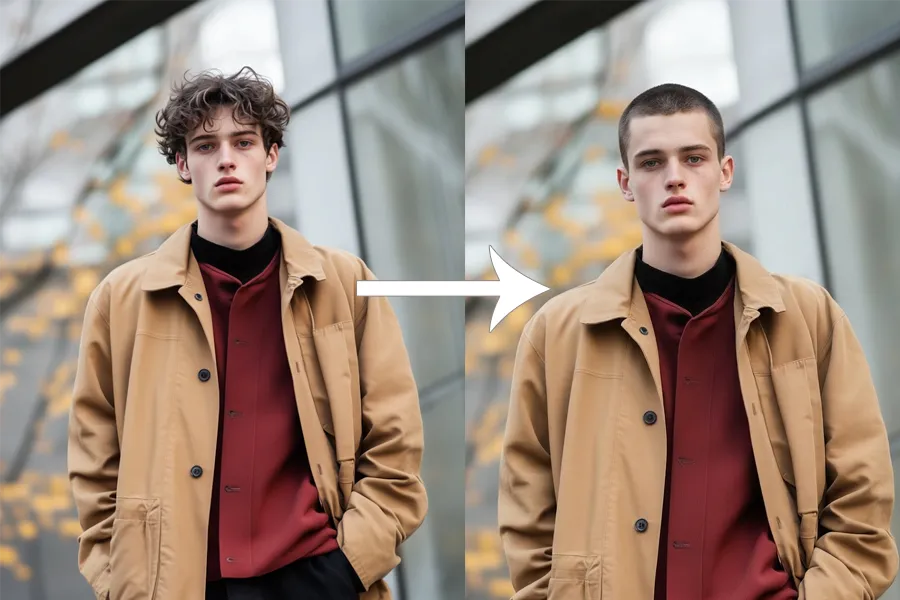
Curious what you'd look like with a buzz cut? Upload any photo and the buzz cut filter renders a realistic close-cropped result in seconds. No haircut required, no commitment.
More AI tools like Buzz Cut Filter
Explore our collection of specialized AI image generators designed for different creative needs and styles

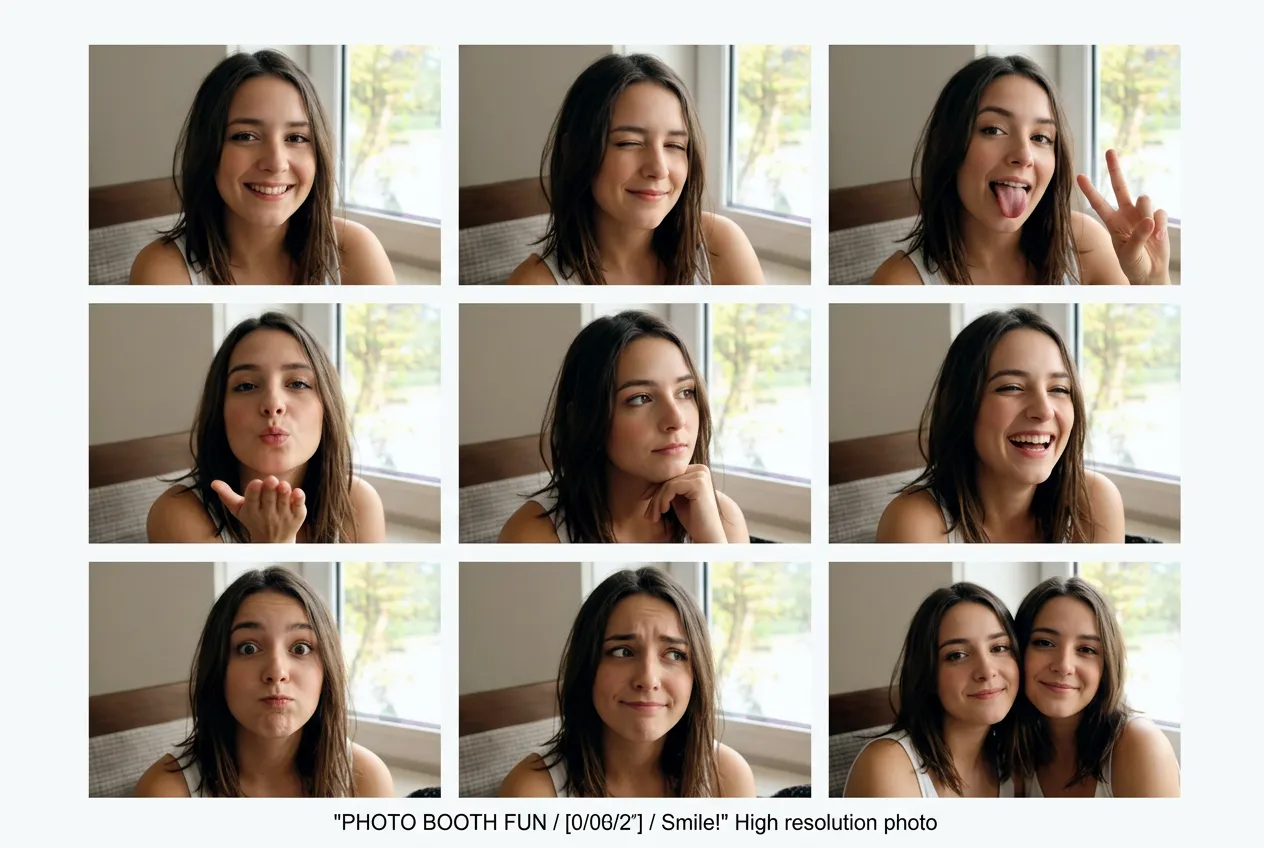



How to Try the Buzz Cut Filter
Three steps from photo upload to finished result. No apps to install, no account required to get started.
Upload Your Photo
Choose a clear portrait or selfie where your face is fully visible. Front-facing shots give the most accurate buzz cut result, but the filter works with slightly angled photos too. JPG, PNG, and WebP all work fine.
Click Generate
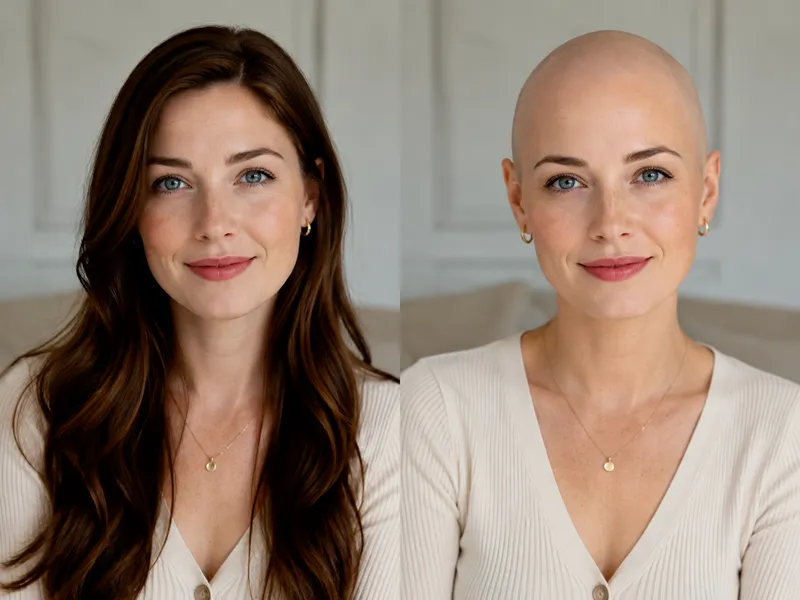
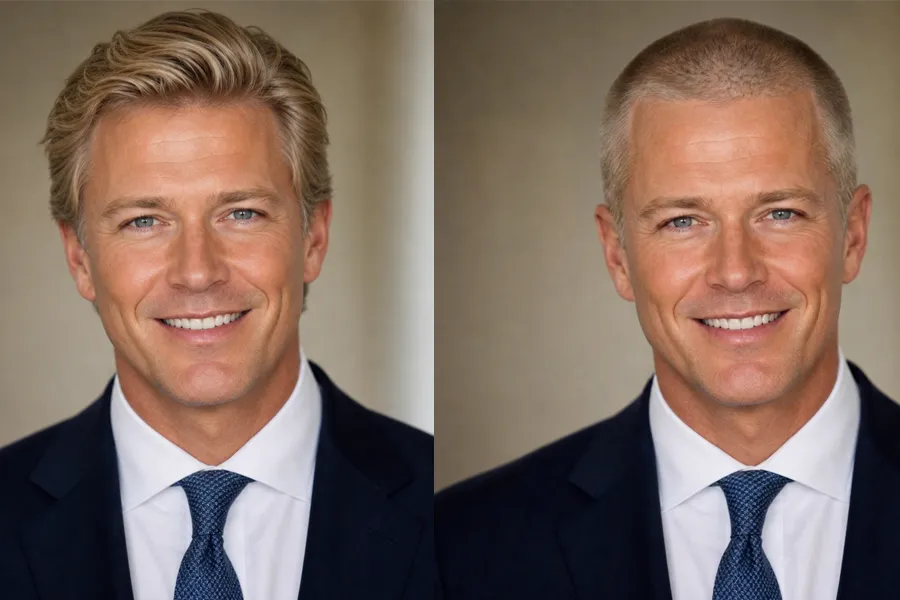
The AI reads your photo, locks in your face and background exactly as they are, and applies a realistic 3mm buzz cut to the hair. Nothing else changes. You get the same lighting, expression, and background with just the hairstyle replaced.
Download Your Photo
Once your buzz cut filter result is ready, preview it at full resolution and download it directly. Share it with friends, post it online, or save it to your device before making any real-life decisions about your hair.
Why People Use the Buzz Cut Filter
From a quick curiosity check to sharing with friends before a real haircut, here's how people actually use it.
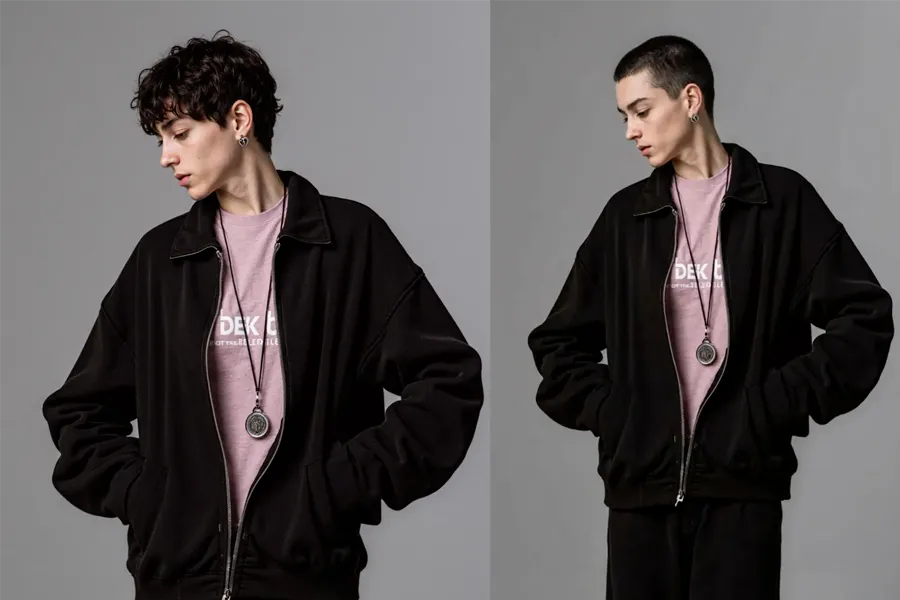
See It Before You Shave It
The most common reason people try the buzz cut filter is simple: they want to know what they'd look like before committing. A buzz cut is one of the more drastic haircuts out there, and once it's done, you're waiting weeks for it to grow back. Running your photo through the buzz cut filter first gives you a realistic visual that's much more useful than imagining it in your head. If you like what you see, you can walk into the barbershop with actual confidence.
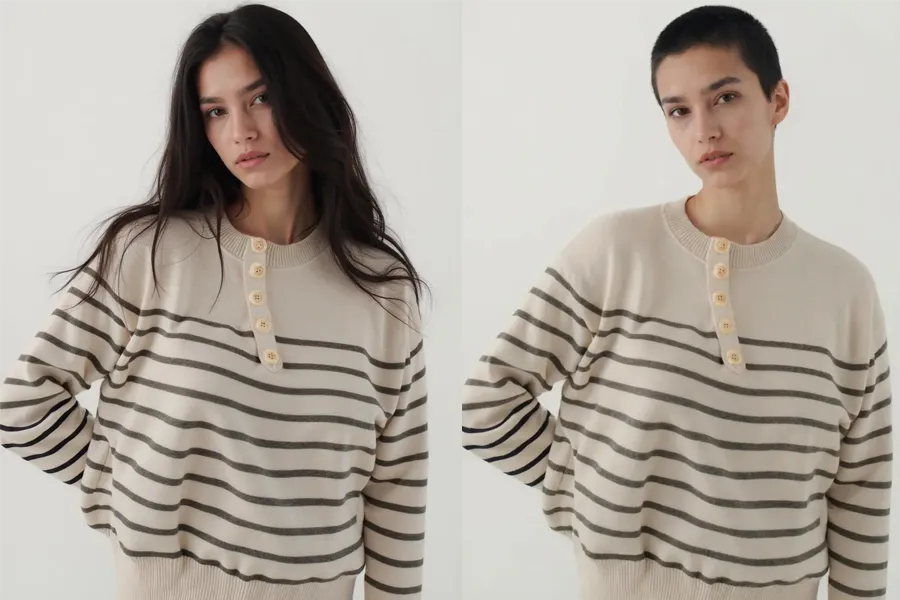
Share It Before You Do It
Thinking about getting a buzz cut and want to float it by friends or family before committing? Running your photo through the buzz cut filter and sharing the result is a lot more meaningful than describing it in words. People can react to an actual image of you with the hairstyle rather than trying to visualize it from a description. Post it in a group chat, share it to your story, or just send it to the person whose opinion matters most.
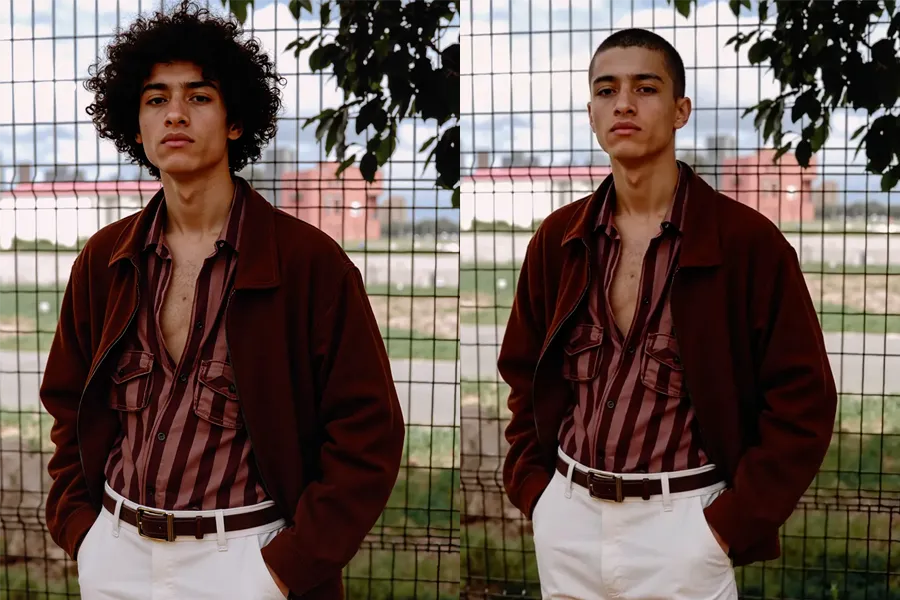
Transformation Content That Gets Engagement
Before and after haircut content consistently performs well on social platforms. The buzz cut transformation from longer hair to a clean short cut is a particularly strong visual because it's such a clear and dramatic change. Using the buzz cut filter to show both versions in the same post gives your audience something to react to, vote on, and share.
Show Your Barber Exactly What You Want
Describing a haircut to a barber is harder than it sounds. Lengths, taper styles, and what counts as a buzz cut can mean different things depending on who you're talking to. Running your own photo through the buzz cut filter and showing the result to your barber removes the ambiguity. You both see the same reference image based on your actual head, which means you're more likely to walk out with the result you wanted.
Key Features of NanoMaker's Buzz Cut Filter
Built to show exactly what a buzz cut looks like on you, without touching a pair of clippers.
Your Face Stays Exactly the Same
The buzz cut filter only modifies the hair. Your facial features, skin tone, expression, and overall look remain untouched. The result looks like a real photo of you with short hair, not a distorted or blended composite.
Realistic Short Hair Texture
Instead of painting the head a flat color, the buzz cut filter renders actual short hair texture at 3mm length, with a natural hairline and realistic stubble appearance. The result looks like a genuine fresh cut, not a digital approximation.
Scene and Lighting Stay Intact
Background, lighting direction, shadows, and camera angle are all preserved exactly as they appear in your original photo. Only the hairstyle changes, so the buzz cut result feels grounded in the same scene rather than looking like it was edited in.
High Resolution Output
Generate your buzz cut preview at 1K, 2K, or 4K resolution. Higher output means you can zoom in closely to see how the hairline sits and how the texture looks, or use the result as a profile photo without it looking compressed.
Who Needs a Buzz Cut Filter
Anyone thinking about shorter hair has a reason to try it before committing.
Anyone Considering a Major Hair Change
A buzz cut is one of the biggest hair changes a person can make. The buzz cut filter lets you run through the visual change first so the decision feels less like a leap of faith and more like an informed choice. Seeing a realistic result on your own face is a lot more convincing than asking someone else what they think it would look like.
Social Media Creators and Regular Posters
Transformation posts consistently get strong reactions on every platform. The buzz cut filter gives you a ready-made before and after without actually shaving your head. You can post the result, let people vote, and make the decision based on the response rather than going in blind.
Athletes and People Who Train Regularly
Buzz cuts are genuinely practical for people who are active. Less maintenance, cooler in warm conditions, and no hair getting in the way during training. If you've been thinking about cutting it short but want to see how it looks first, the buzz cut filter shows you before you commit to the clippers.
People Who Like Experimenting With Their Look
Not every style experiment needs to happen in real life first. The buzz cut filter is a quick way to preview a shorter, cleaner aesthetic without any real consequence. Try it alongside other style changes to see how a buzz cut fits with your overall look.
Teens and Young Adults Trying New Styles
Younger people often want to change their hair but are nervous about how it'll look. The buzz cut filter removes the uncertainty. They can see a realistic version of themselves with short hair, decide if they actually want it, and show the result to parents or friends before making the appointment.
People Managing Thinning or Receding Hair
A buzz cut is one of the most commonly recommended options for people dealing with thinning hair or a receding hairline, because the uniform short length makes it much less noticeable. The buzz cut filter shows you what that transition actually looks like before you make it, which takes a lot of the anxiety out of the decision.
What Users Are Saying about NanoMaker's Buzz Cut Filter
Real feedback from people who tried it before getting a haircut or just out of curiosity.
"I've been going back and forth on shaving my head for literally a year. Ran my photo through the buzz cut filter and finally saw what it would actually look like on me. Went to the barber the next day. Zero regrets."
"My clients kept suggesting I go buzzed and I finally tried the filter to see what the fuss was about. Honestly the result was way better than I expected. The texture looked real, not like a bad Photoshop job. Booked the appointment the same day."
"Used this to get my family on board before cutting my hair. Showed them the buzz cut filter result and they were surprised how good it looked. Ended up sending the screenshot to my barber too so we were on the same page."
"I posted the before and after using the buzz cut filter and people were losing it in the comments. They couldn't tell the buzzed version was AI until I explained it. The engagement was actually insane, way more than my usual posts."
"I've been thinking about the buzz cut for months because of training. The filter showed me it looked decent and wasn't as drastic a change as I thought. The hairline rendering was surprisingly clean for a free tool."
"Used it on a client who was nervous about cutting her hair short for a shoot concept. Showed her the buzz cut filter result and she loved it. We went ahead with the actual cut and the final photos turned out great."
Pricing plans for Buzz Cut Filter
Choose your plan and get instant access to all premium AI models
Cancel anytime — Unused credits roll over — Usage varies by model and generation type.
Lite
$84 per year billed yearly
4,500 Credits per year

Premium
$100 per year billed yearly
9,600 Credits per year
Max
$240 per year billed yearly
36,000 Credits per year
Free
Pay safely and securely with







Frequently Asked Questions
Common questions about the buzz cut filter.