Portrait to Landscape Converter

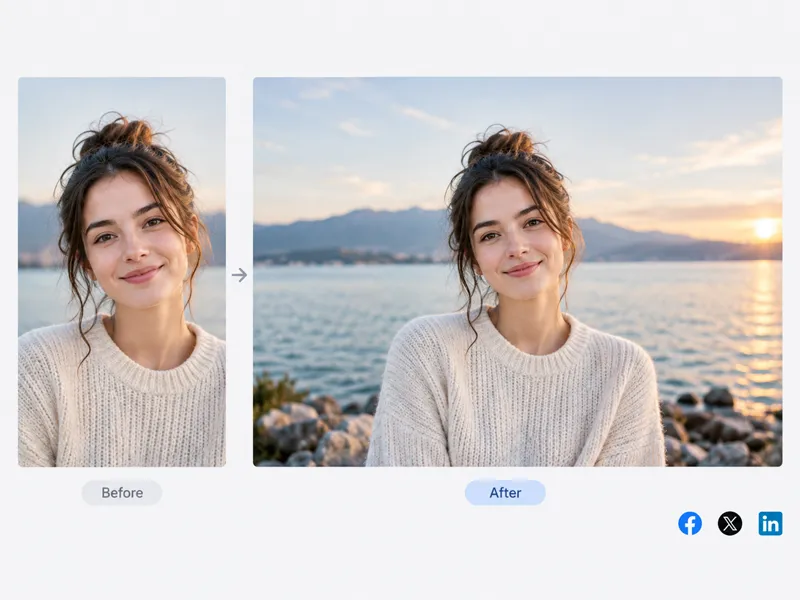
Go from vertical to horizontal. AI extends the scene instead of cropping.

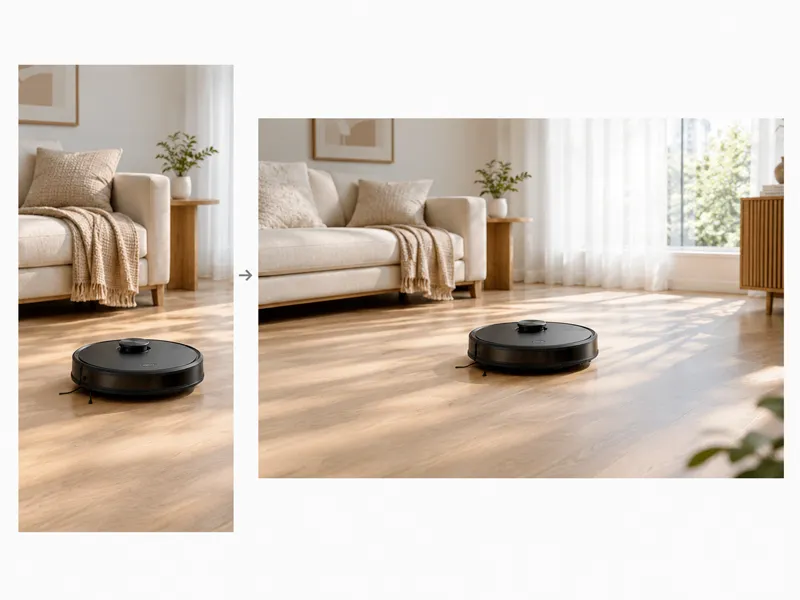
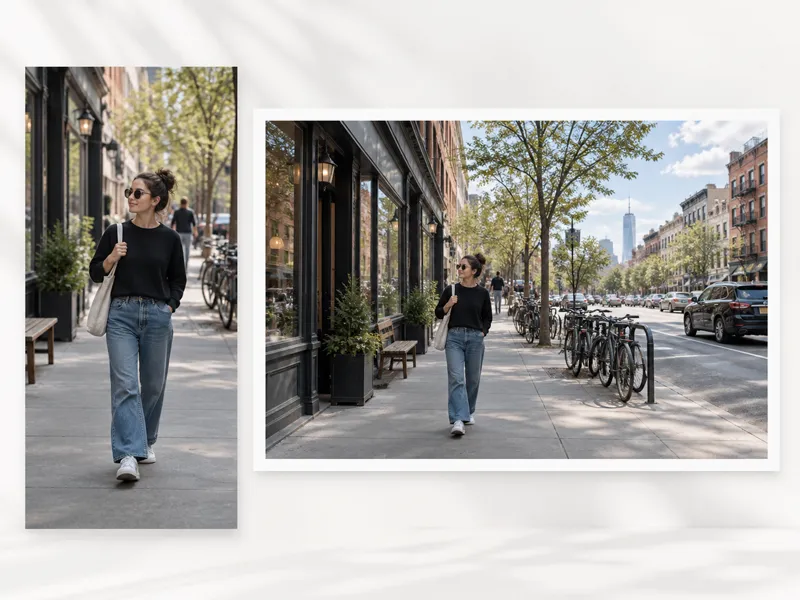
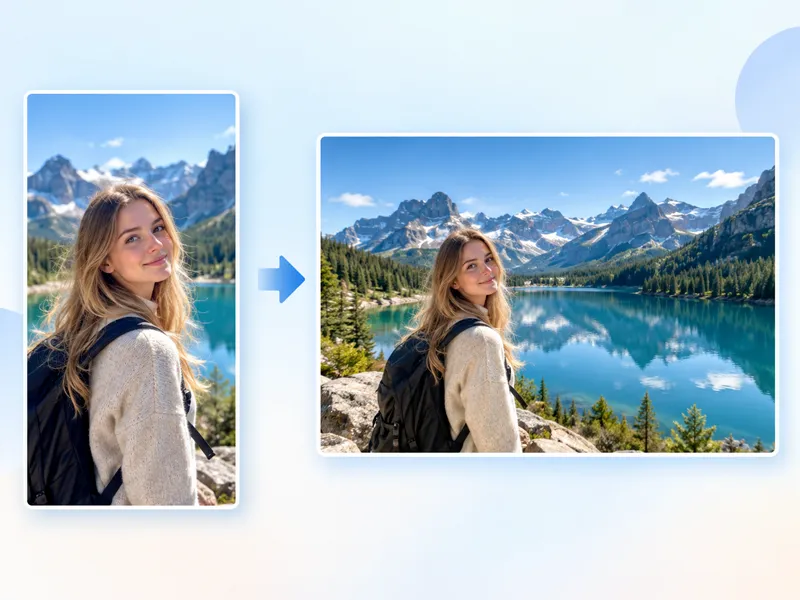
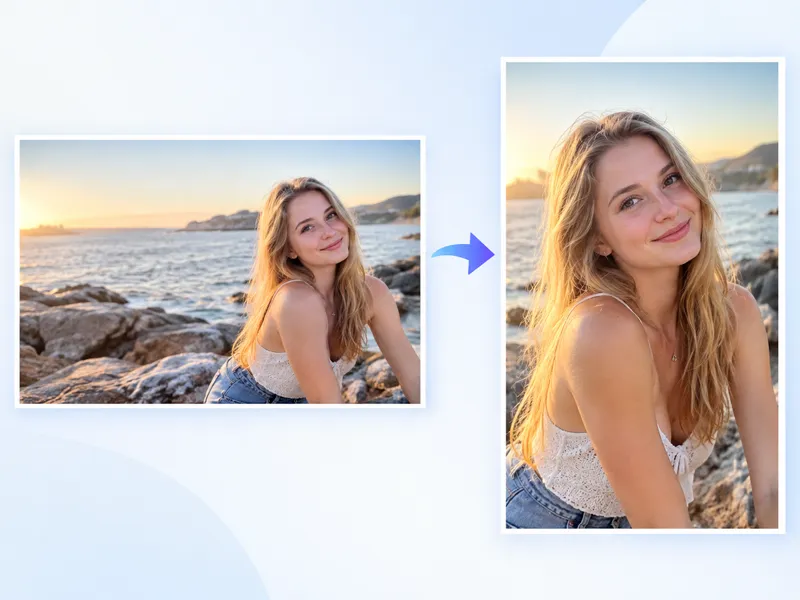
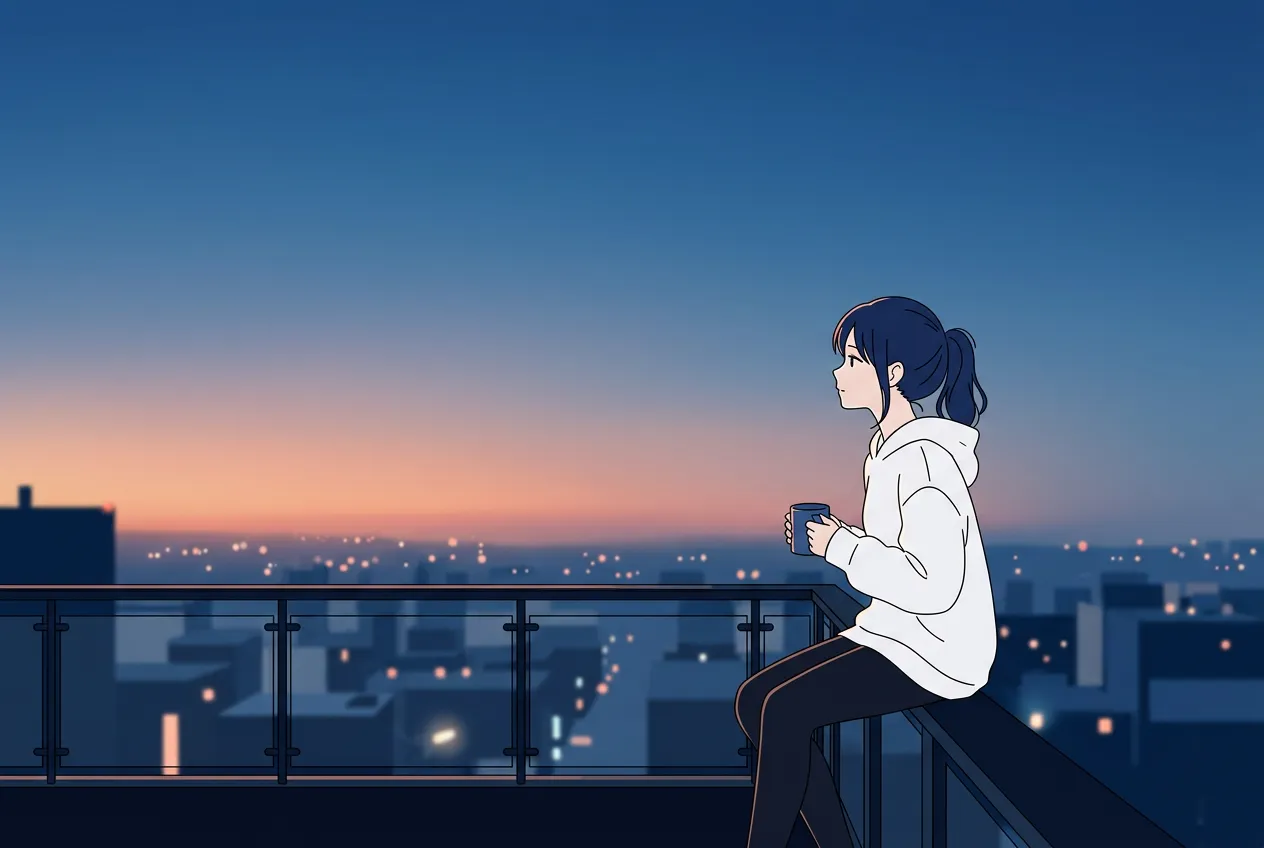
Vertical photo turned into a horizontal landscape with AI-generated sides
Landscape conversion example
How it works

How to use the portrait to landscape converter

Upload, choose a scene, click one button. The wider image is ready in seconds.

1

Upload your portrait image

Drag in a vertical JPG, PNG, or WebP. Photos with a clear subject and some visible background give the best results.

2

Choose a landscape scene

Pick 16:9 for YouTube or slides, 4:3 for a moderate widen, or 3:2 for a classic camera ratio. A scene preset adds a ready-made prompt.

3

Generate your landscape image

Hit Convert. The AI fills the left and right with scene-matched content and delivers your new horizontal photo.

Key features

Why use NanoMaker's Portrait to Landscape Converter

Cropping throws away pixels. This tool adds new ones so the wider frame still looks like a real photograph.

01

Horizontal recomposition by AI

The model maps depth and perspective from your vertical shot, then generates left-and-right extensions that continue the scene. No warping, no pixel stretching, just a wider photo.

02

Keep the full subject

A 16:9 crop on a portrait usually chops the head or feet. This tool leaves every original pixel in place and grows the canvas outward so nothing is sacrificed.

03

Process a whole photo set at once

Load up to 10 portraits in one go. They share the same scene preset and ratio so an entire event or product shoot converts with a single click.

Use cases

Common use cases for Portrait to Landscape Converter

Every scene targets a real publishing need. Pick the one that fits where the image will end up.

Portrait photo converted to a landscape social media banner

Social Media

Reformat a portrait photo into a balanced horizontal composition for Facebook covers, Twitter headers, and LinkedIn banners. The AI extends the left and right sides so the subject stays centered and the new width feels natural, not stretched.

Convert portrait to landscape
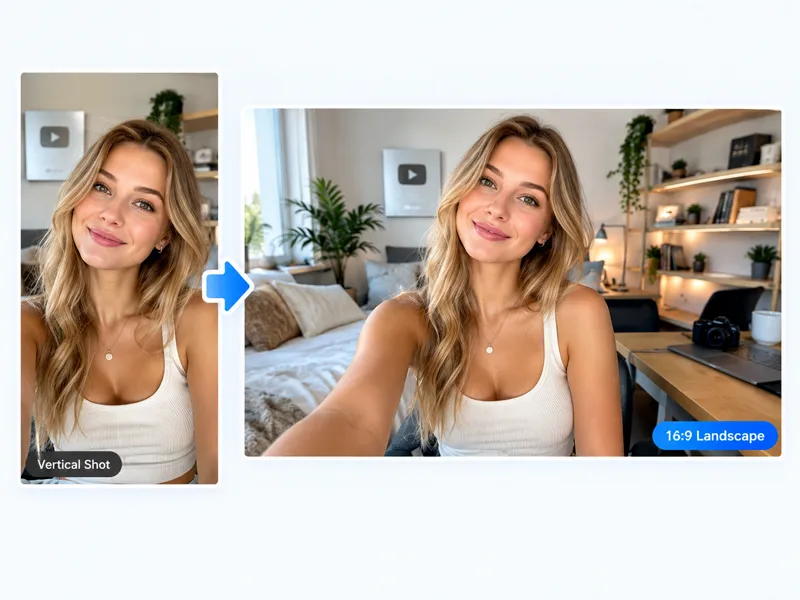
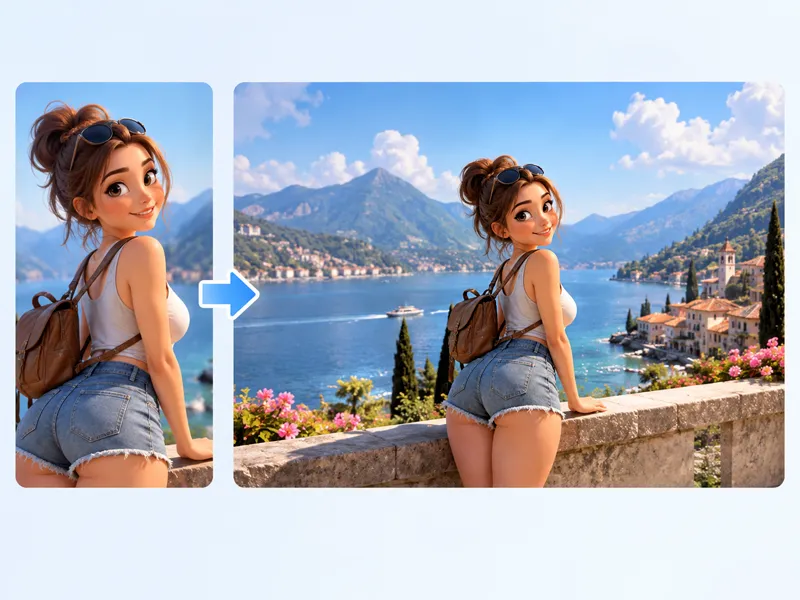
Portrait photo extended into a 16:9 YouTube thumbnail

YouTube

Turn a vertical shot into a 16:9 thumbnail or channel art that fills the frame. The converter widens the scene around the subject, giving you a ready-to-upload landscape without black bars or awkward crops.

Convert portrait to landscape

Portrait photo widened into a landscape website hero image

Web Design

Website hero sections, blog headers, and landing page banners all expect wide images. Convert a portrait photo into a landscape that spans the full viewport width, with AI-extended background that blends into the page layout.

Convert portrait to landscape

Product portrait photo widened into a landscape banner layout

Product Banner

Place a product shot in a wider landscape frame with extra negative space on the left or right, ready for a website hero banner, marketplace listing, or ad creative. The background extends to match the surface, studio, or lifestyle setting.

Convert portrait to landscape

Portrait photo fitted into a 16:9 presentation slide layout

Presentation

Drop a portrait image into a 16:9 slide deck without letterboxing. The AI fills the sides with context from the photo so the slide looks intentional, not like a lazy paste from your camera roll.

Convert portrait to landscape

Who needs it

Who needs a Portrait to Landscape Converter?

You already shot the image. These workflows need a wider version of it right now.

01

Social media managers

A single phone selfie can turn into a Facebook cover, a Twitter header, and a LinkedIn banner in minutes. No need to ask the photographer for a second horizontal version.

02

YouTubers and bloggers

Thumbnail editors know the pain: the best photo is vertical, but YouTube demands 16:9. This tool fills the sides instead of forcing a letterbox or an ugly zoom-in.

03

Online store owners

Marketplace banners and homepage hero sections want wide product shots. Drop your tall product photo in, get a landscape with clean extended countertop or studio backdrop.

04

Campaign designers

A portrait campaign visual can spin into landscape placements for display ads, email headers, and event banners. One source photo, multiple horizontal formats, no reshoot budget.

05

Freelance photographers

A client changes their mind weeks after the shoot and asks for a horizontal version of a vertical headshot. Deliver it the same day instead of scheduling another session.

06

Presentation builders

Slide decks live in 16:9. Drag a portrait image onto a slide and the empty columns look awkward. Feed it through the converter first and the photo fills the slide edge to edge.

Crop vs AI

Portrait to Landscape Converter vs traditional cropping

A crop removes pixels you already have. AI conversion adds pixels you never shot.

What changesManual cropNanoMaker AI extension
Subject integrity
The top and bottom are sliced off. Heads, feet, or product edges often disappear from the final image.
The full subject stays in the frame. New visual content is painted on the left and right to widen the scene.
Background continuity
Only a narrow horizontal band survives. Sky, floor, and surrounding detail are thrown away.
The AI reads existing textures, lighting, and depth, then continues them outward so the added area matches.
Creative direction
You slide a rectangle and accept whatever remains inside it.
You write a prompt: extend the park to the left, add open sky on the right, or leave negative space for a headline.
Output flexibility
A single fixed ratio per crop. Trying 16:9 and 4:3 means cropping twice and losing different areas each time.
Switch between 16:9, 4:3, and 3:2 with one click. The AI regenerates the extension for each ratio.

Pricing plans for Portrait to Landscape Converter

Choose your plan and get instant access to all premium AI models

50% OFF

Cancel anytime — Unused credits roll overUsage varies by model and generation type.

Save $84

Lite

$7per month

$84 per year billed yearly

4,500 Credits per year

Most Popular
Save $100

Premium

$8.33per month

$100 per year billed yearly

9,600 Credits per year

Save $240

Max

$19.99per month

$240 per year billed yearly

36,000 Credits per year

Free

$0

Pay safely and securely with

  • Mastercard - secure payment method
  • Visa - secure payment method
  • American Express - secure payment method
  • Apple Pay - secure payment method
  • Google Pay - secure payment method
  • JCB - secure payment method
  • Discover - secure payment method
  • UnionPay - secure payment method
  • Click to Pay - secure payment method

Frequently asked questions

Everything you want to know before converting your first portrait to landscape.