Image to Video
Turn a still photo into a natural video with smooth motion and clear visual direction.
Video Generators like Image to Video AI
Explore more AI video tools, from first-last frame to cinematic clips.

Turn an image into video in 3 simple steps
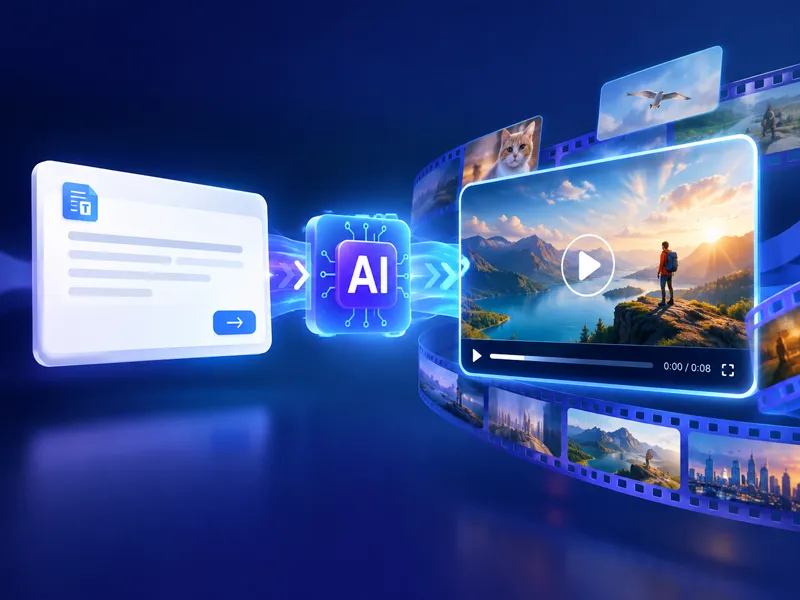
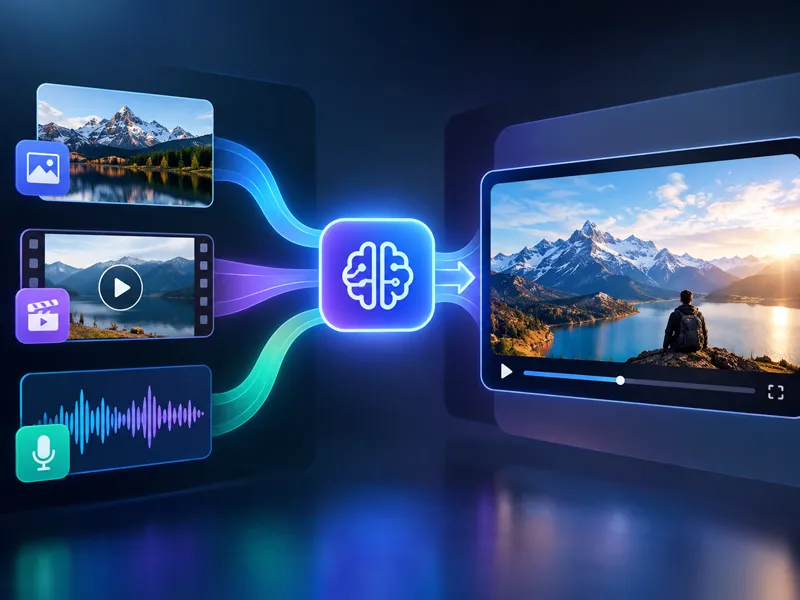
Start with an image, describe the movement you want, and let NanoMaker turn that direction into a video you can review and refine.
Upload your image
Add one or more images that give the model a clear visual starting point.
Describe the motion
Write what should move, how the camera should behave, and what the scene should feel like.
Generate and refine
Choose your settings, create the clip, then adjust the prompt for another take.
A practical way to bring images to life
Image to Video AI preserves the visual direction of your image while giving you a simple way to shape movement, camera behavior, and atmosphere.
From Still Image to Motion
Start with a photo or visual concept and describe the change you want to see. The model uses the image as the scene foundation and turns your direction into movement.
Prompt-Based Direction
Guide the action with ordinary language. Mention the subject, motion, camera path, lighting, and pacing so the generated video follows a clear visual intention.
Choose a Supported Video Model
Select from the supported video models in one workspace. Try a different model when you want to compare motion, timing, or the overall feel of the clip.
Use an image as the first frame of a moving story
These prompts show how a strong starting image and precise motion direction can create a continuous shot, a product reveal, or a cinematic sequence.
Cinematic Scenes
Use the uploaded image as the visual anchor, then describe a camera move and a chain of physical events. Specific direction helps the clip feel like one connected shot instead of unrelated frames.
Preserve the first frame's samurai design, black armor, helmet, mask, blade, ruined village layout, lighting, rain, fog, burning houses, and thunderstorm. Begin with a slow cinematic push-in through heavy rain, droplets sliding across the lens, while the camera makes a subtle orbit around the motionless samurai. His blade hangs at his side, rainwater dripping from its edge, and his faintly glowing eyes remain fixed beneath the helmet. Fog drifts between shattered wooden buildings as firelight flickers across wet ground, broken beams, and scattered debris.
Professional Product Reveals
A product image can become a polished presentation clip when the prompt controls the reveal. Keep the object stable, describe small physical details, and let the camera movement create the emphasis.
Use the uploaded product image as the opening frame and preserve the bottle shape, label, colors, and composition. A cold tropical soda can drops gently from above and lands in warm beach sand beside fresh tropical fruit. The can rotates slowly in the air before settling. Sand particles scatter and water droplets catch the sunlight on the metallic surface. Perform a smooth cinematic push-in with a slight orbit around the can. Bright tropical daylight, sparkling reflections, refreshing summer atmosphere, restrained motion, premium beverage advertisement, realistic materials, continuous shot, no extra text, no logo changes, no people, and no hard cuts.
One-Shot Motion
For a continuous shot, tell the model what stays fixed and what changes over time. This makes the motion easier to follow while keeping the original subject and visual identity recognizable.
[Camera: Slow, majestic upward tilt and slight push-in]. The dense, monochromatic orange sandstorm swirls violently in the background around the glowing eclipse. The colossal black hover-ship slowly descends, revealing more of its menacing geometric structure through the thick dust. The scavenger, caught in the anti-gravity tractor beam, slowly and helplessly floats upwards towards the dark belly of the ship. Their limbs drift naturally in zero gravity. As the ship's energy field intensifies, the desert sand on the ground directly below them begins to defy gravity, spiraling and rushing upwards into the sky like a reverse waterfall of orange dust. Intense volumetric light rays, hyper-realistic particle physics, epic cinematic pacing.
A simple prompt formula for Image to Video
Describe what the image already contains, then explain what should move, how the camera should travel, and how the scene should feel.
- 1
Source Image
Start by naming what must remain recognizable from the uploaded image. Mention the main subject, composition, clothing, product shape, or setting when those details matter.
- 2
Motion
Describe one clear change over time, such as a person turning, fabric moving in the wind, water flowing, or a product rotating. Specific motion is easier to follow than a list of unrelated actions.
- 3
Camera
Choose a camera path that supports the subject: a slow push-in, a side track, a gentle orbit, or a steady handheld move. Say where the camera begins and where it goes.
- 4
Environment
Keep the original location grounded with a few atmosphere cues. Add mist, sunlight, reflections, dust, or rain only when they support the visual idea and do not compete with the subject.
- 5
Timing and Style
Set the pace and visual treatment with concise direction such as slow motion, continuous shot, cinematic lighting, natural physics, or a restrained editorial look.
What can you make with Image to Video AI?
A single image can become a social clip, a visual story beat, a product presentation, or a starting point for a larger video concept.
Social Media Clips
Animate a strong still image into a short vertical concept, visual hook, or atmospheric post. Describe the first movement clearly so the opening seconds have purpose.
Storytelling Scenes
Give a character, setting, or illustration a moment of movement before planning a full production. Image to Video AI helps you test how a visual idea behaves over time.
Marketing and Product Content
Turn product images into short presentation clips with controlled camera movement, light, and pacing. Use the original image as an anchor for a consistent reveal.
Creative Projects
Explore motion for artwork, moodboards, photography, and visual experiments. Start with what you already have and use the prompt to decide what changes.
Image to Video AI Pricing Plans
Choose your plan and get instant access to all premium AI models
Cancel anytime — Unused credits roll over — Usage varies by model and generation type.
Lite
$84 per year billed yearly
4,500 Credits per year

Premium
$100 per year billed yearly
9,600 Credits per year
Max
$240 per year billed yearly
36,000 Credits per year
Free
Pay safely and securely with









Frequently Asked Questions
Common questions about turning images into videos with AI.