Colorize Manga with AI
NanoMaker’s AI Manga Colorizer helps you turn black-and-white manga pages into vivid, anime-ready color in seconds.
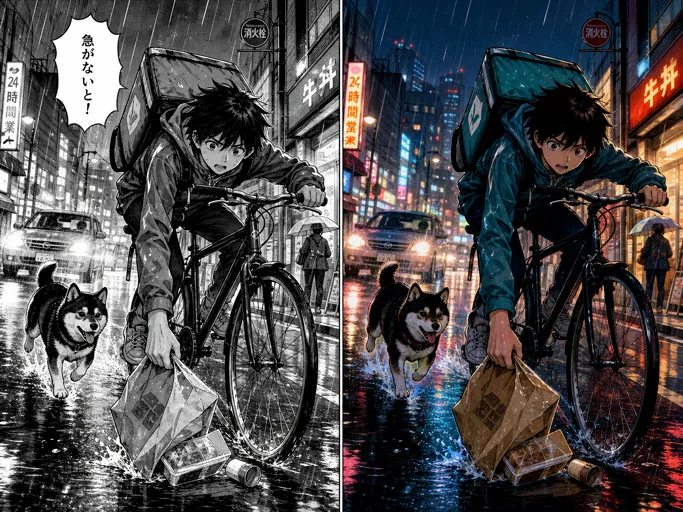
More AI tools like Colorize Manga
Explore our collection of specialized AI image generators designed for different creative needs and styles
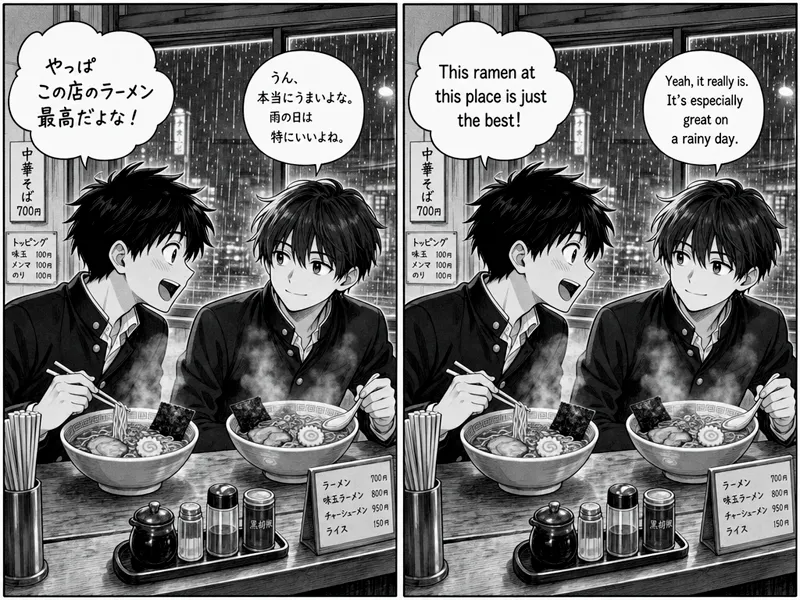


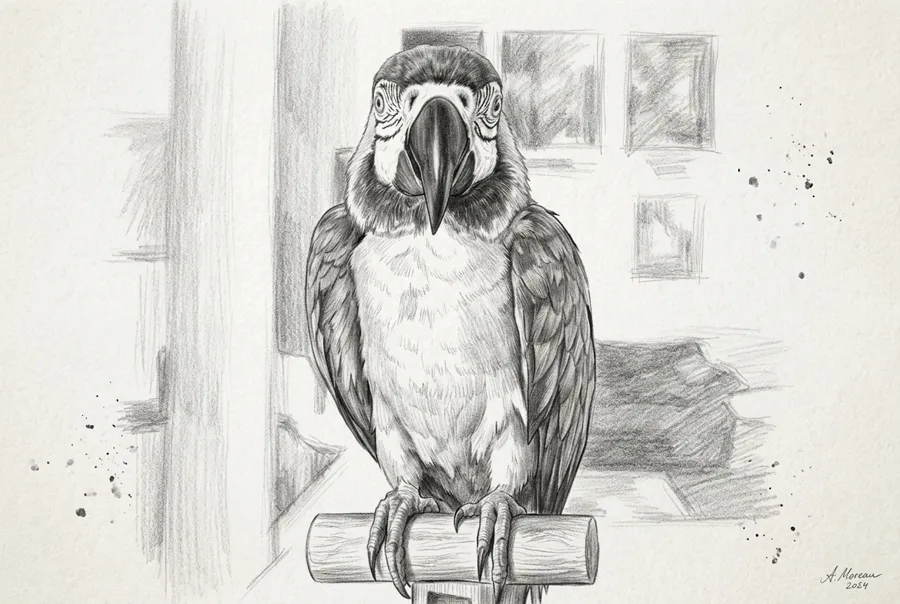

How to Colorize Manga with AI
Three short steps to use the AI manga colorizer.
Upload your pages
Drop black-and-white line art, sketches, or manga scans into the AI Manga Colorizer. Up to 16 pages at a time.
Pick a color style
Choose Auto Color or a preset such as Anime, Shonen, Shojo, Webtoon, Realistic, Vintage, or Cyberpunk.
Colorize and download
Hit Colorize, then download your full-color pages when they’re ready—easy to color a whole release in one sitting.
Eight ways to Colorize Manga
Pick a look that fits your story, from soft pastels to neon nights, and get color that feels made for comic pages.
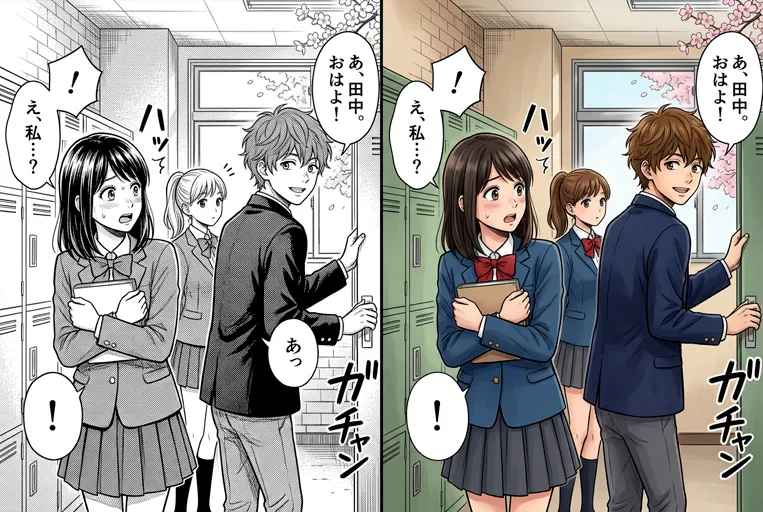
Auto Color that reads the page first
Not sure which look to lock in? Auto Color is built for a fast first pass. It studies costumes, backgrounds, and mood, then lays down flats and soft shadows that feel native to the scan. Use it when you Colorize Manga across mixed chapters, older screenshots, or any stack where a clean draft matters more than a fixed house style.
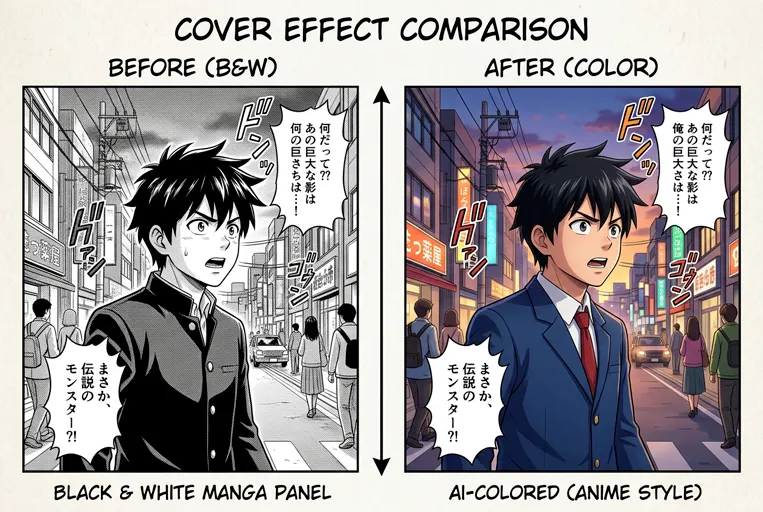
Modern anime color with crisp cel shading
The Anime preset leans into bright flats, tidy cel edges, and glossy highlights that hold up on phones and monitors. Characters stay poppy without muddy blacks, and speech bubbles stay easy to read after color lands. Reach for this look when you Colorize Manga pages for social posts, pitch decks, or portfolio samples that feel current and screen-ready.
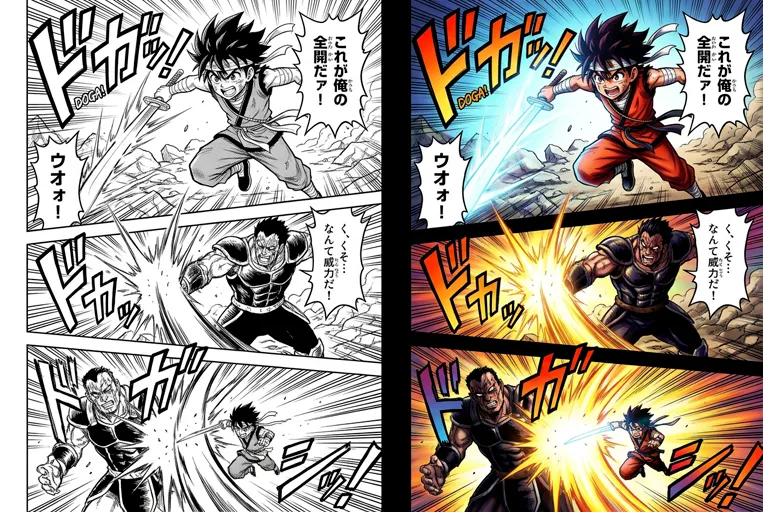
Shonen energy with bold contrast
Shonen pages live on punchy color, hard light, and high drama. This preset pushes saturation and contrast so action panels hit harder once the page is colored. Speed lines and impact frames keep their weight, and the blacks that carry fight choreography stay intact. It is a natural pick when your AI Manga Colorizer run needs loud, energetic panels.
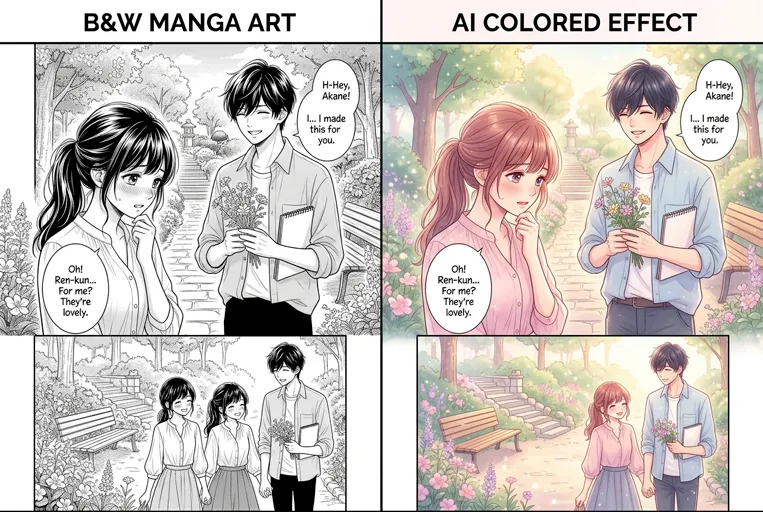
Shojo softness with pastel calm
Shojo storytelling often sits in gentle tones and romantic light. This preset favors pastels, airy gradients, and softer face shading so emotional scenes feel warm instead of harsh. Lace, flowers, and fine line work stay clear, so the finished page still reads as hand-drawn rather than overpainted. Ideal when you Colorize Manga for quiet chapters, character moments, and soft cover moods.

Webtoon polish for vertical scrolling
Vertical comics need smooth gradients and rich digital finishes that look good on a phone screen. This style suits manhwa-style strips with soft shadows and polished backgrounds. Skin tones stay even, washes stay clean, and pages still feel consistent when you Colorize Manga for a long scrolling episode.
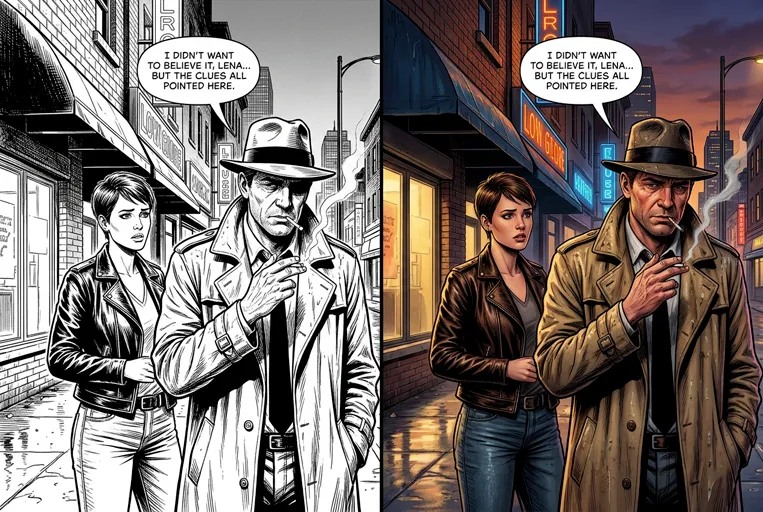
Realistic light and natural skin
When a chapter needs grounded color, the Realistic preset adds believable skin, fabric texture, and cinematic shade. Faces and props stay on-model while light behaves more like a camera set than a flat fill. Colorize Manga with AI in this look for illustrated novels, hybrid comics, and any page where you want the scene to feel lived-in instead of stylized.
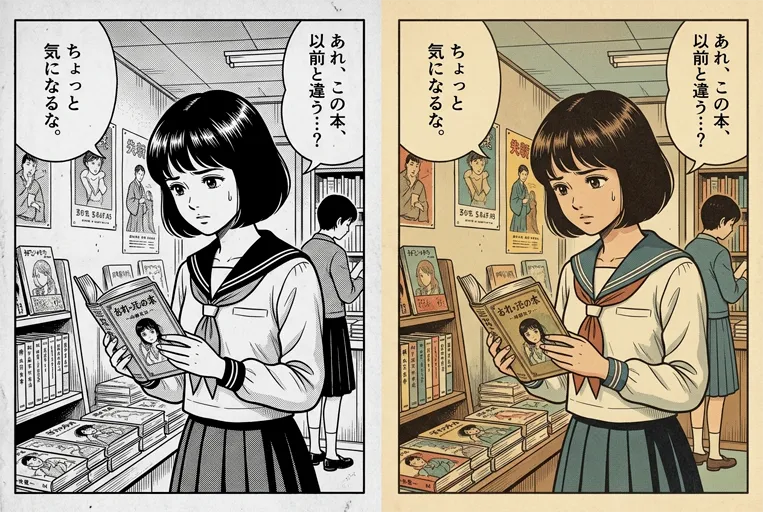
Vintage print color with muted charm
Vintage Manga dials back neon punch for nostalgic print tones and softer ink-era palettes. It is a favorite for covers that should feel archival, or stories that need a retro mood without burying the line art under heavy filters. Let the AI Manga Colorizer keep that quiet, paper-like calm while your panels stay sharp and readable.
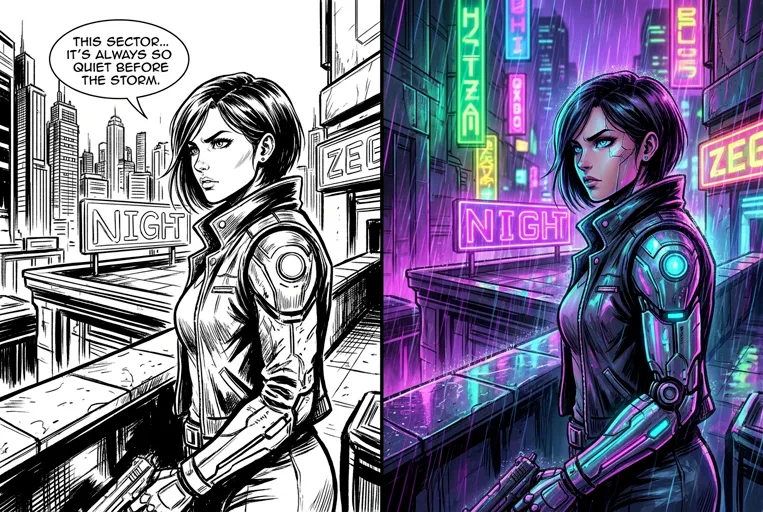
Cyberpunk neon for night city pages
Cyberpunk mode floods panels with neon edges, cool shadows, and glowing accents. Use it to Colorize Manga for night-city pages without painting every light bloom by hand. Silhouettes stay sharp, mechanical detail stays clear, and street signage remains legible after the color pass, so dense sci-fi layouts still read at a glance.
Key features of NanoMaker’s AI Manga Colorizer
Built for comic pages, not generic photo filters—so you can Colorize Manga with fewer cleanup surprises.
Line art and layout stay locked
Your ink lines, panel borders, and speech text stay where they are. Characters keep their look, and the page layout doesn’t shift, so when you Colorize Manga the result is ready for real comic drafts, not just a quick novelty color pass.
Color up to 16 pages at once
Upload a whole chapter, up to 16 pages in one go, then Colorize Manga with a single click. Finish more pages in a single session instead of uploading them one by one.
One-tap style presets
Skip writing prompts. Tap Auto Color, Anime, Shonen, Shojo, Webtoon, Realistic, Vintage, or Cyberpunk and you’re ready to color—fast, simple, and consistent.
Who uses the AI Manga Colorizer
From solo artists to classroom demos, anyone who needs to Colorize Manga with fast, on-model color.
Indie manga and doujin creators
Ink in black and white, then color previews, Patreon drops, or print proofs without hiring a full colorist for every page. Keep character colors consistent across a whole chapter.
Webtoon and digital comic teams
Draft color keys before the final polish. Editors can check mood and costume clarity earlier—without the team spending all night on flat fills before a deadline.
Fans who want color editions of scans
Turn raw scans into a full-color version for personal archives or study boards. Dialogue balloons stay readable so speech still sits where the author placed it.
Teachers and workshop leaders
Show before-and-after pages so students see how light and palette change a story. Upload a student ink page, pick a style, and discuss the result in the same class.
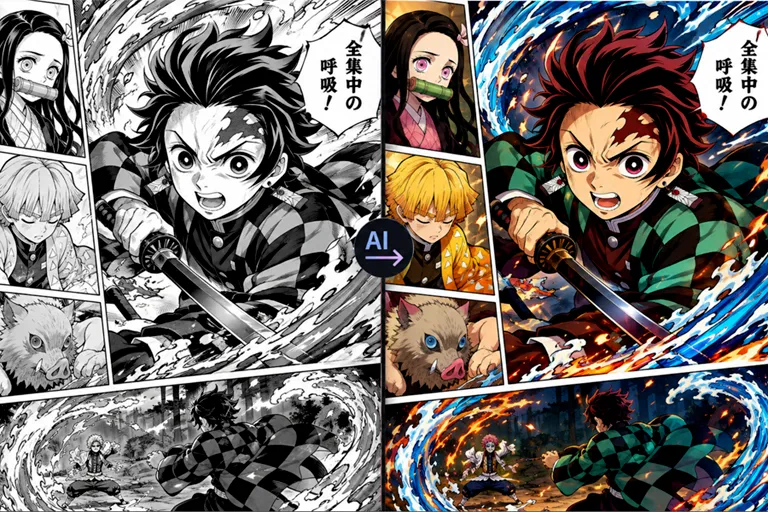
Why use AI to color manga or line drawings?
Manual flats still belong on final print. What changes is how soon you can Colorize Manga enough to review the page as a full-color read.
A usable proof in minutes
Try looks without rebuilding layers
Clearer pitches and classroom demos
You keep the art direction
Why Colorize Manga here instead of elsewhere
Four differences that matter when you need comic-ready color.
| Feature | Other Manga Colorizers | NanoMaker |
|---|---|---|
| Line art & panels | Ink smears, panels drift | Lines and layout stay locked |
| Chapter batching | One page at a time | Up to 16 pages at once |
| Getting the look | Blank prompt boxes | 8 named styles, tap to color |
| While you wait | Refresh and guess | Clear progress on every page |
Pricing plans for Colorize Manga with AI
Choose your plan and get instant access to all premium AI models
Cancel anytime — Unused credits roll over — Usage varies by model and generation type.
Lite
$84 per year billed yearly
4,500 Credits per year

Premium
$100 per year billed yearly
9,600 Credits per year
Max
$240 per year billed yearly
36,000 Credits per year
Free
Pay safely and securely with









What users say about us
Real Colorize Manga reviews from creators who use the tool
"I ink in B&W and used to lose whole weekends on flats. Now I Colorize Manga for a chapter draft first, then only touch the panels that look off. Hair color finally stays consistent page to page."
"Our editor wanted color keys before polish. I queued a stack of inks, hit Webtoon style, and had something the team could review the same night. Beats staring at gray pages in Slack."
"I use the AI Manga Colorizer live in class. Upload a student ink page, switch Shojo and Shonen, and they see how palette changes the story. No plugins, just the browser."
"We needed Kickstarter samples and our colorist was still on covers. Ran eight pages for a color preview update. Backers finally got the tone without squinting at pencils."
"I draw short fan comics for myself and wanted to Colorize Manga pages for my archive. Auto Color is fine when I don't care about a specific look. Balloons stay readable, which random filters usually mess up."
"Patrons ask for color previews between ink drops. I batch a few pages, pick a style, and post the same day. Saves me from promising a full hand-color pass I don't have time for."
Frequently asked questions
Straight answers before you Colorize Manga for the first time.