AI Gender Swap Filter
Curious to see what you would look like as another gender? Upload a portrait and use the AI Gender Swap Filter to create a natural AI-generated photo for fun.
More AI tools like Gender Swap Filter
Explore our collection of specialized AI image generators designed for different creative needs and styles

How to Use the Gender Swap Filter
Three short steps. Upload a photo, generate and download your result.
Upload
Add a clear photo of the person you want to transform.
Generate
Run the Gender Swap Filter and wait a few seconds.
Download
Preview the result, then save it at your chosen resolution.
Why People Use NanoMaker's Gender Swap Filter
From playful social posts to campaign mockups, here's how creators and teams use it.
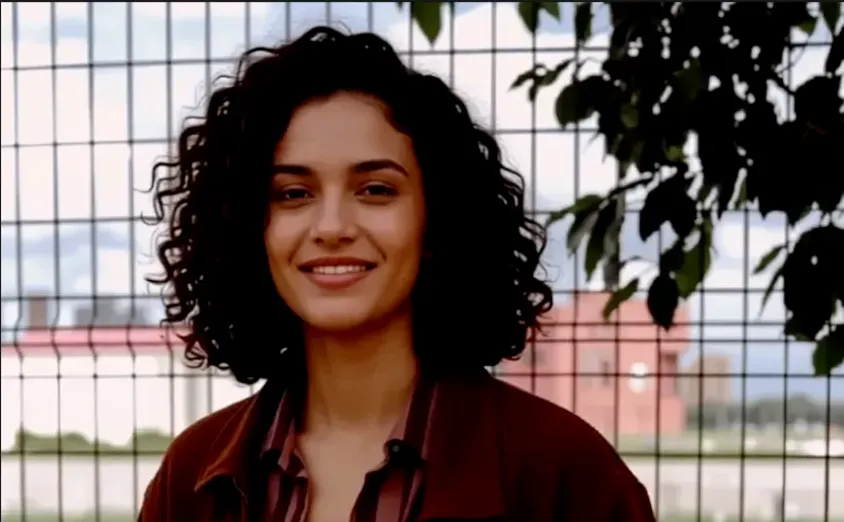
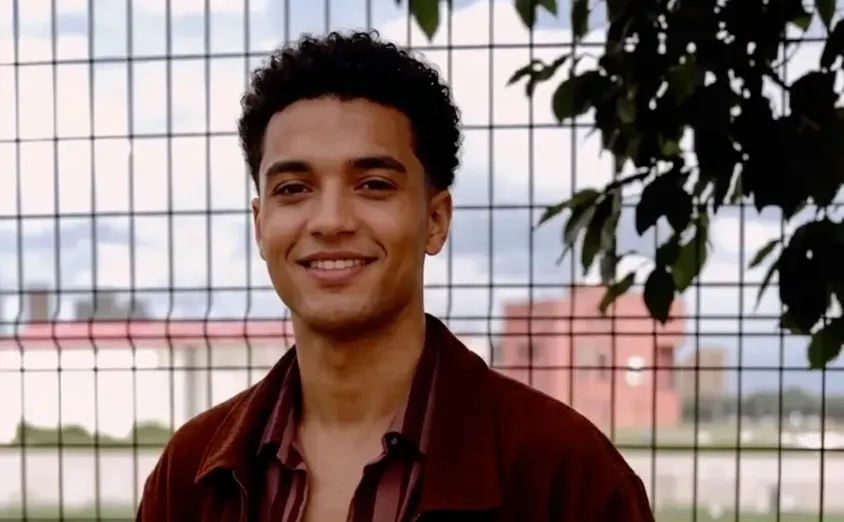
Looks Natural, Not Overdone
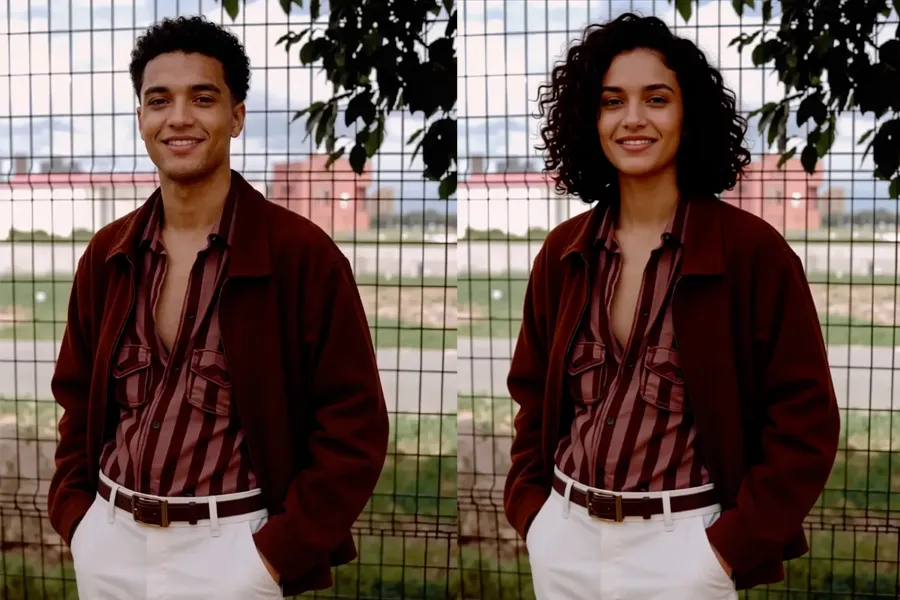
A lot of gender swap filters go too far with heavy stylization and stop looking like you. NanoMaker focuses on a balanced shift in hairstyle and gender presentation, so the edit still reads as a natural portrait of the same person. Facial identity stays recognizable, and the lighting and background are left as they are in the original photo.
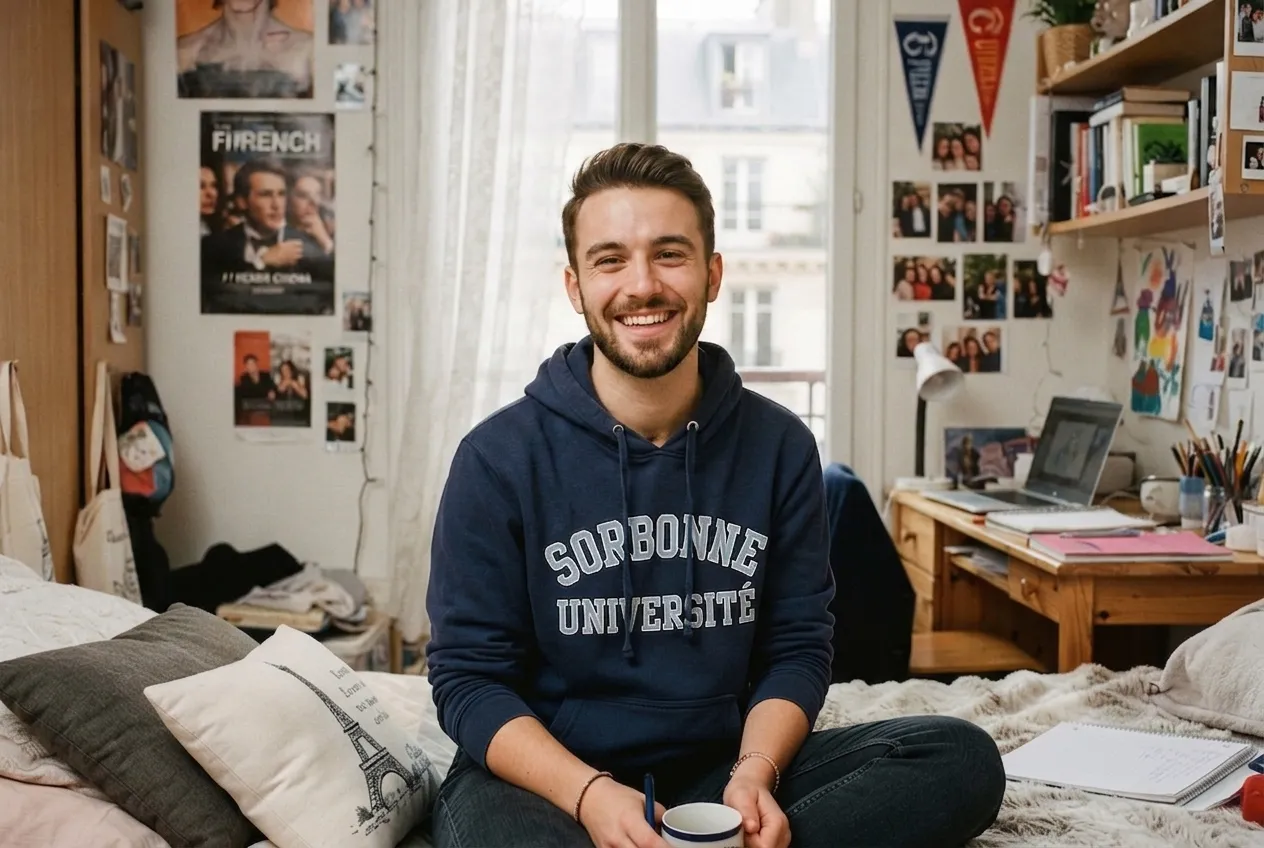
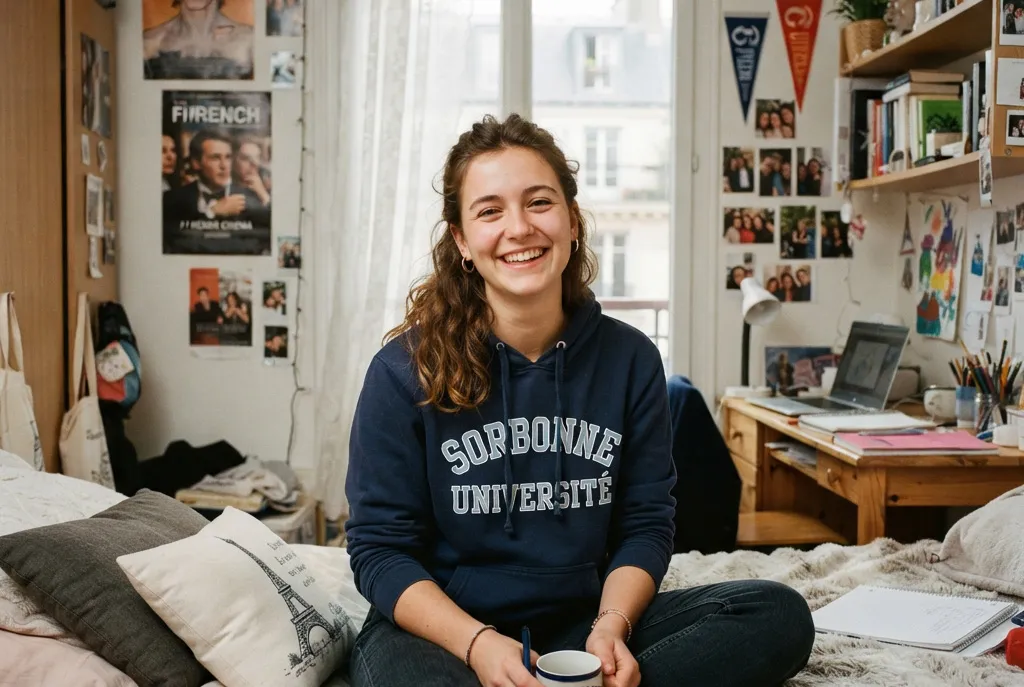
Social Content That Stands Out
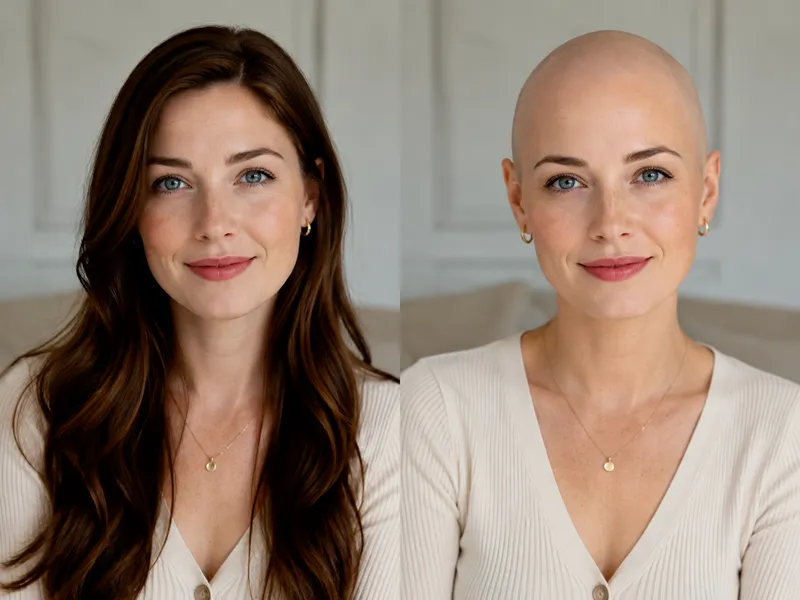
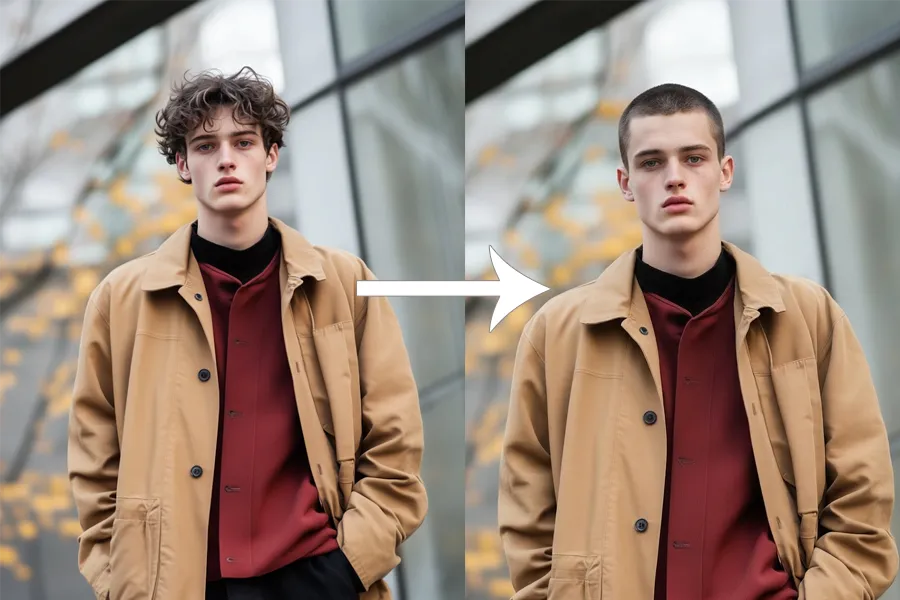
Before-and-after posts get attention because the change is easy to see and people love reacting to a clear transformation. With NanoMaker's Gender Swap Filter, you can explore a masculine or feminine look from the same portrait for Reels, Stories, or carousel posts. Pose and outfit stay identical, so the side-by-side comparison feels fair and shareable.


Faster Campaign and Concept Variants
Creative teams often need another gender look of a hero shot without booking a second photoshoot. NanoMaker helps you generate concept options for pitch decks, A/B tests, and mood boards in minutes. Facial expression and composition stay intact, so the variants are ready to drop into an existing layout for internal review.
More Gender Swap Filter Examples
Browse before-and-after portraits made with NanoMaker's Gender Swap Filter.
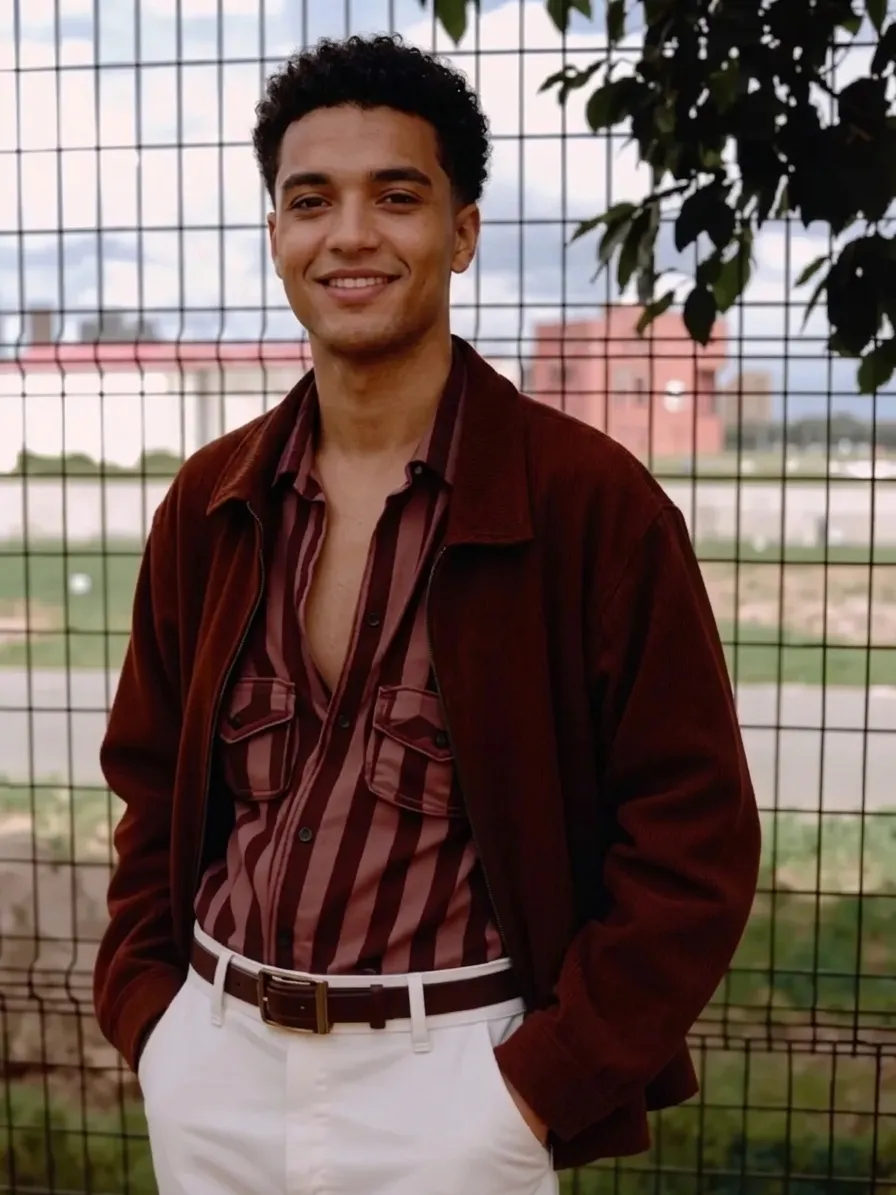
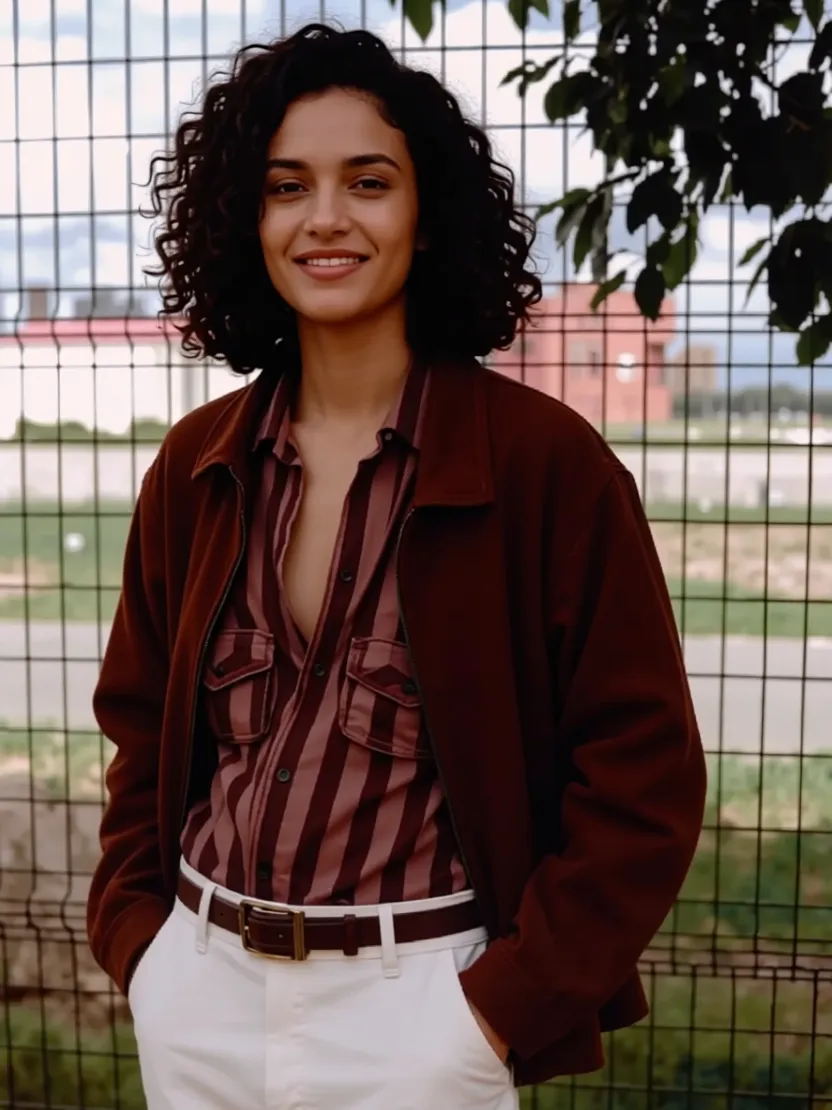
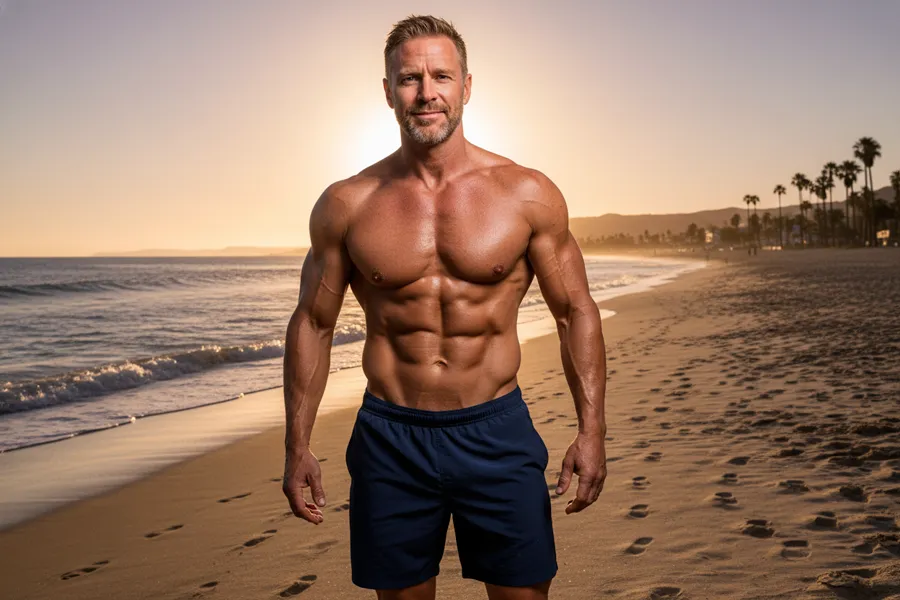
Portrait Presentation Shift


Soft Feminine Presentation


Defined Masculine Features

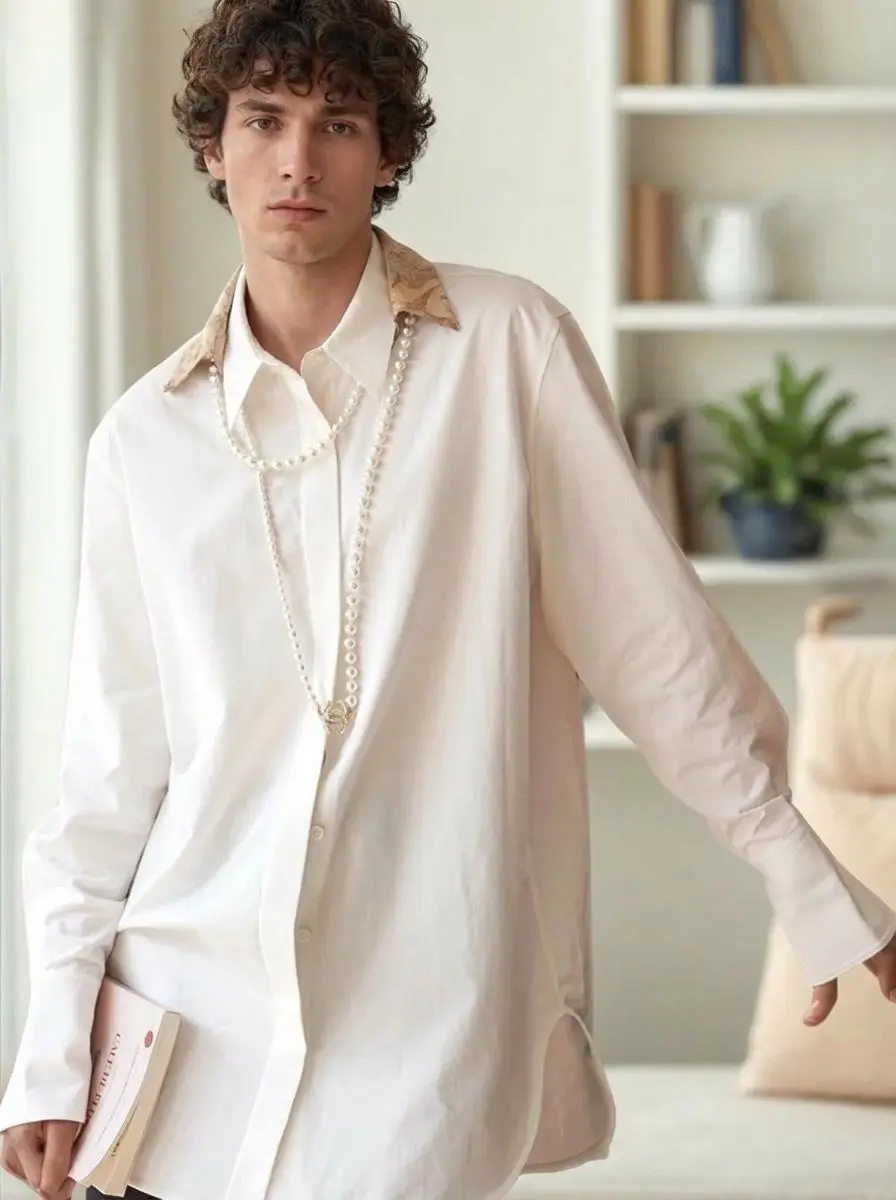
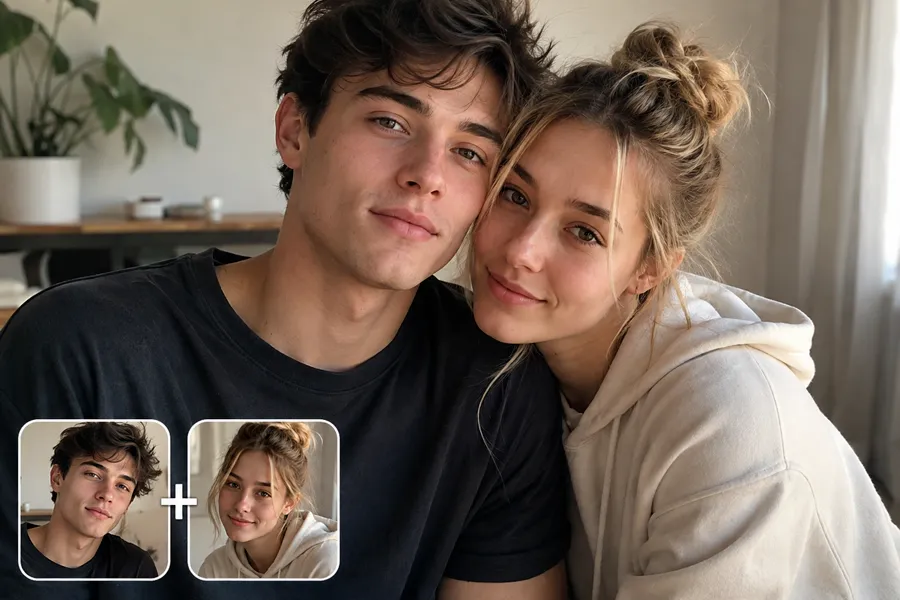
Hairstyle and Structure Shift
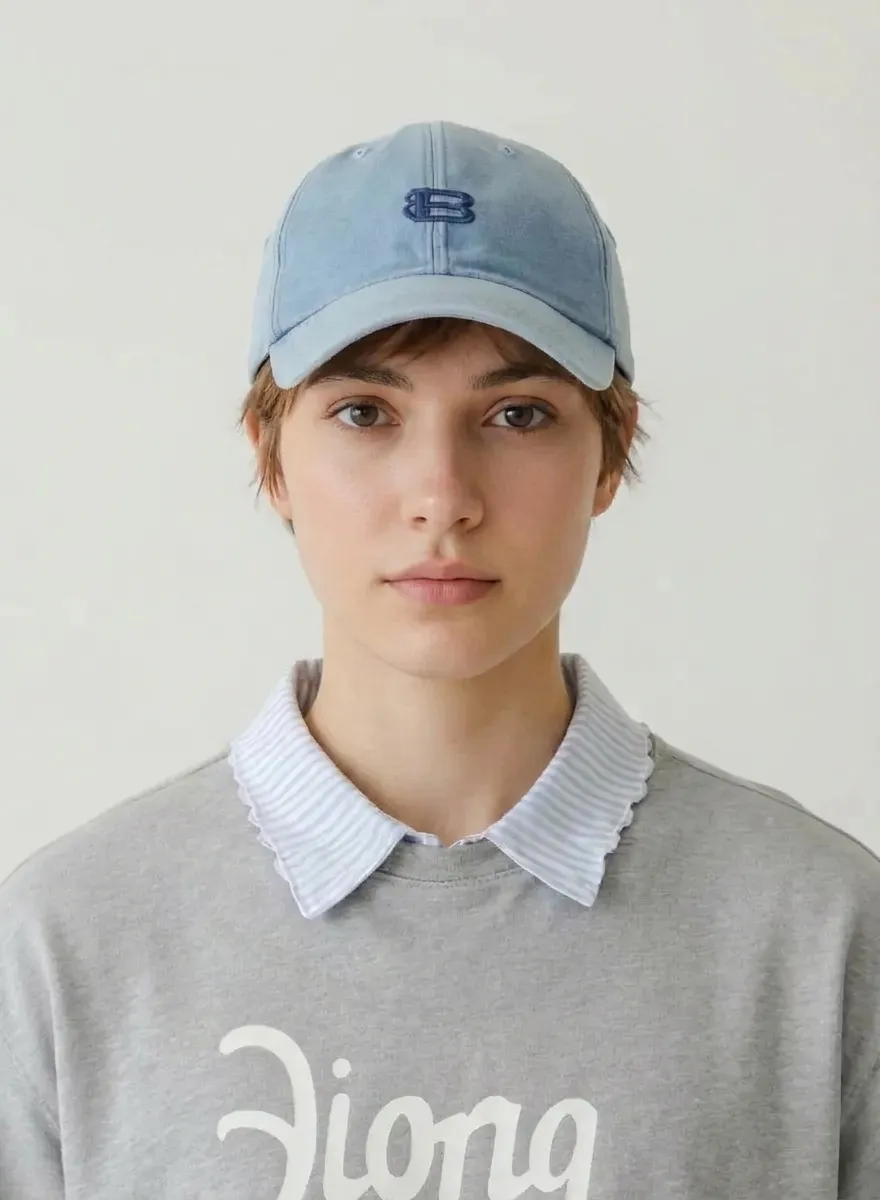
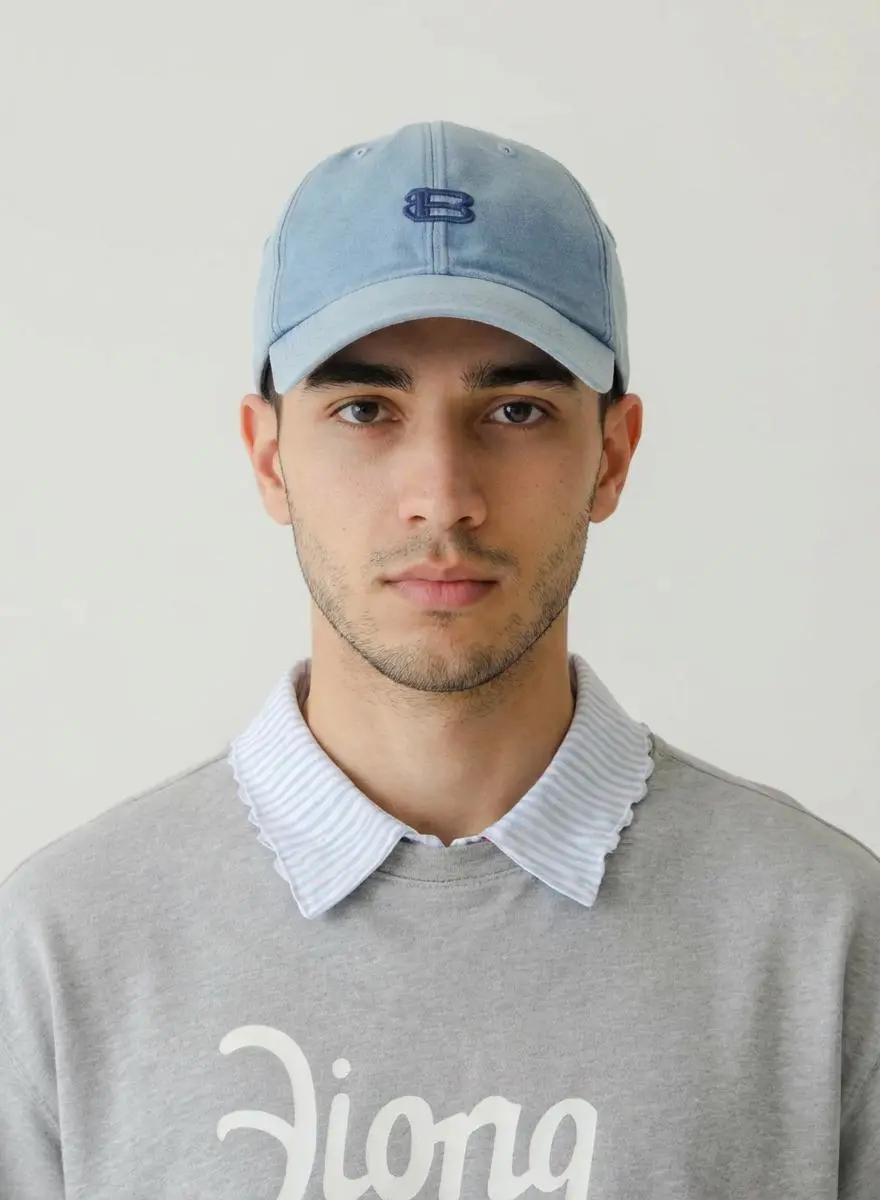
Casual Photo Transformation
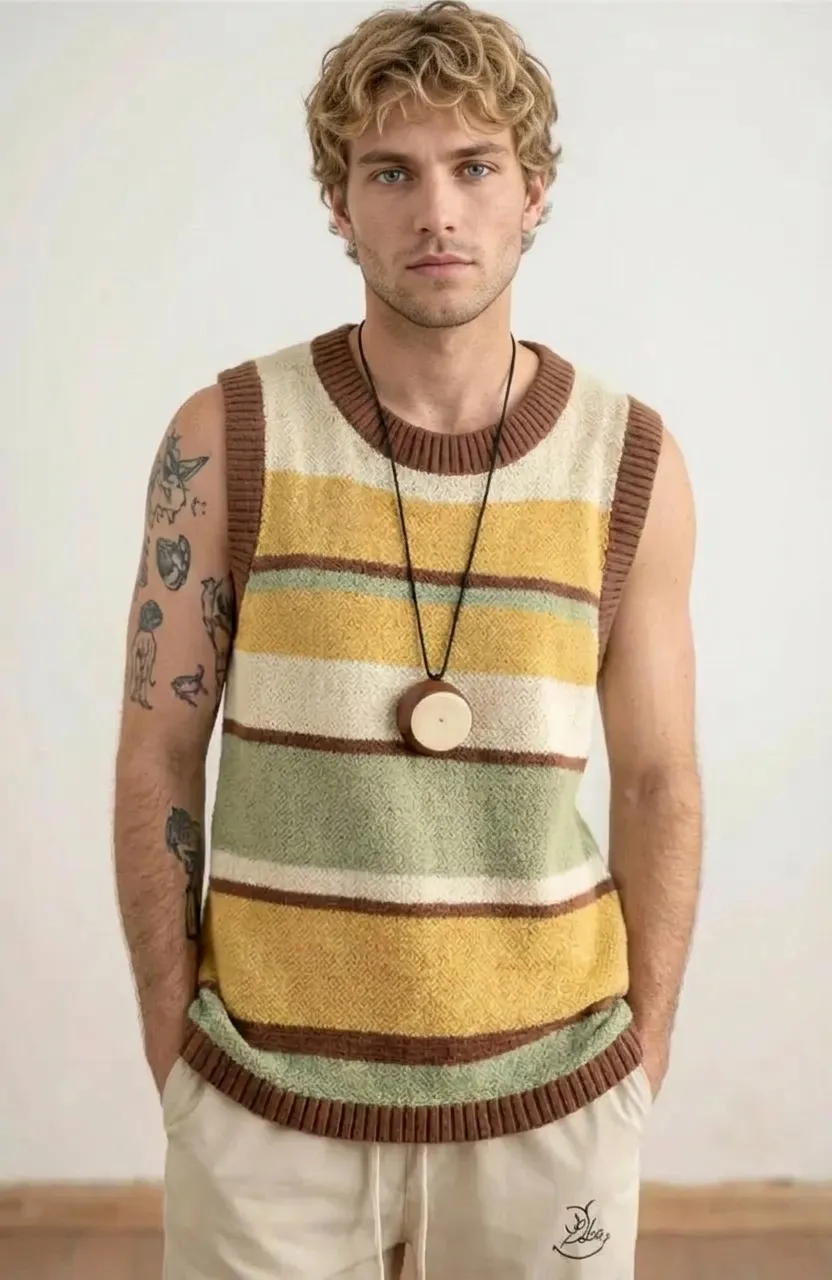
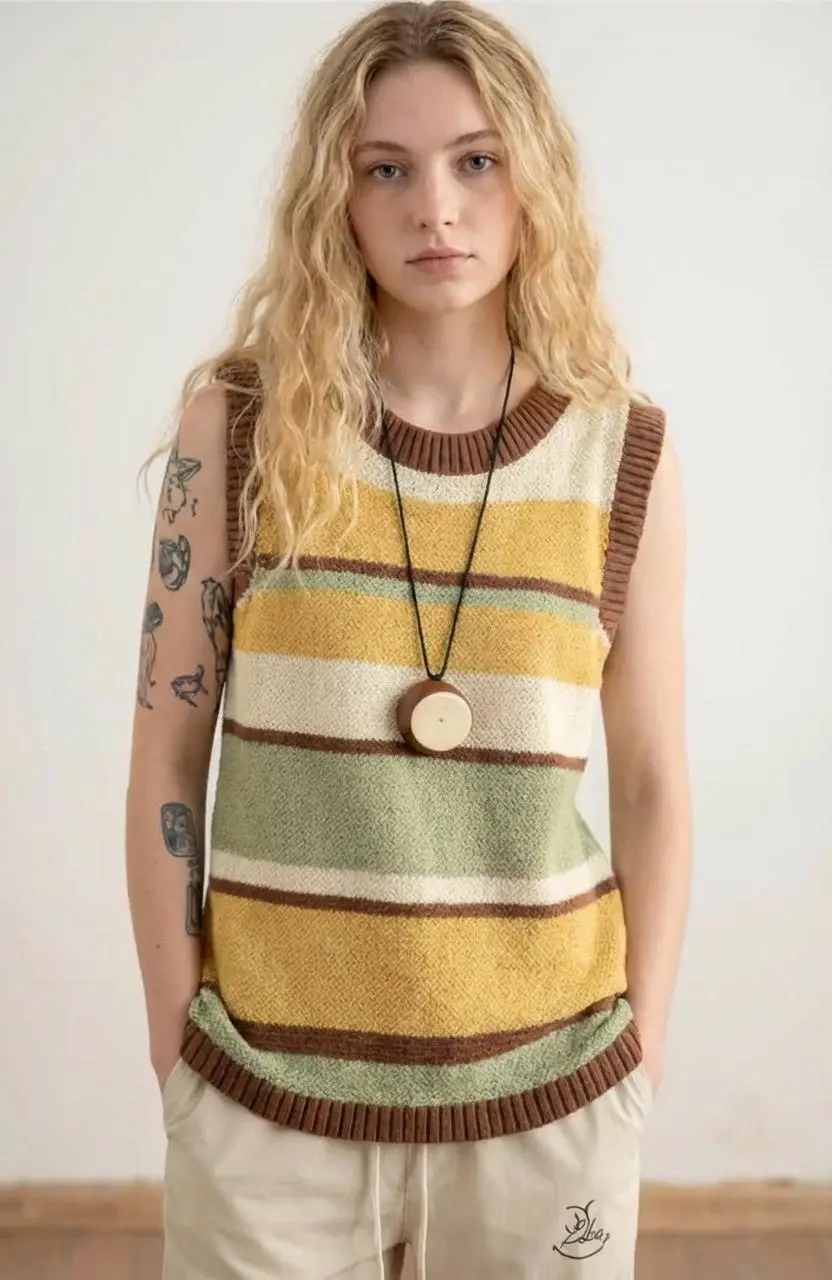
Studio Look Transformation
Key Features of NanoMaker's Gender Swap Filter
Natural gender presentation shifts that still look like the same person.
Natural Looking Results
NanoMaker aims for believable masculine or feminine presentation cues instead of exaggerated makeup. Skin texture, lighting, and soft shadows stay coherent so the edit looks like a natural portrait filter result.
Identity Cues Preserved
A strong tool should not erase who someone is. NanoMaker keeps expression and distinctive facial structure while shifting hairstyle and gender presentation carefully—for creative edits of adult portraits only.
1K, 2K, and 4K Output
Choose the resolution that matches your project. Use 1K for social posts, 2K for portfolio work, and 4K when you need detail that holds up on large screens.
Editable Prompt
You can edit the prompt before generating to steer how strong or subtle the opposite gender look should be. Keep the default if you want a quick result.
Who Needs a Gender Swap Filter
Everyday creators and teams who want a clear, respectful preview of a different gender presentation in a photo.
Creators and Social Media Fans
If you make light, shareable portrait content, a Gender Swap Filter helps you try a fun opposite look for Reels, Stories, or before and after posts. Keep it playful, clearly label AI edits when you post, only use photos you own or have permission for, and never use results to impersonate someone or spread misleading content.
Character Designers and Concept Artists
Artists often need a quick masculine or feminine read on a character reference. The Gender Swap Filter gives a visual draft for casting boards, game NPCs, or story pitches without redrawing the whole face from scratch.
Marketing and Creative Teams
Campaign mockups sometimes need presentation variants of the same portrait layout. Teams use a Gender Swap Filter to explore styling options for mood boards and internal reviews, then finalize with proper releases and brand approval.
Cosplay, Costume, and Stage Planners
Planning a costume or stage look? A Gender Swap Filter can help you picture hair and facial presentation before you buy a wig or book a makeup trial. It is a planning aid, not a substitute for real fittings.
Photographers Offering Fun Edit Passes
Some portrait clients ask for a playful alternate presentation of a headshot. With clear consent, photographers can run a Gender Swap Filter pass and deliver a side by side preview that keeps pose, clothing, and lighting intact.
Students and Digital Media Classes
Media and design courses use tools like a Gender Swap Filter to discuss portrait editing, visual styling, and responsible AI use. It works well for classroom demos when the source photo is approved for teaching and students label outputs as AI-edited.
What Users Are Saying about NanoMaker's Gender Swap Filter
A few notes from people who've tried it.
"ran a few of my usual selfie angles through the Gender Swap Filter and it actually looked like me. hair changed a lot but my face still felt familiar. less plastic than other apps I tried"
"needed a quick masc or fem read on an NPC reference. dropped one in and got something I could sketch from. background stayed put which helped"
"needed a couple before and after options for an internal mock. Gender Swap Filter got us there in just one minute"
"client wanted a fun opposite look of their headshot. sent them a NanoMaker result next to the original and they got it right away. clothes and pose stayed the same"
"was not expecting much. tried it on a studio portrait for a mood board and the lighting matched pretty well. hair was the biggest change. downloading at 2K for comps"
"posted a Gender Swap Filter before and after on our test account, labeled as an AI filter edit. engagement was up vs our usual filter posts"
Pricing plans for AI Gender Swap Filter
Choose your plan and get instant access to all premium AI models
Cancel anytime — Unused credits roll over — Usage varies by model and generation type.
Lite
$84 per year billed yearly
4,500 Credits per year

Premium
$100 per year billed yearly
9,600 Credits per year
Max
$240 per year billed yearly
36,000 Credits per year
Free
Pay safely and securely with









Frequently Asked Questions
Straight answers about how the Gender Swap Filter works, photo tips, and privacy.