AI Comic Generator
Describe a story in a few sentences and get a finished comic with panels, dialogue, and the same characters from start to end. Add a photo to put yourself or your pet in it.
More AI tools like Comic Generator
Explore our collection of specialized AI image generators designed for different creative needs and styles


How to make a comic with the AI comic generator
You write the story, AI handles the drawing, the panel layout, and the lettering.
Write the story
A few sentences are enough. Say who appears, what happens, and any line of dialogue you want.
Choose panels and style
Pick 1, 3, 4, or 6 panels and an art style. Add a photo if you want a real person or pet as the hero.
Create and download
Click Generate. Download the page, or tweak the story and run it again for a new take.
Comics made with the AI comic generator
Each example came from a short story prompt, two of them from a real photo.
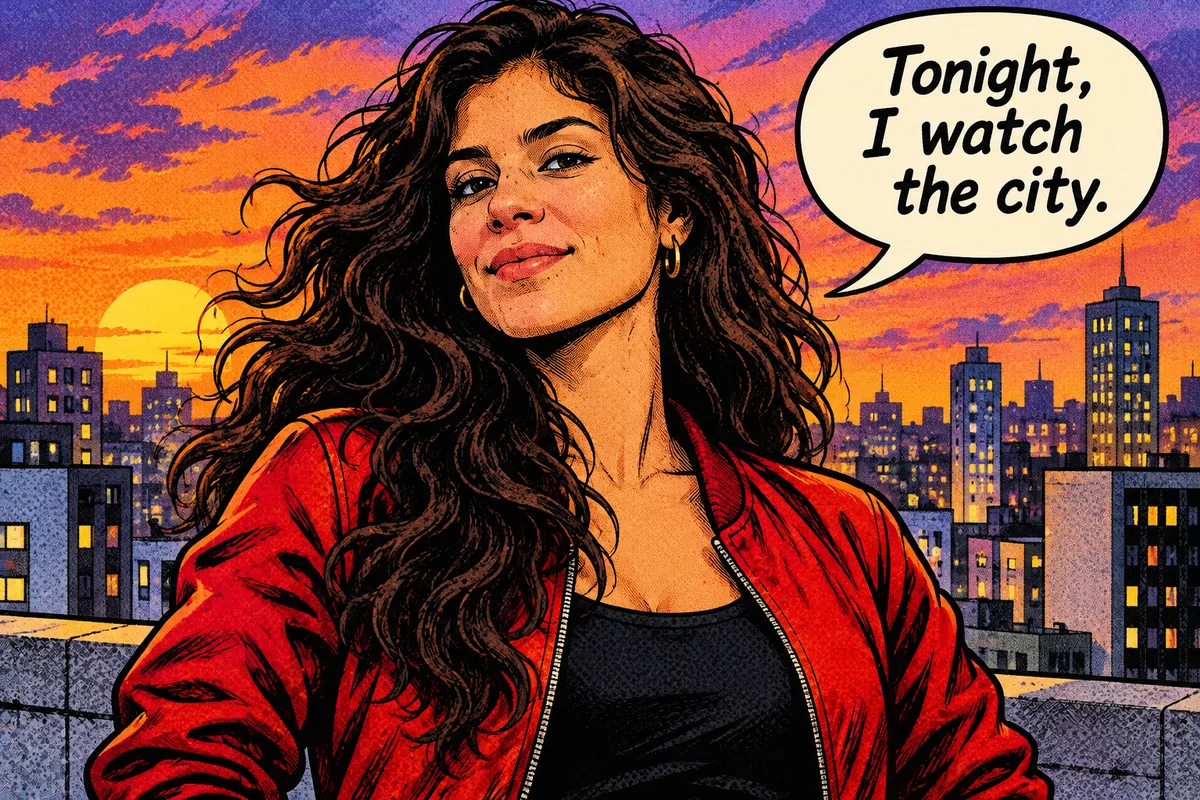

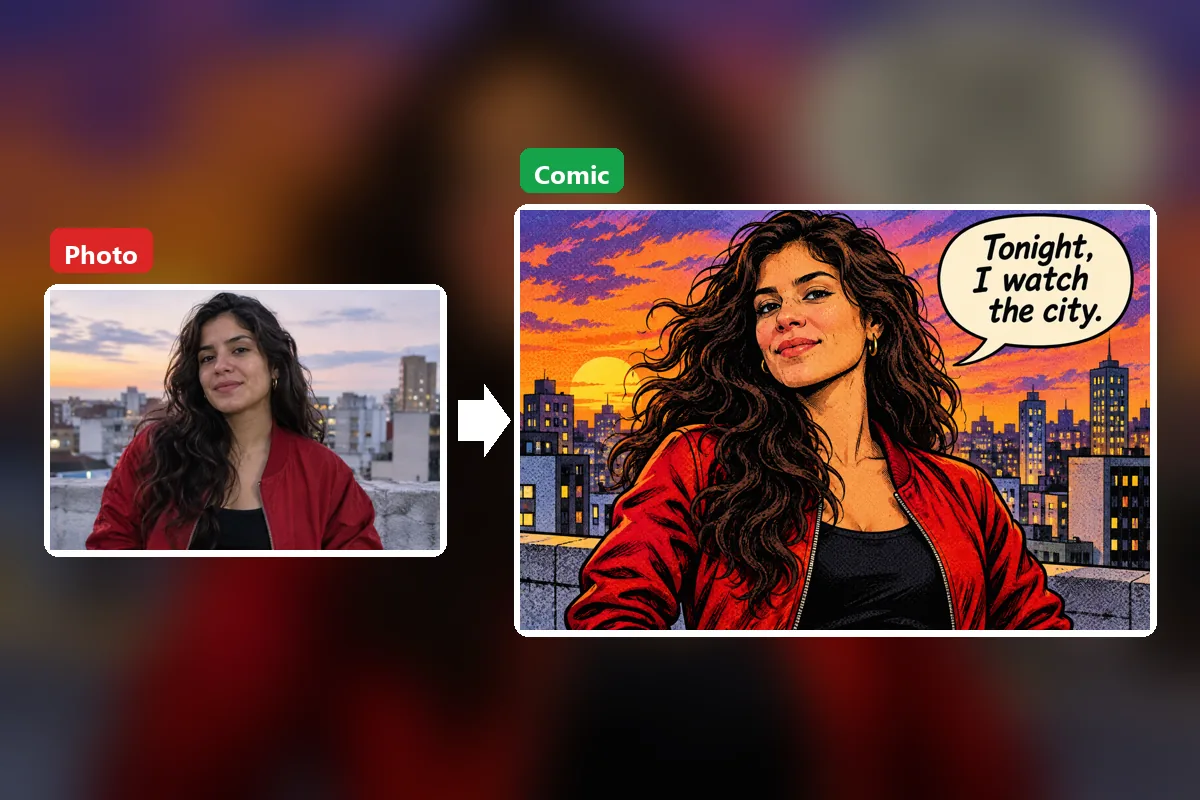
Turn a portrait into a comic book hero
Upload a photo and the person becomes the main character. Her face, wavy hair, and red bomber jacket carry over into a bold American comic cover with a speech bubble.
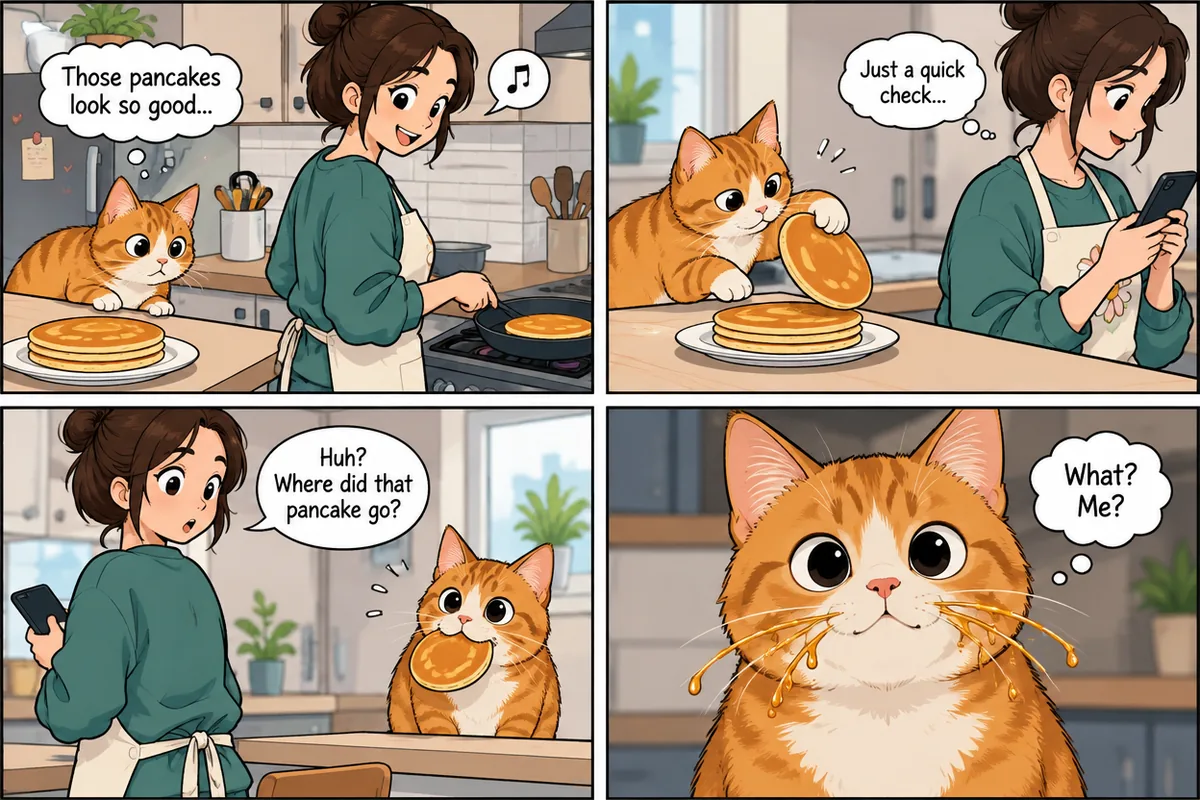
Four-panel gag strips
The classic setup, build, twist, and punchline. The cat looks the same in every panel and the dialogue is short enough to read at a glance.
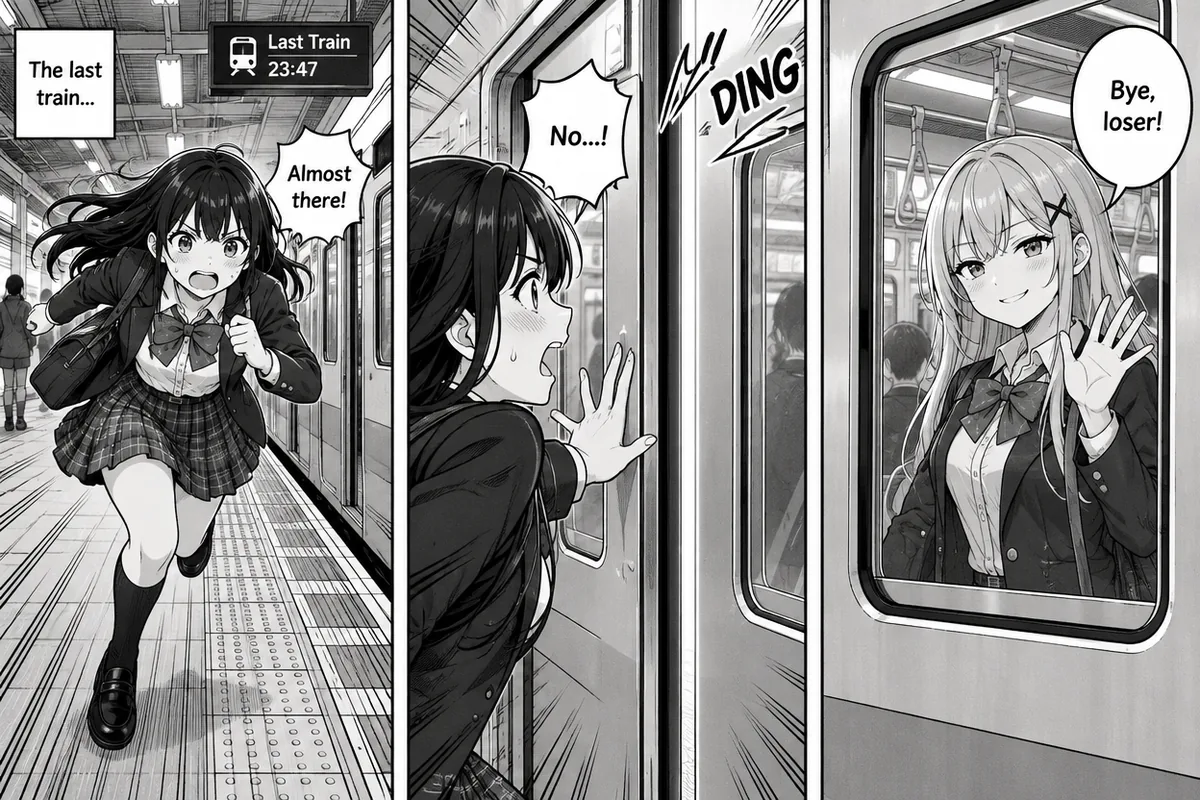
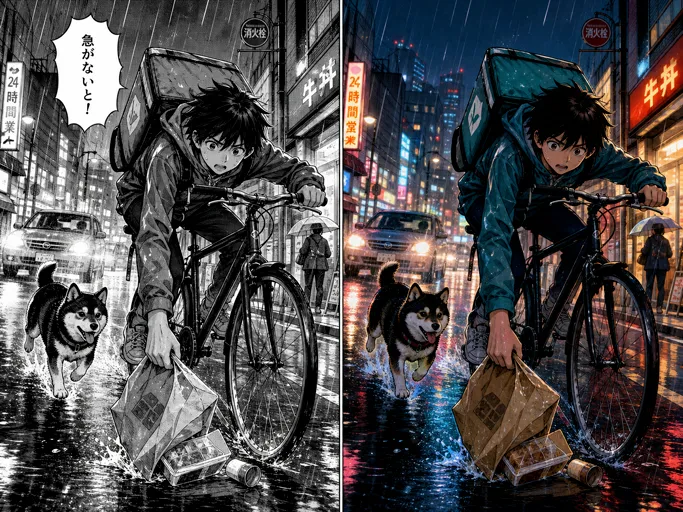
Black and white manga
Screentone shading, speed lines, and big reactions. A missed last train becomes a three-panel scene with a rival waving from inside the carriage.
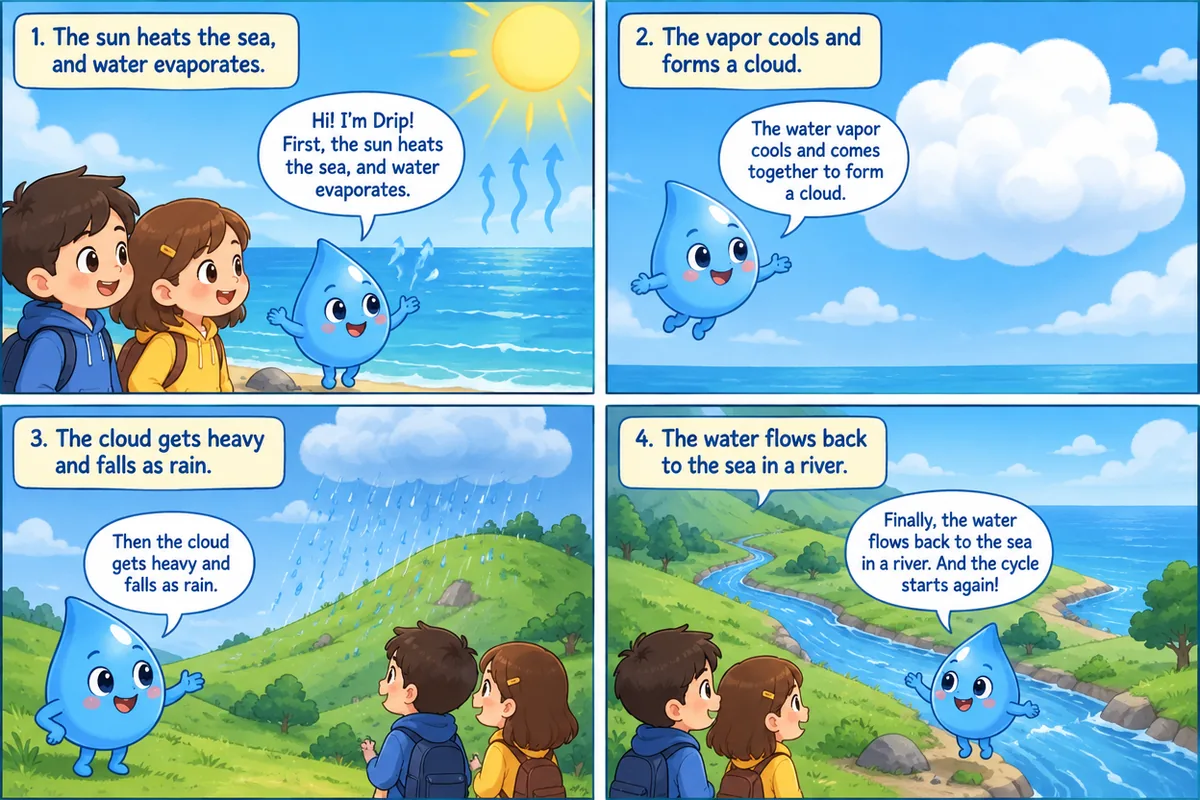
Comics that explain a lesson
Teachers use comics to make a topic stick. Here a raindrop named Drip walks two kids through the water cycle, one numbered step per panel.
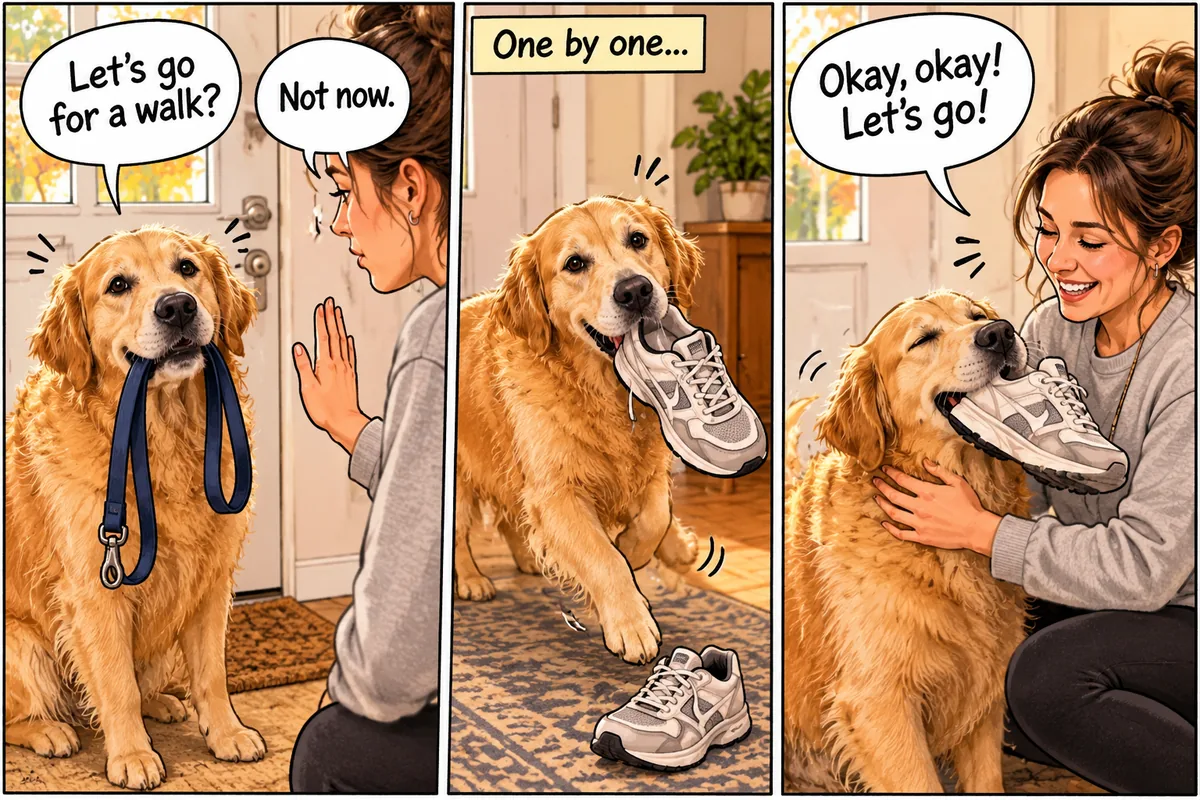
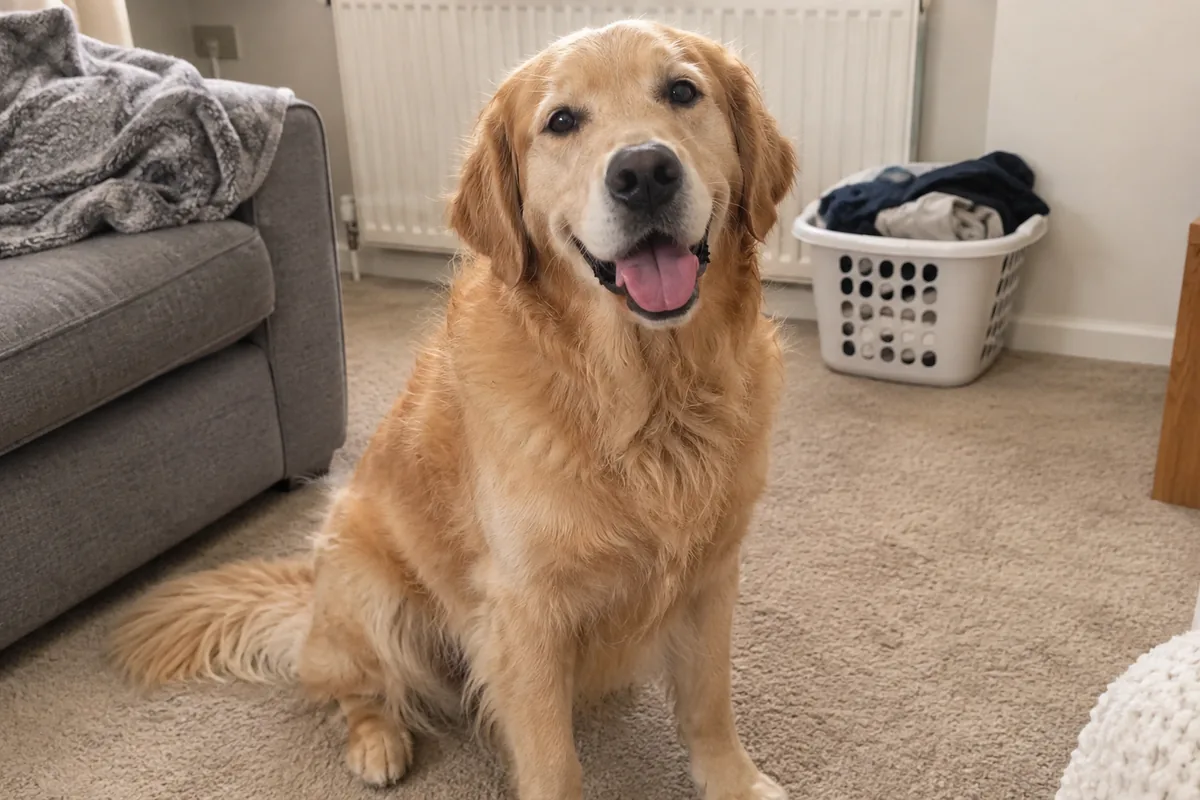
Your pet as the star
A photo of a golden retriever becomes a Sunday newspaper strip about begging for a walk. Same fur color, same friendly face, three panels of persuasion.
What the AI comic generator can do
It plans the page like a comic artist, so you get a readable story.
Real panel layouts
Single panels, three-panel strips, 2x2 grids, and six-panel pages with clean borders and gutters.
Characters stay the same
Faces, hair, outfits, and colors carry from panel to panel, so readers can follow who is who.
Speech bubbles and captions
Dialogue is lettered inside proper bubbles and captions, written in the language of this page.
Star in your own comic
Add a selfie, a friend, or a pet photo and the AI draws them as the main character.
Five art styles
Webcomic, American comic, manga, webtoon, and pop art, each one a single click away.
No drawing skills needed
If you can describe a scene in words, you can make a comic. The model takes care of the art.
How to write a comic prompt that works
Think of each prompt as a tiny script. These five parts give the model enough to plan good panels.
- 1
Characters
Name them and give one visual detail each: a ginger cat, a girl with a red scarf, a robot with a pizza box.
- 2
Story beats
Write the setup, the problem, and the ending. Short comics work best with one clear twist.
- 3
Panel moments
Say what each panel should show, for example "last panel: close-up of the cat with syrup on its whiskers".
- 4
Setting
Place and time help the art: a rainy train platform at night, a sunny kitchen, a school rooftop.
- 5
Dialogue
Put exact lines in quotes. Keep each one under ten words so it fits neatly in a bubble.
Who makes comics with AI
From one-off jokes to classroom material.
Social media creators
Post relatable comic strips that get shared more than plain text posts.
Teachers
Explain science, history, or language lessons with characters students remember.
Writers
Storyboard scenes from a novel or script before hiring an illustrator.
Marketers
Show how a product solves a problem in four panels instead of a wall of copy.
Families and friends
Turn a funny family story or your pet's daily drama into a comic gift.
Manga and webtoon fans
Try out original characters and story ideas in the style you love to read.
Drawing a comic by hand vs making it with AI
Hand-drawn comics have their own charm. When you need one quickly, this is how they compare.
| What it takes | Drawing or hiring an artist | AI comic generator |
|---|---|---|
| Time per page | Hours to days | Under a minute per version |
| Skills | Drawing, inking, and lettering | Describing the story in words |
| Trying styles | Redraw everything for each style | Switch style and run it again |
| Cost | Commission fees per page | A few credits per comic |
AI comic generator pricing plans
Choose your plan and get instant access to all premium AI models
Cancel anytime — Unused credits roll over — Usage varies by model and generation type.
Lite
$84 per year billed yearly
4,500 Credits per year

Premium
$100 per year billed yearly
9,600 Credits per year
Max
$240 per year billed yearly
36,000 Credits per year
Free
Pay safely and securely with









AI comic generator FAQ
Common questions about making comics with AI.