Motion Blur Effect
Make a still photo look like it was shot at speed. Choose panning, motion trails, zoom burst, or camera shake and set how strong it should be.
More AI tools like Motion Blur Effect
Explore our collection of specialized AI image generators designed for different creative needs and styles


How to add a motion blur effect to a photo
There are no angle sliders or masks to draw. Pick a look and AI decides what moves and what stays sharp.
Upload a photo
Use a shot with a clear subject, like a cyclist, a car, a dancer, or a busy crossing.
Pick a style and strength
Panning, motion trail, zoom burst, or camera shake, then Subtle, Medium, or Strong.
Generate and download
Click Generate, compare it with the original, and save the version you like in up to 4K.
Four motion blur styles and when to use them
Each one copies a real camera technique, so the result reads like a photo instead of a filter.
Panning
The subject stays crisp and the background streaks sideways, as if the camera followed it. Best for cyclists, cars, and runners.
Motion trail
The background stays still and the moving subject smears along its path. Good for dancers, athletes, and crowds.
Zoom burst
Lines rush out from the center, like zooming the lens during the exposure. It pulls attention to products and portraits.
Camera shake
The whole frame drifts a little with soft doubled edges. It gives night streets and party shots a candid, dreamy feel.
Motion blur effect examples, before and after
Drag each slider to see the sharp original on the left and the blurred version on the right.
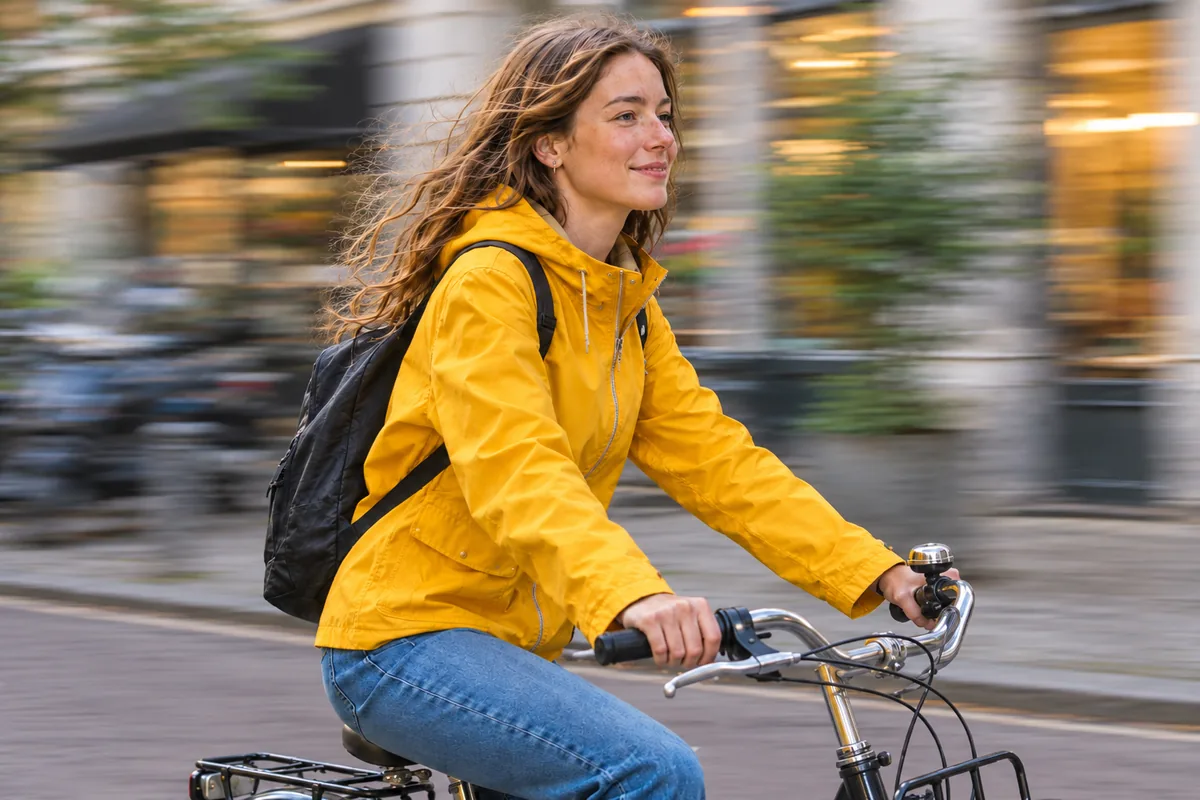
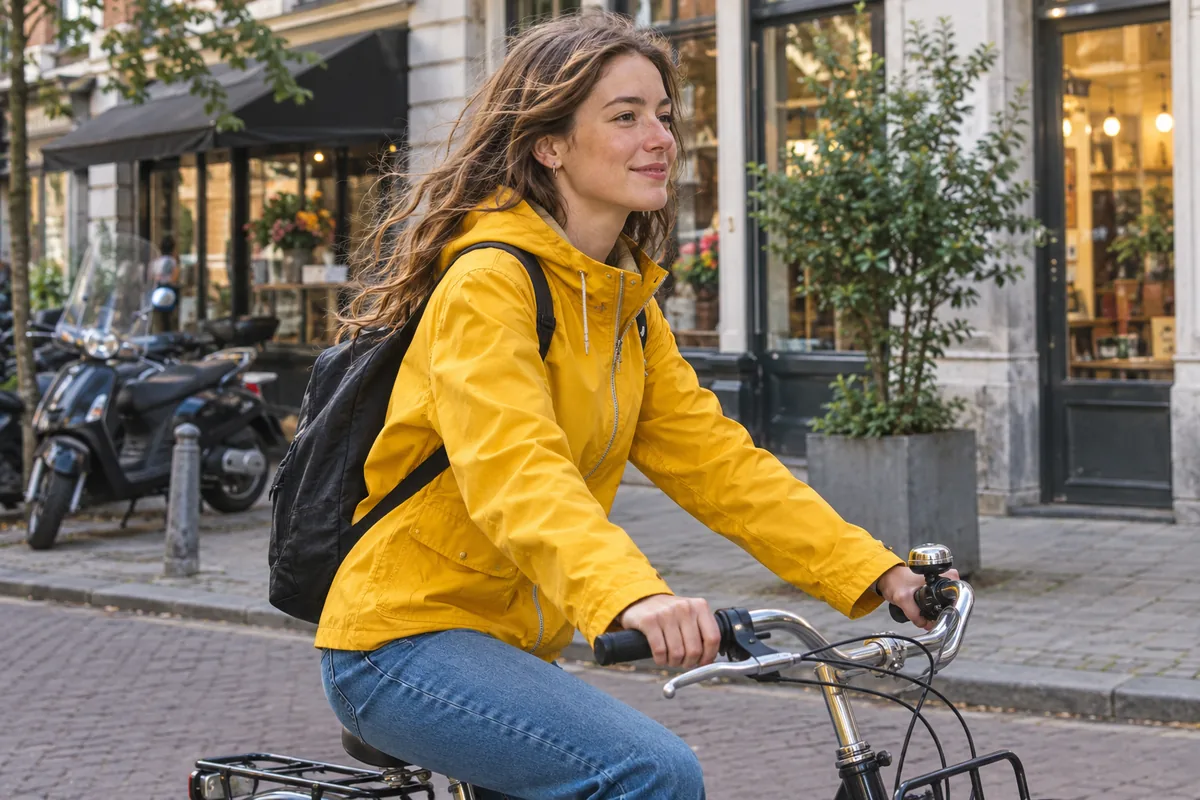
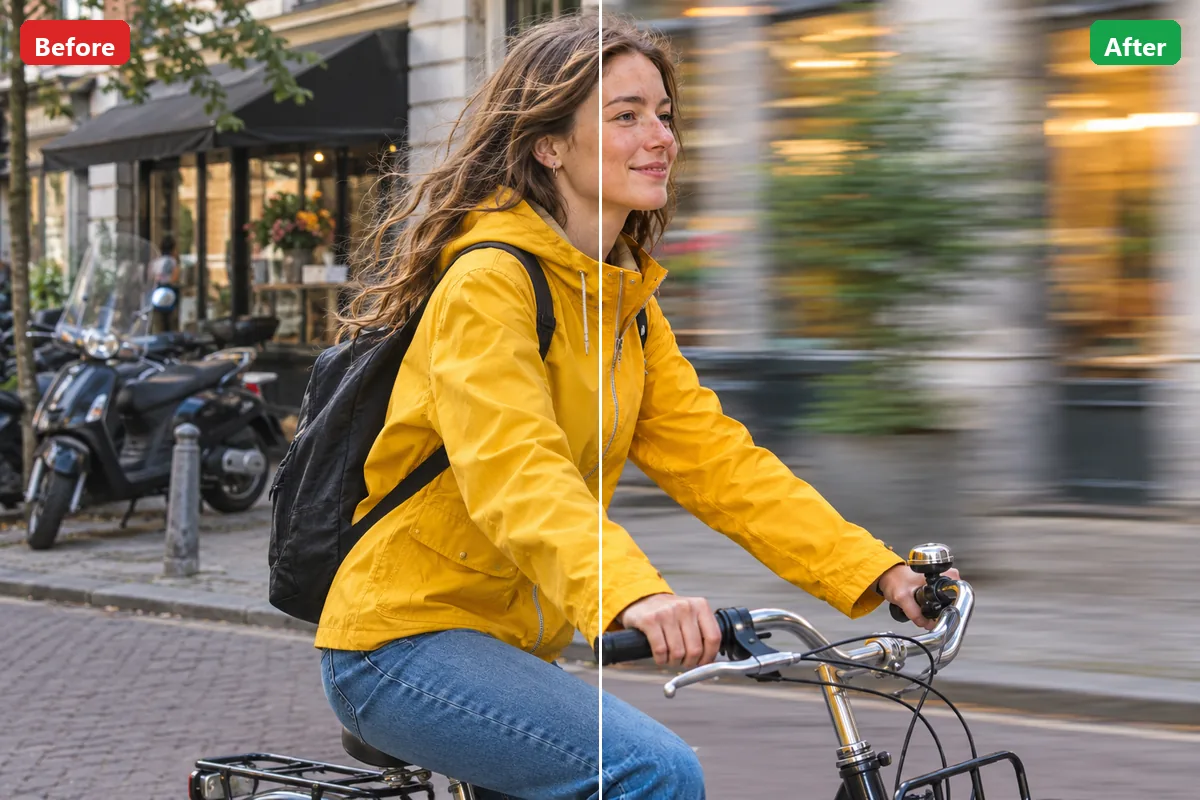
Panning blur for a city cyclist
A frozen street shot gets the classic panning look. The rider and the bike stay sharp while the shop fronts behind her stretch into soft streaks.
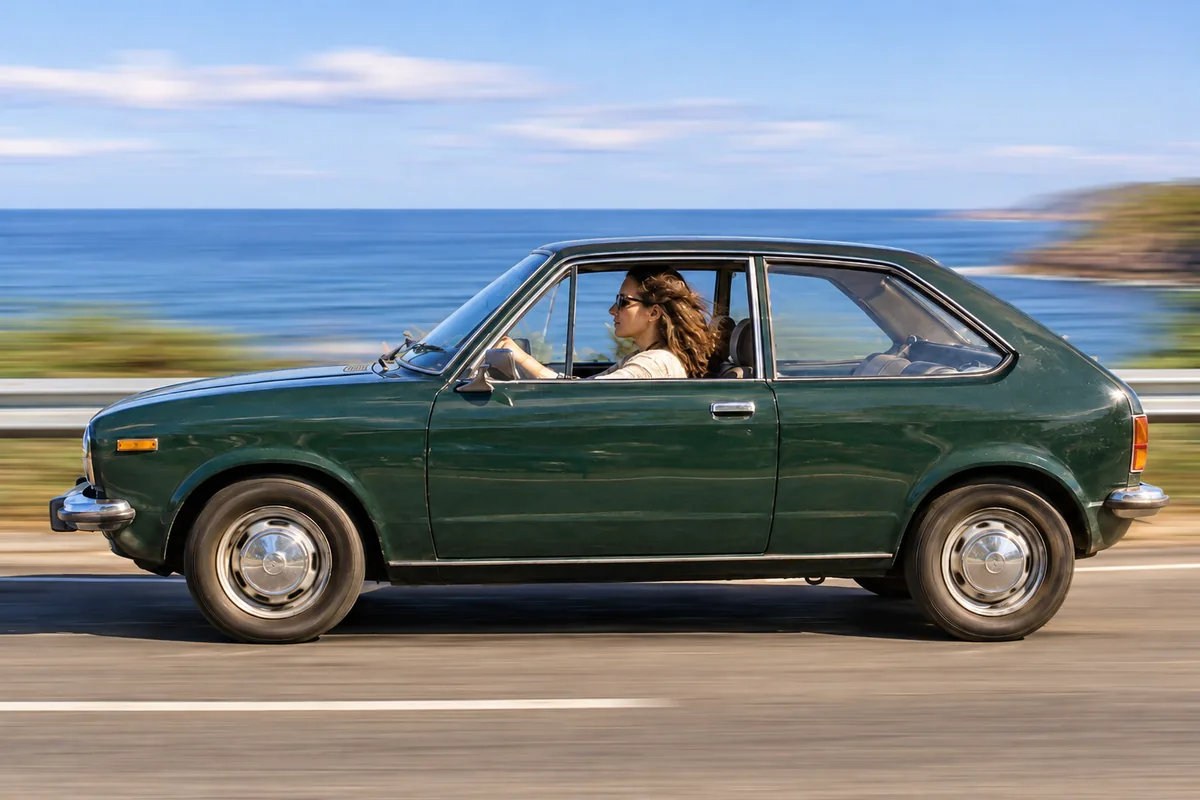
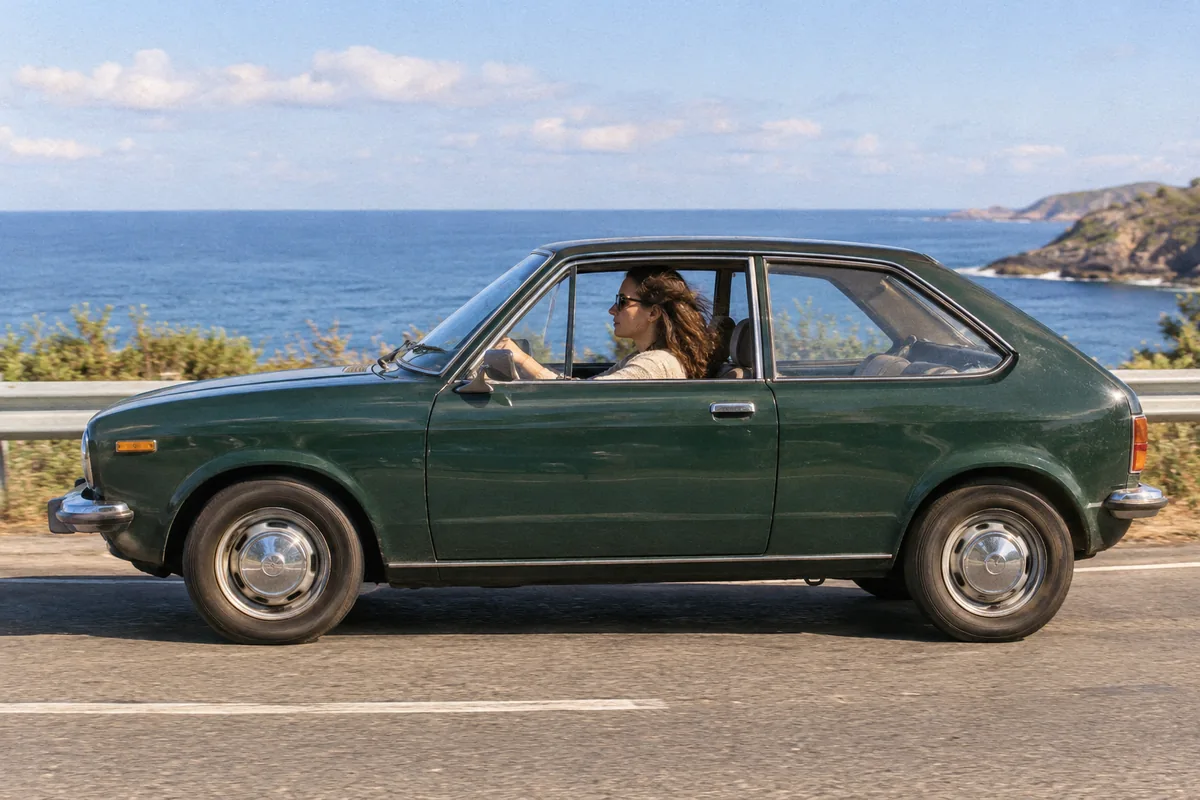
Speed for a car on a coastal road
Strong panning turns a parked-looking car into one that is clearly driving. The guardrail and the sea blur horizontally and the bodywork stays clean.
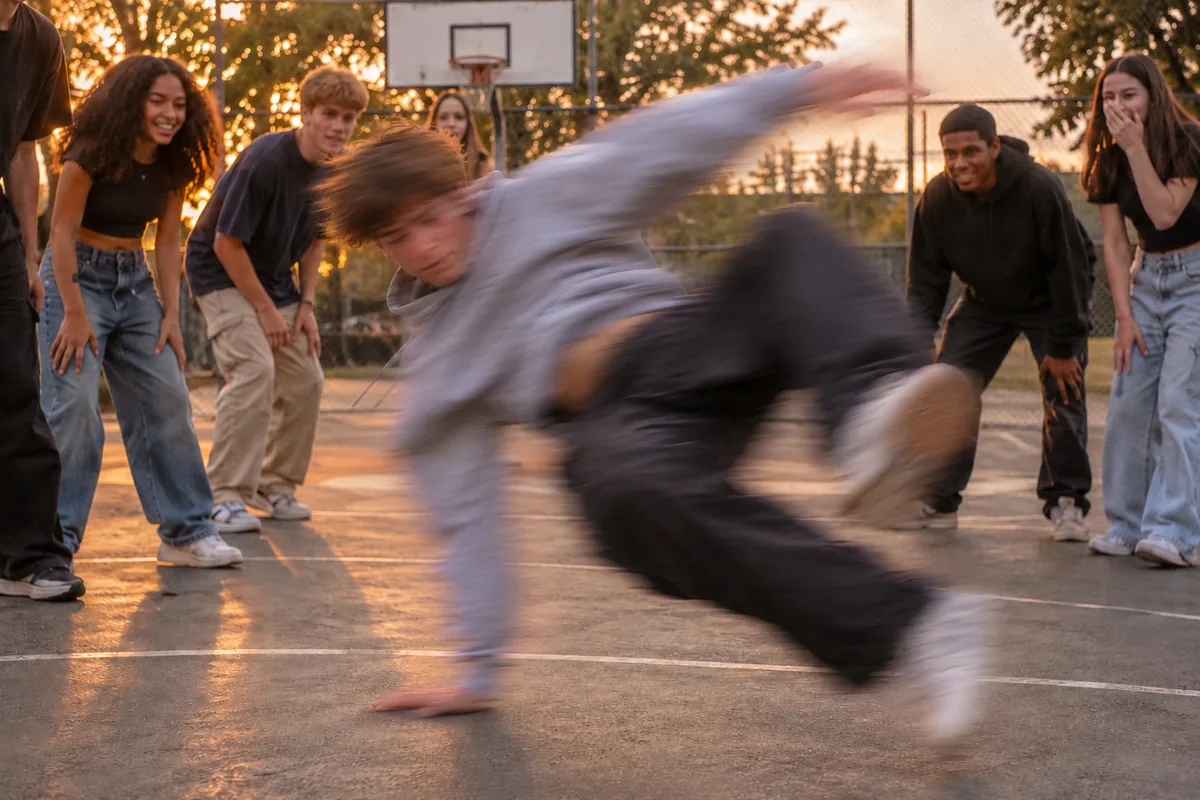
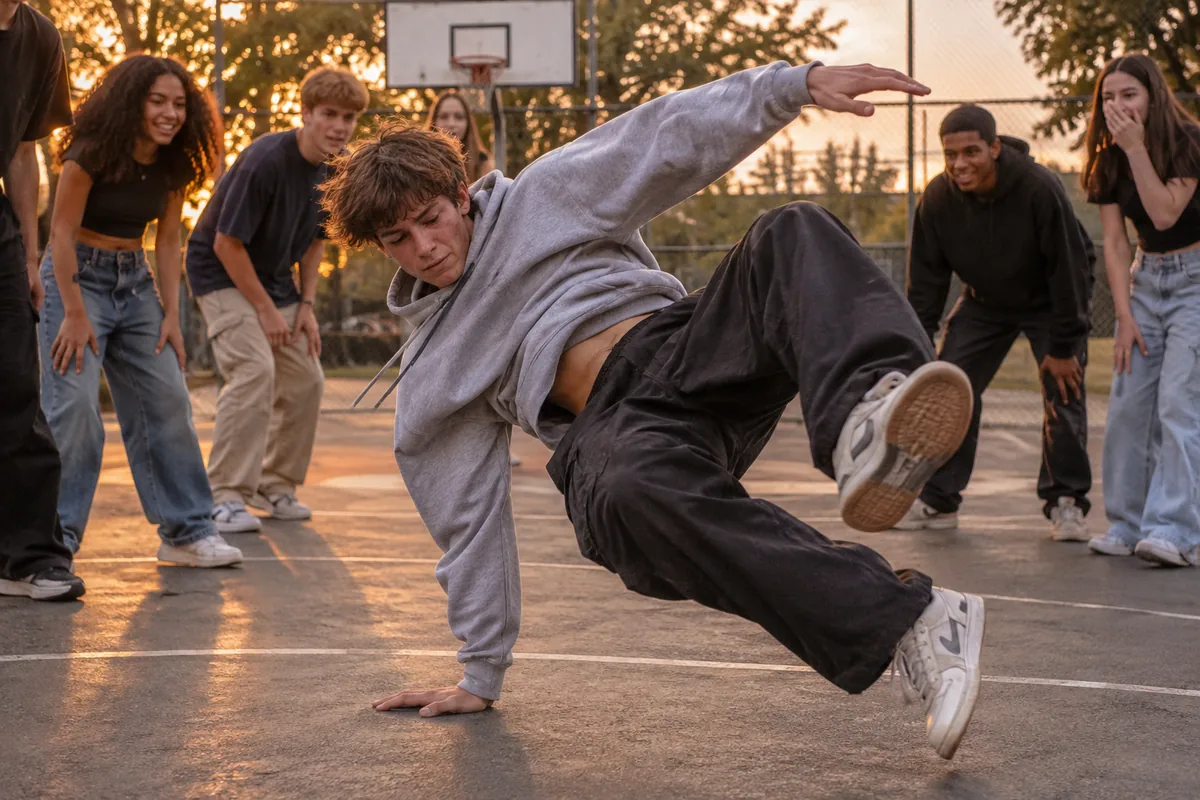
Motion trail on a breakdancer
Here the court and the crowd stay put while the dancer smears through his spin, which shows the movement the frozen photo was missing.
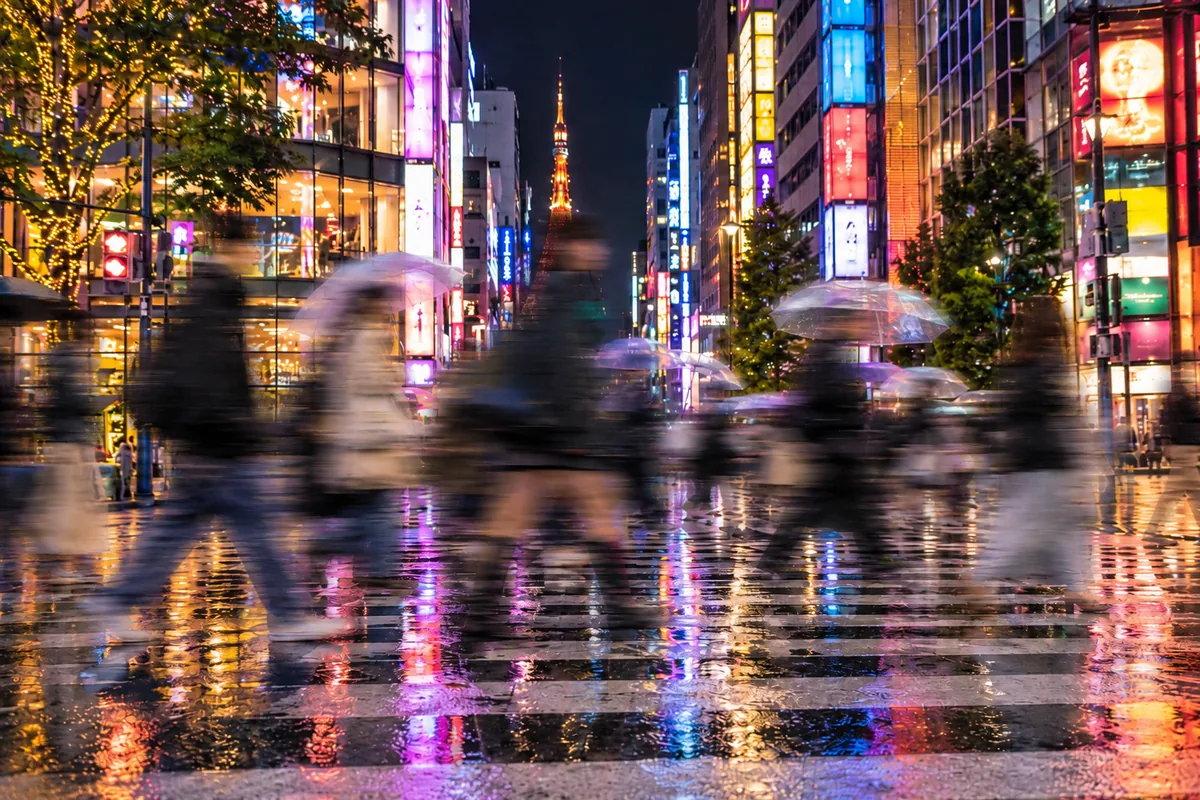
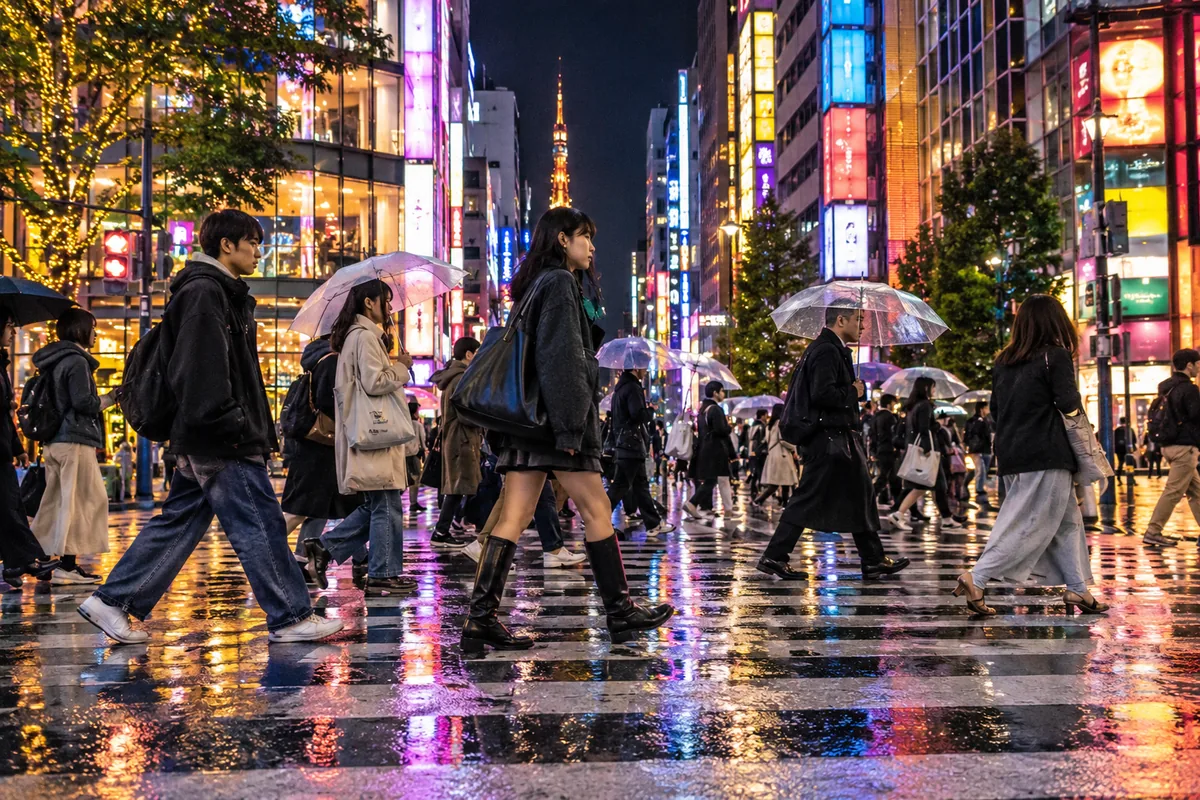
Long exposure look for a busy crossing
Pedestrians turn into ghostly streaks and the neon buildings stay sharp, the same result you would get from a tripod and a slow shutter.
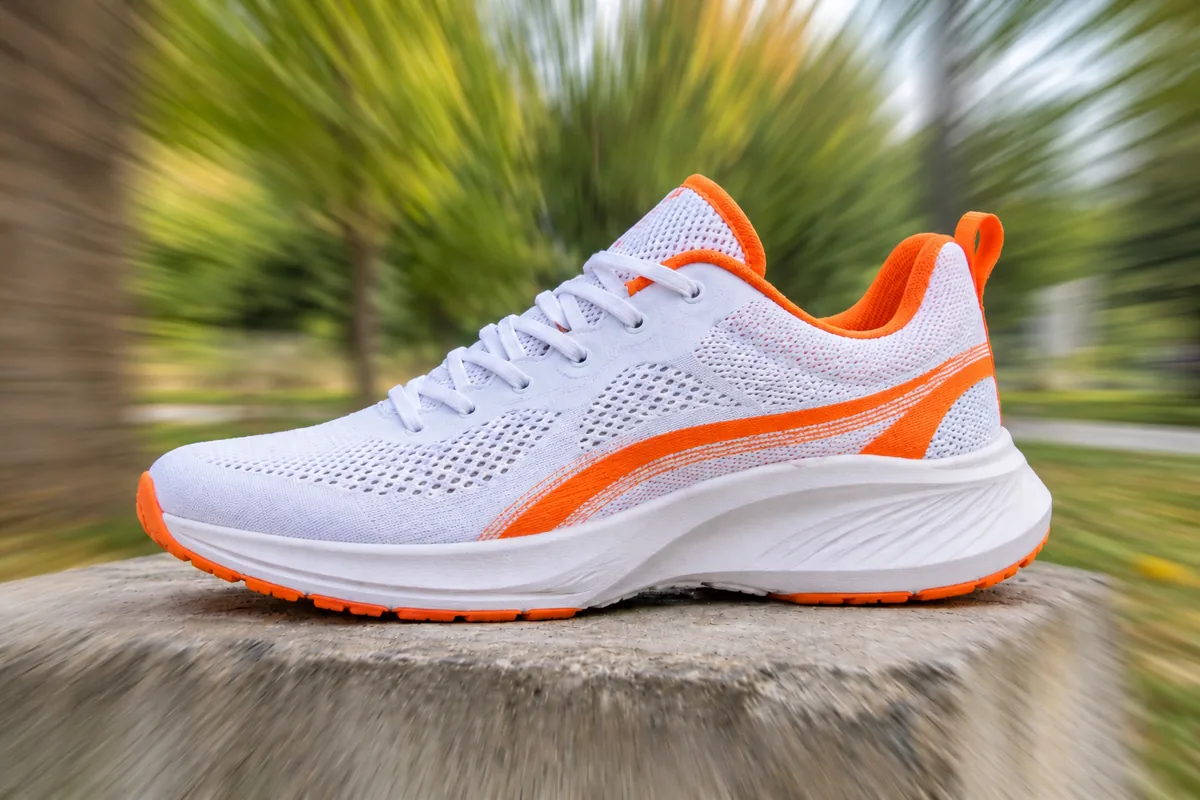
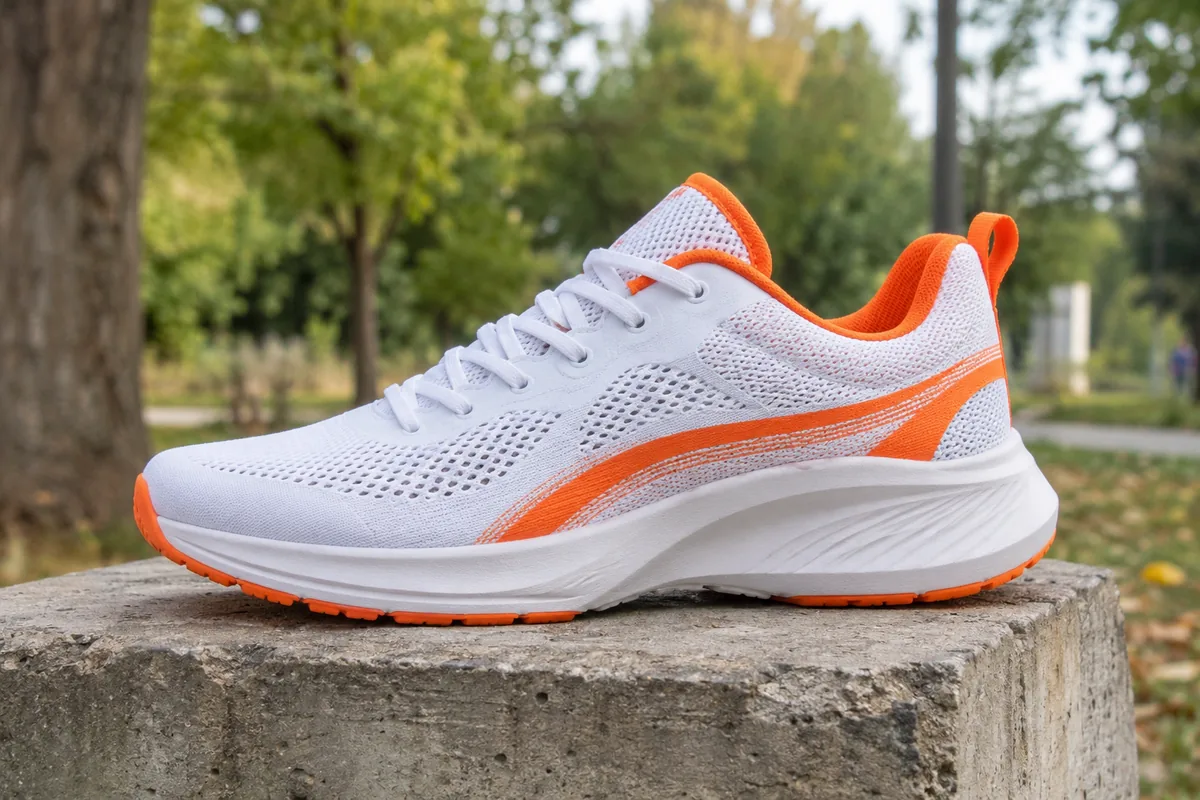
Zoom burst for a product shot
Radial streaks around a running shoe give an ordinary outdoor photo the energy of a sports ad. The shoe itself keeps its texture and stitching.
Why use AI for a motion blur effect
A regular blur filter smears everything. The AI works out which part of the picture is moving.
Knows what to keep sharp
Faces, wheels, and product details stay in focus without you painting a mask around them.
Streaks follow the movement
Blur runs in the direction the subject is traveling instead of a fixed angle you have to guess.
Four camera techniques
Panning, motion trail, zoom burst, and camera shake cover most of what photographers do in camera.
Three strength levels
Subtle keeps details readable, Medium is clearly visible, and Strong gives long, dramatic lines.
Optional notes
Add a line such as "streaks to the left" or "keep the rider's face sharp" when you want more control.
Output up to 4K
Export at 1K, 2K, or 4K and keep the original framing, colors, and light.
Who adds motion blur to their photos
Anyone whose photo should feel faster than it looks.
Sports and action shooters
Add the panning look to shots taken at a fast shutter speed, without reshooting the race.
Car and bike sellers
Make listing photos feel dynamic while the vehicle itself stays sharp and accurate.
Product marketers
Use zoom burst to give shoes, gadgets, and drinks an ad-ready sense of energy.
Social media creators
Turn ordinary street and travel photos into moody, cinematic posts.
Designers
Create speed backgrounds for posters, thumbnails, and banners in seconds.
Hobby photographers
Try slow shutter looks on photos you already have before attempting them in camera.
Slider blur filters vs motion blur with AI
Most online tools apply one blur to the whole picture. Here is what changes with AI.
| What you get | Angle and strength sliders | AI motion blur effect |
|---|---|---|
| Main subject | Blurred with everything else unless you mask it | Kept sharp automatically |
| Direction | One fixed angle for the whole image | Follows how the subject moves |
| Styles | Linear blur only on most tools | Panning, trail, zoom burst, and shake |
| Time | Several minutes of masking for a clean result | One click per version |
Motion blur effect pricing plans
Choose your plan and get instant access to all premium AI models
Cancel anytime — Unused credits roll over — Usage varies by model and generation type.
Lite
$84 per year billed yearly
4,500 Credits per year

Premium
$100 per year billed yearly
9,600 Credits per year
Max
$240 per year billed yearly
36,000 Credits per year
Free
Pay safely and securely with









Motion blur effect FAQ
Questions about adding motion blur to photos.