Red Eye Remover
Upload a flash photo and get natural eyes back in one click. Faces, skin, and colors stay exactly as they were.
More AI tools like Red Eye Remover
Explore our collection of specialized AI image generators designed for different creative needs and styles




How to use the red eye remover
No brush, no zooming in on every eye. Upload the photo and let AI find the pupils.
Upload the photo
Pick a flash shot from your device, your history, or your phone. One photo at a time, any number of faces.
Add a note if needed
Leave the note empty for an automatic fix, or say which eye color to keep or which person to fix.
Download the fixed photo
Click Generate, compare the result with your original, and save it in 1K, 2K, or 4K.
What the red eye remover fixes
Only the pupils and the flash glare change.
Finds every eye on its own
You do not mark anything. The model locates each red pupil, even small faces at the back of a group photo.
Keeps the real eye color
Blue eyes stay blue and brown eyes stay brown. The red glow becomes a dark pupil with a small catchlight.
Fixes pet eye glow too
Cats and dogs reflect flash as green, yellow, or white. Those glowing eyes get natural animal pupils back.
No retouching elsewhere
Skin, freckles, wrinkles, grain, and background stay as shot. Nobody comes out looking airbrushed.
Many faces in one pass
Dinner tables, weddings, and family reunions are fixed in a single run instead of one eye at a time.
Download up to 4K
Choose 1K, 2K, or 4K output so the fixed photo still prints well and holds up when you zoom in.
Red eye remover results on real flash photos
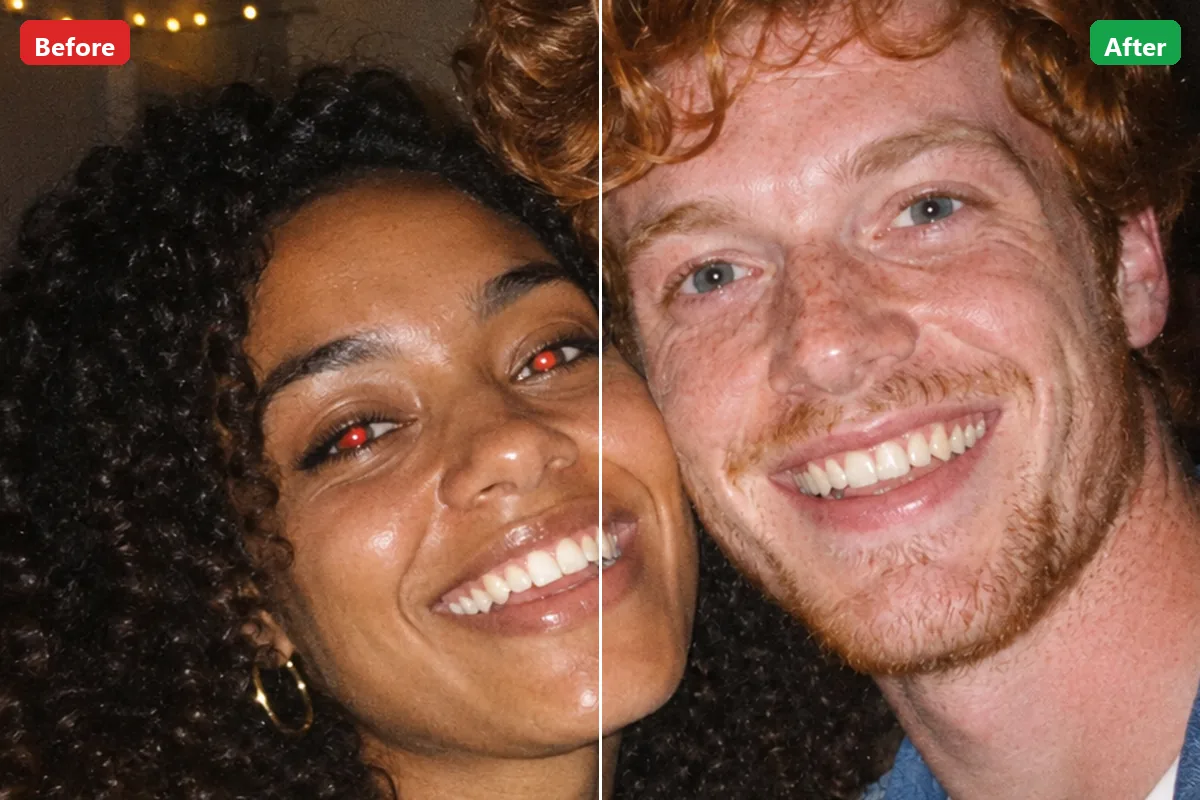
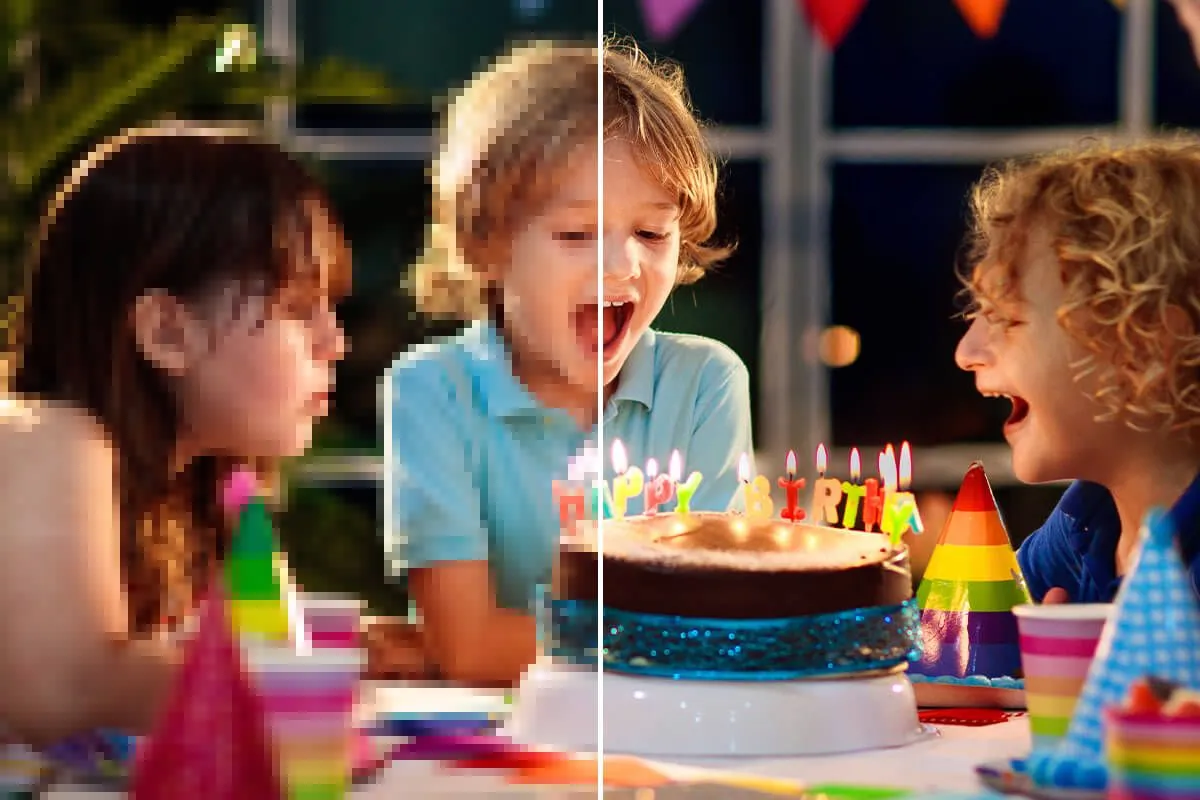
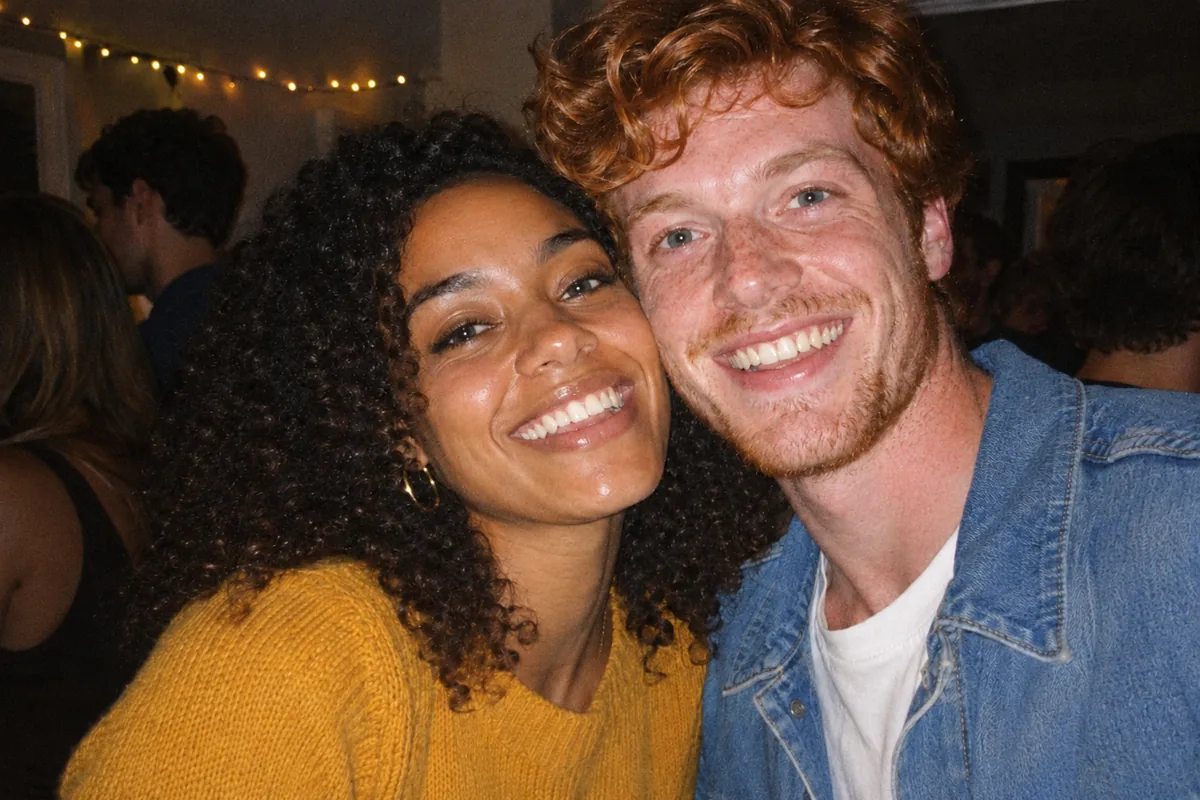
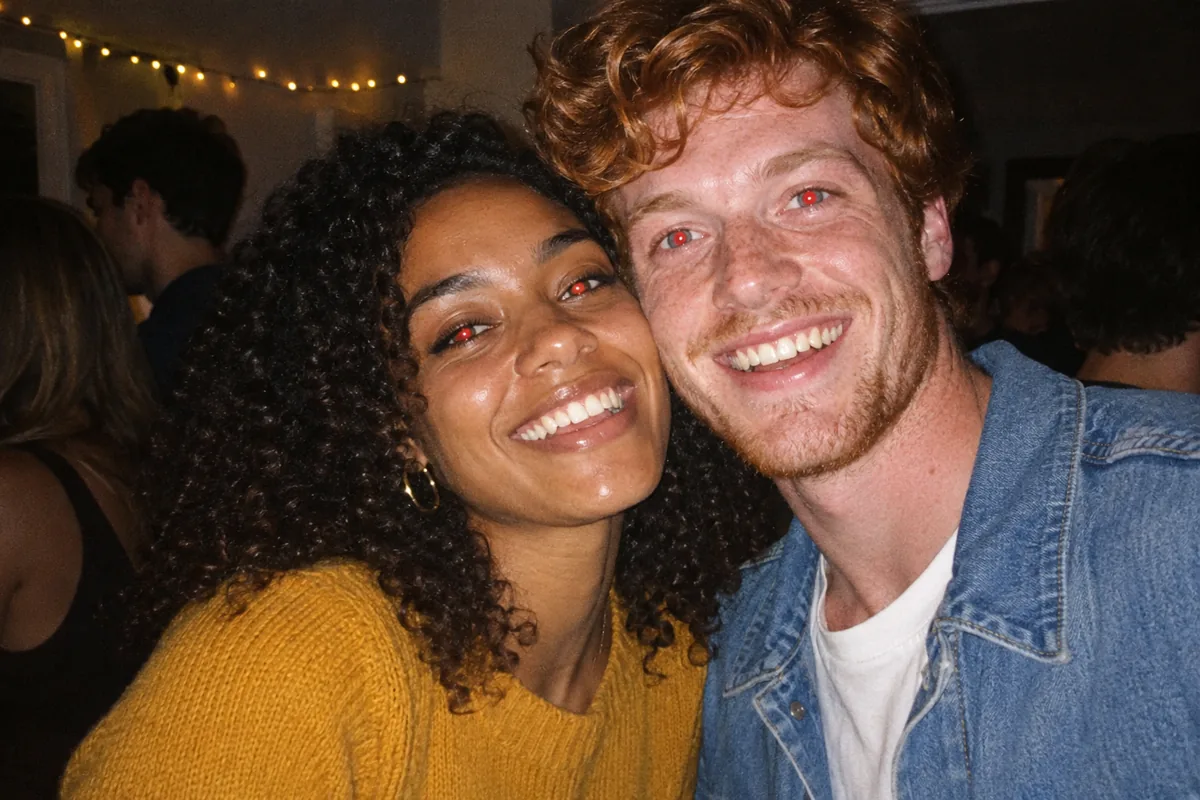
Left: the original flash shot. Right: the fixed version.
Night out selfies shot with the phone flash
Dark bars and house parties are where red pupils show up most. Both friends here get their own eye color back, blue for him and dark brown for her, and the warm party light is untouched.

Birthday photos of kids
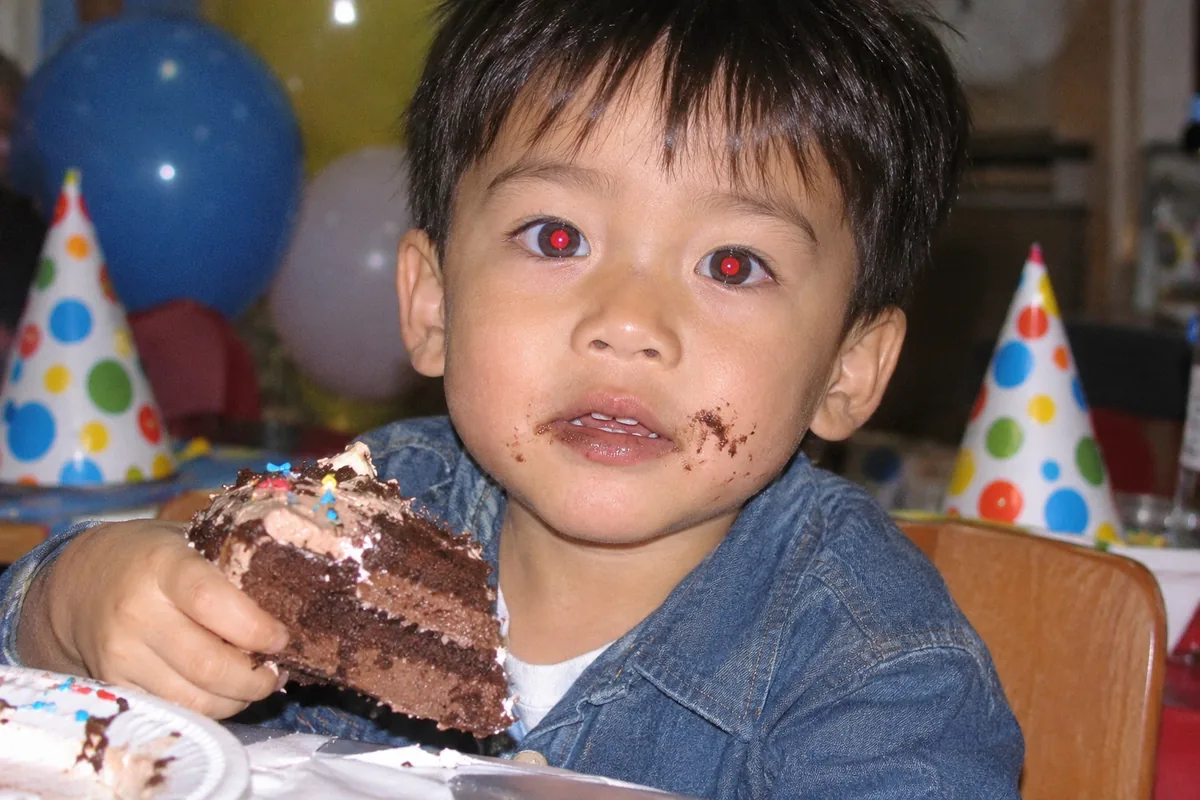
Children have large pupils, so a compact camera flash turns them red almost every time. The cake, the frosting on his cheek, and the balloons stay exactly as they were.
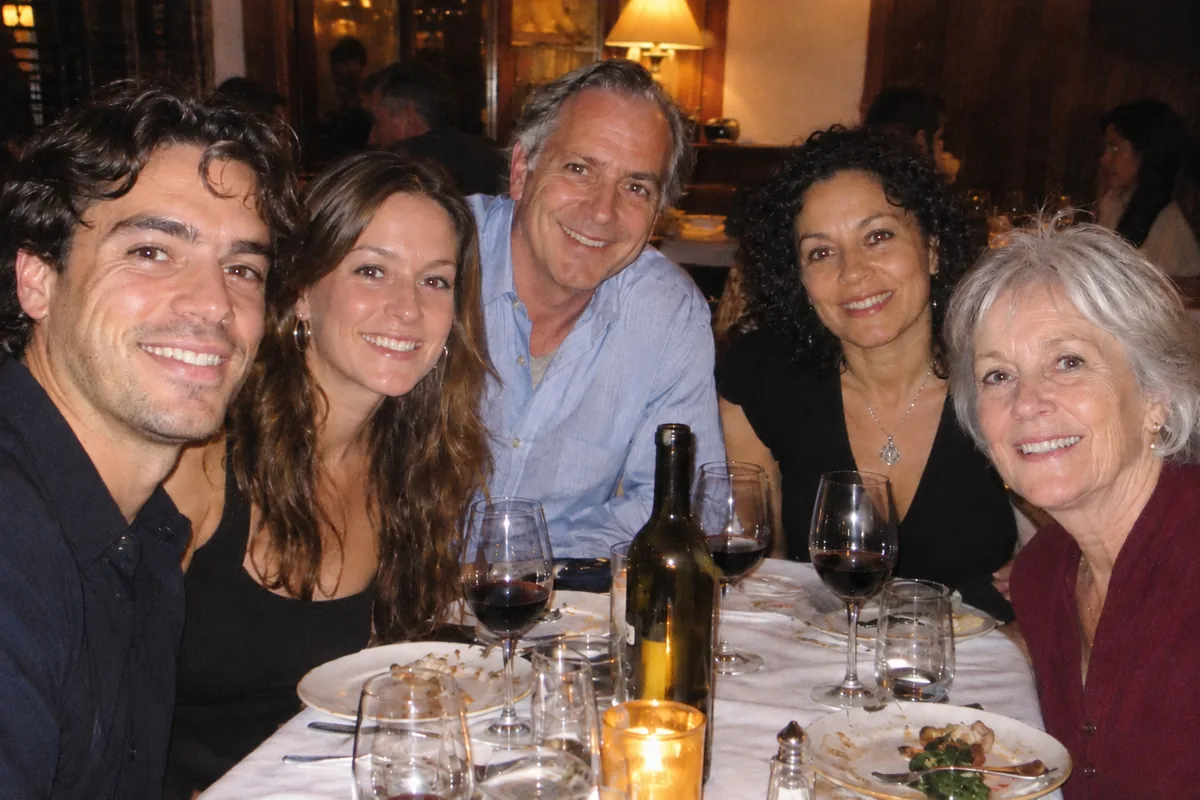
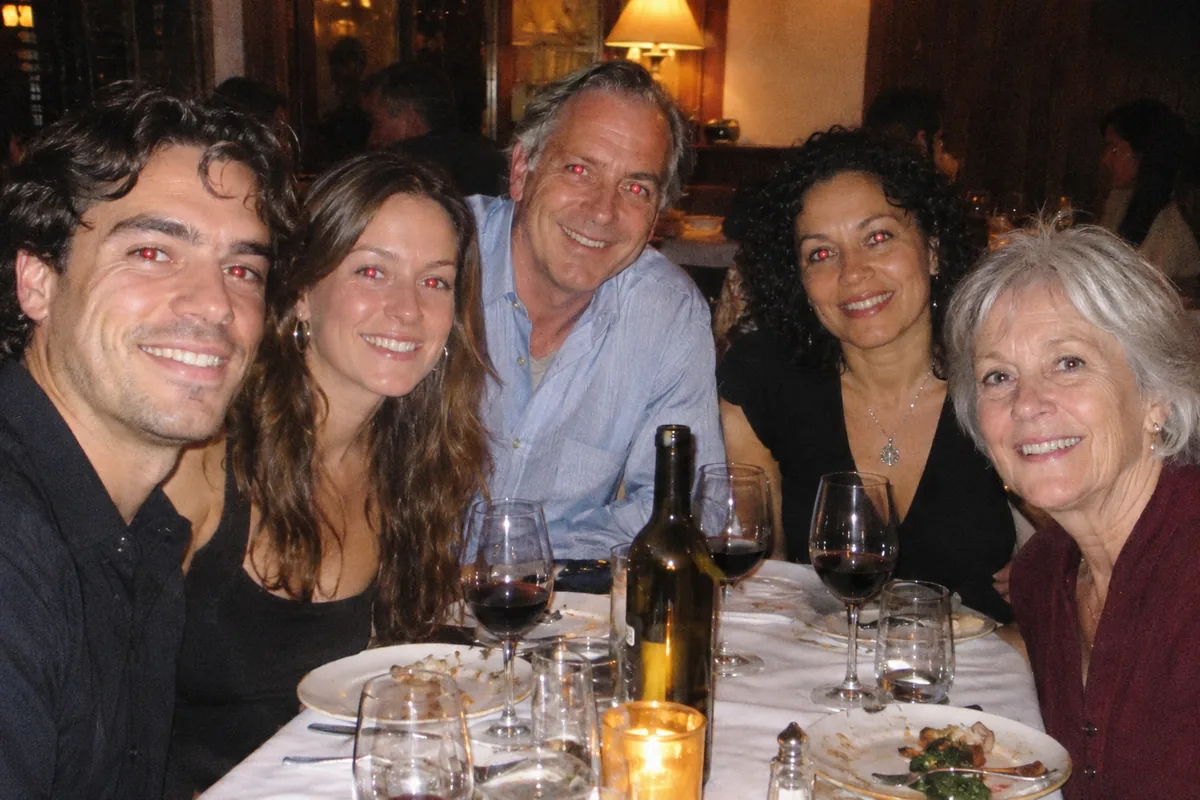
Group shots around a dinner table
Three of the five guests had red eyes. They are all fixed in one pass, and the two people who looked fine are left alone.
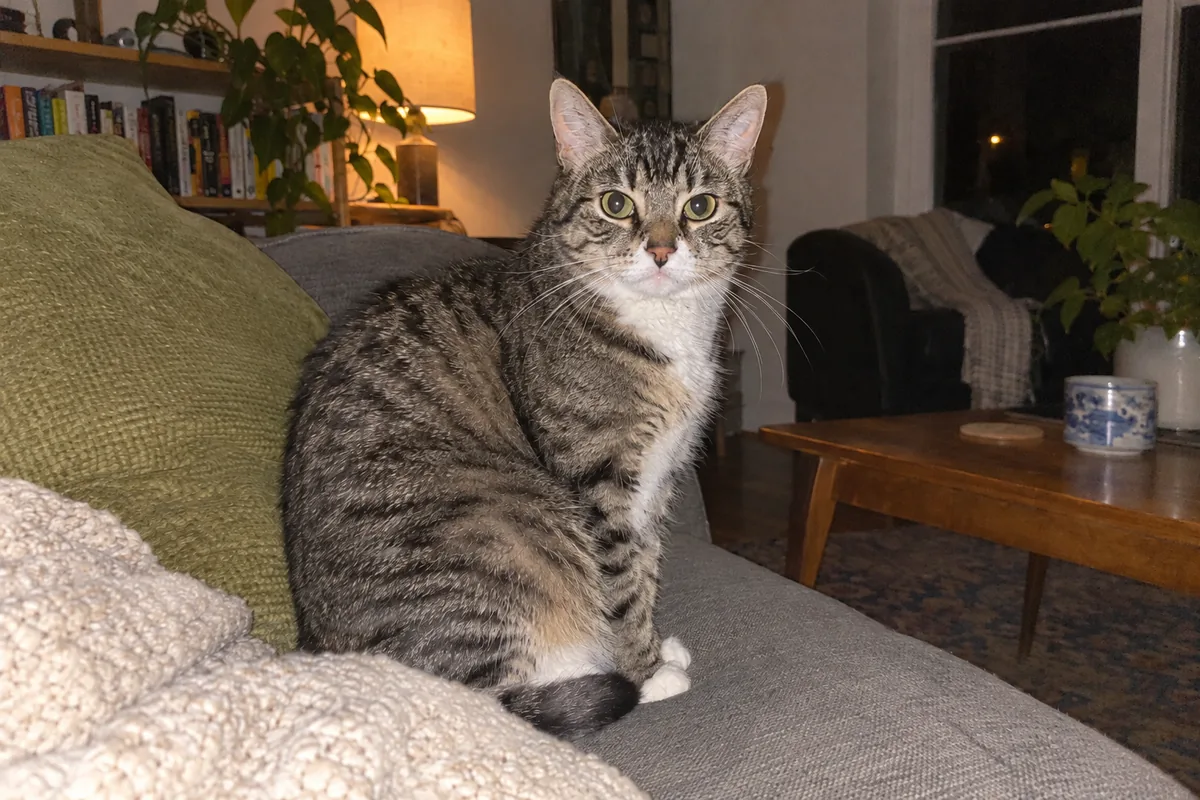
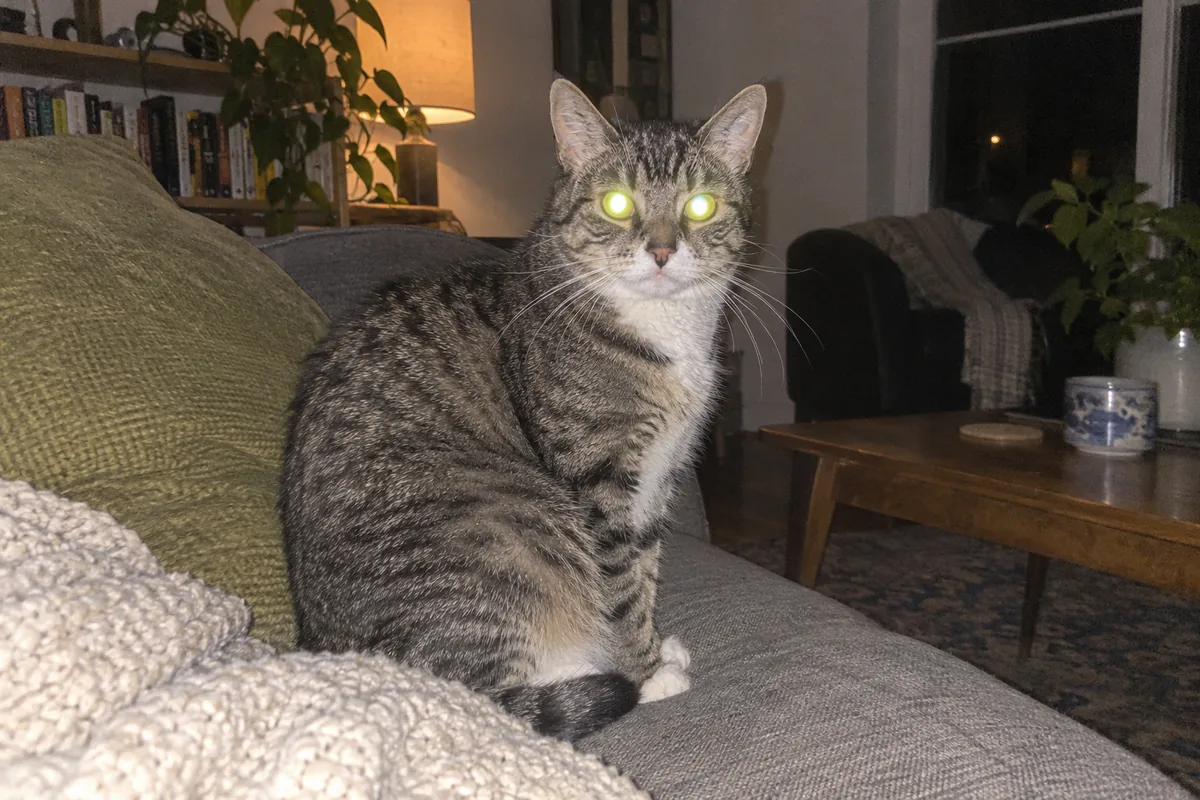
Glowing cat and dog eyes
Animals do not get red eyes, they get green or yellow eyeshine. The tool restores a natural pupil and iris, so your cat looks curious instead of possessed.
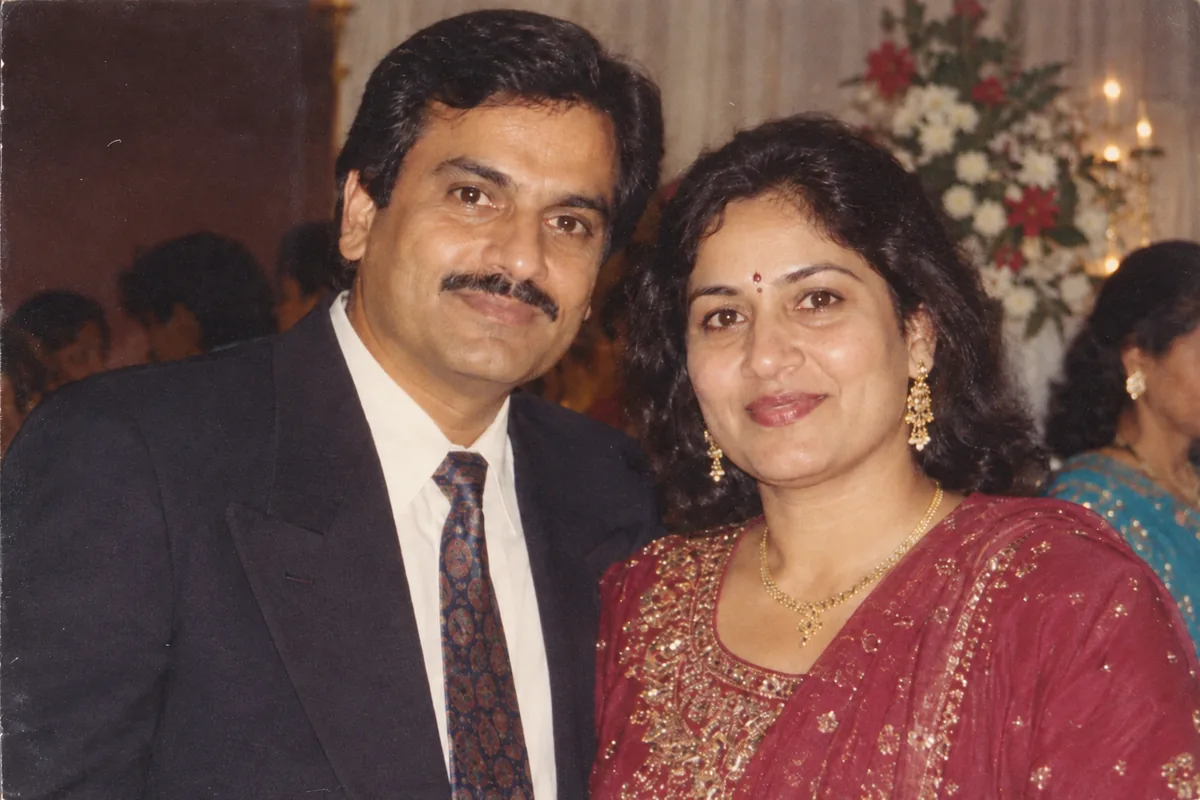
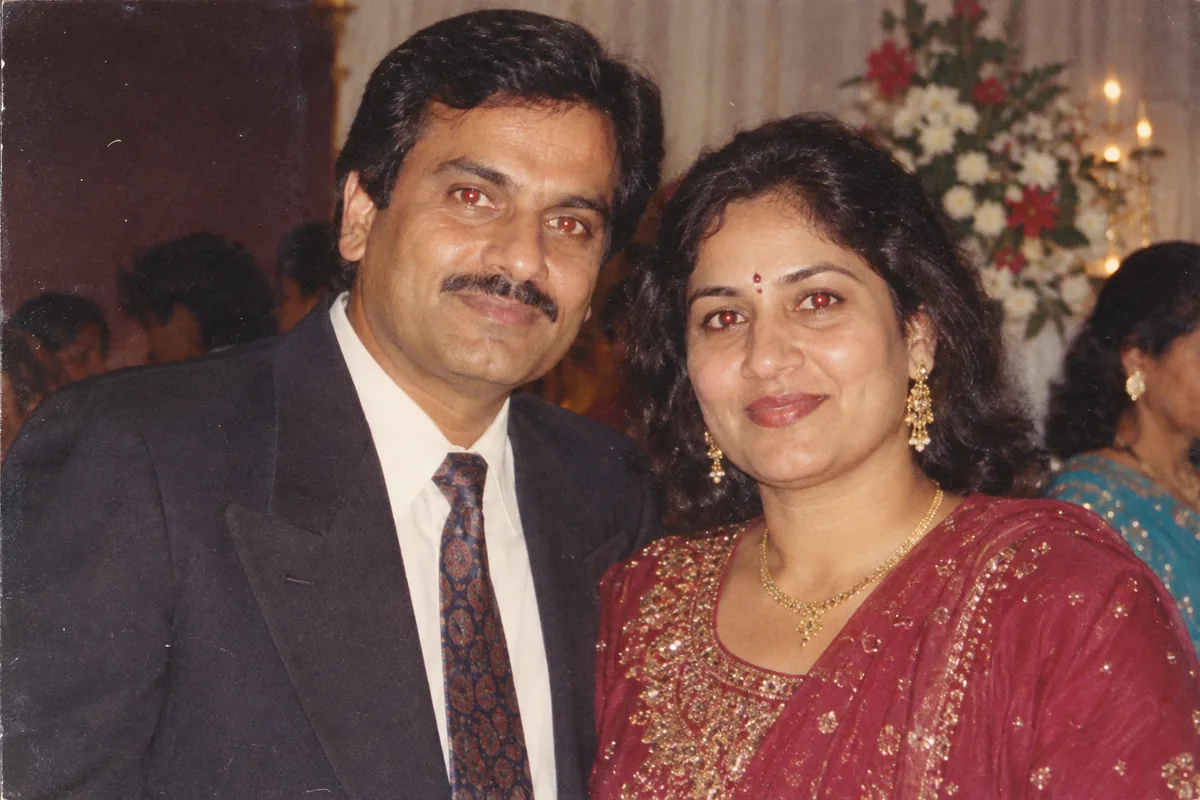
Scanned prints from the film era
Many 35mm family photos from the 80s and 90s have red eyes baked in. Scan the print, upload it, and the grain and faded colors stay while the pupils are fixed.
Why red eye happens and how to avoid it
Know the cause, take fewer red eye photos.
Flash bounces off the retina
In low light the pupil opens wide. A flash right next to the lens lights up the blood-rich retina, and the camera records it as a red dot.
Lens and flash sit too close
Phones and compact cameras put the flash beside the lens, so the reflected light goes straight back into it. A flash held off to the side avoids this.
Brighter rooms mean smaller pupils
Turning on more lights or shooting near a lamp makes pupils shrink, which leaves less retina for the flash to reflect.
Animals reflect a different color
Cats and dogs have a reflective layer behind the retina, so their eyes glow green, yellow, or white instead of red.
Who fixes red eyes in their photos
Anyone with a flash photo worth keeping.
Families
Clean up holiday, birthday, and reunion photos before they go into an album or a group chat.
Event photographers
Fix the few frames from a wedding or gala where on-camera flash caught someone the wrong way.
Family historians
Restore scanned prints and slides from the film years without losing their original grain.
Pet owners
Save the night-time shots of your cat or dog that came out with glowing eyes.
Social media users
Post party and concert selfies without anyone looking like they have demon eyes.
Small businesses
Tidy team photos and event pictures for a website or newsletter in a few seconds.
Manual brushes vs automatic red eye removal
Most photo editors still ask you to paint over every eye by hand.
| What you get | Manual brush tools | AI red eye remover |
|---|---|---|
| Effort | Zoom in and brush each eye separately | Upload once, every eye is found for you |
| Eye color | Pupils often turn flat gray or black | Original iris color and catchlight are kept |
| Pet eyes | Red-only tools miss green and yellow glow | Fixes red pupils and animal eyeshine |
| Group photos | Time grows with every extra face | All faces fixed in a single run |
Red eye remover pricing plans
Choose your plan and get instant access to all premium AI models
Cancel anytime — Unused credits roll over — Usage varies by model and generation type.
Lite
$84 per year billed yearly
4,500 Credits per year

Premium
$100 per year billed yearly
9,600 Credits per year
Max
$240 per year billed yearly
36,000 Credits per year
Free
Pay safely and securely with









Red eye remover FAQ
Answers about fixing red eyes in your photos.